20

热带皮划艇旅行摄影
Enlarge

热带皮划艇旅行摄影

Prompt
{
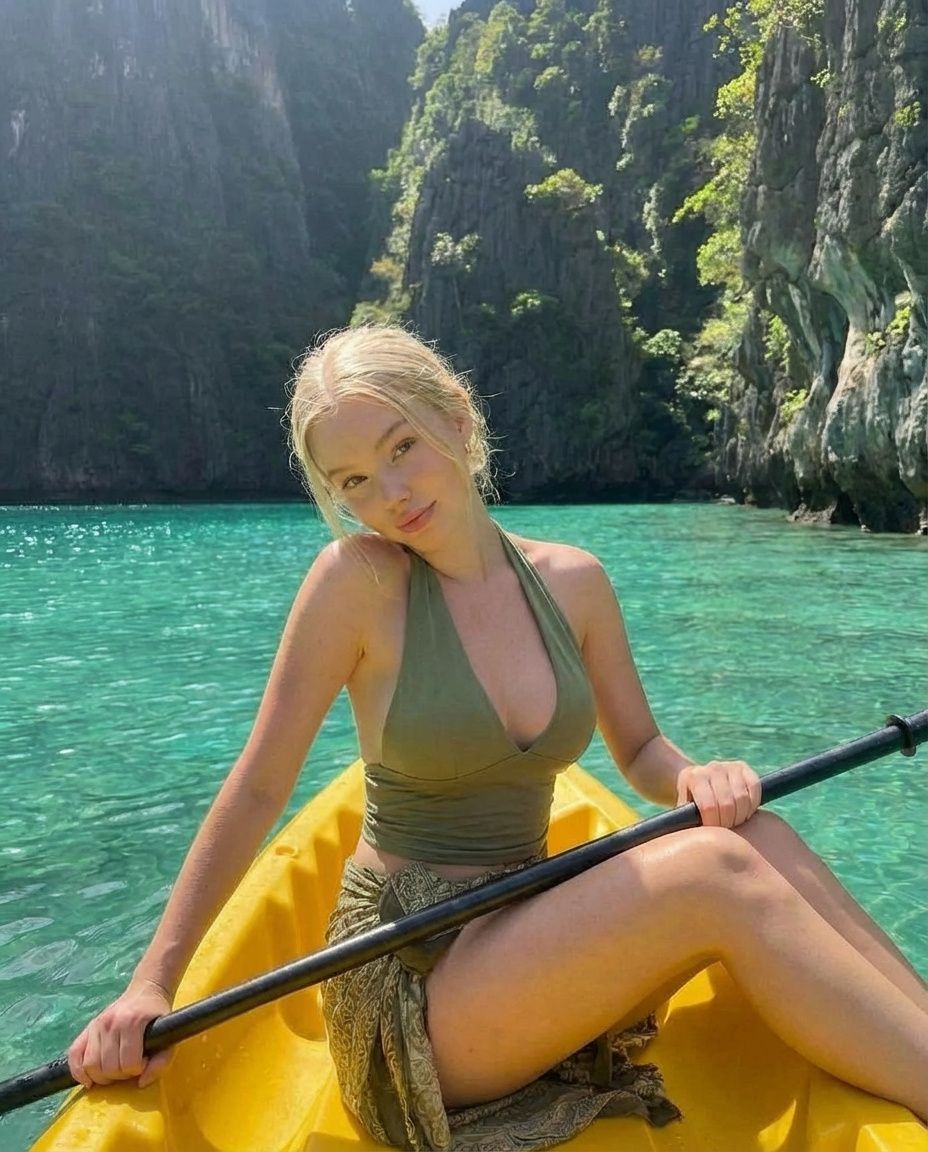
  "prompt": "An adult woman sitting in a bright {argument name="kayak color" default="yellow"} kayak on crystal-clear turquoise water, surrounded by dramatic limestone cliffs and lush tropical greenery. She is wearing an olive-green halter top and a lightweight wrap skirt, holding a kayak paddle while posing casually. Natural sunlight, vibrant tropical colors, serene island lagoon atmosphere, travel and lifestyle photography, realistic skin tones, shallow depth of field.",
  "negative_prompt": "blurry, low resolution, distorted anatomy, extra limbs, harsh shadows, overexposed highlights, watermark, text, artificial look",
  "style": "travel photography, lifestyle editorial",
  "lighting": "natural daylight, soft sunlight",
  "camera": {
    "lens": "35mm",
    "aperture": "f/2.8",
    "iso": 100
  },
  "quality": "high detail, realistic, sharp focus",
  "aspect_ratio": "2:3"
}
Category
创意图片
Model
Nano Banana Pro
Creator
Dockie
Views0
Source ID
ed914a7d-1861-4124-904c-e1264ac16124
Published
Mar 8, 2026

Guide

About "热带皮划艇旅行摄影"

What is this prompt for?

"热带皮划艇旅行摄影" AI image prompt for Nano Banana Pro (创意图片). 生成一张高细节旅行照片的提示词,内容为一名女性在宁静的岛屿泻湖中划皮划艇。提示词详细说明了环境(碧绿的海水、石灰岩悬崖、热带植物)、拍摄对象的着装(橄榄绿露肩上衣)以及技术细节,如自然阳光和浅景深。 ---…

The full copyable prompt and example visuals above are ready for AI image generation or one-click recreate in Picva.

How to use this prompt

  1. Step 1

    Open the prompt detail

    Review the example visuals, category, and full prompt text for "热带皮划艇旅行摄影".

  2. Step 2

    Copy the prompt

    Copy the prompt body from this page, or load it directly in Studio.

  3. Step 3

    Pick a model (Nano Banana Pro)

    Prefer Nano Banana Pro. If you switch models, keep subject and composition and tweak style terms.

  4. Step 4

    Generate and export

    Recreate the look in Picva, or export into your workflow for editing and publishing.

FAQ

What is the "热带皮划艇旅行摄影" prompt?
It is an AI image-generation prompt for Nano Banana Pro in the 创意图片 category. This page includes the full prompt text, example visuals, and a one-click recreate path in Picva.
How do I use this prompt to generate an image?
Copy the prompt from this page, or use Generate / Studio. Paste it into a compatible image model, or recreate the look in Picva with optional reference images.
Which model is this prompt for?
This page lists Nano Banana Pro. Most descriptive prompts also transfer to nearby image models such as GPT Image, Flux, or Midjourney with light style tweaks.
Can I use the result commercially?
You can usually copy the prompt for creation, but commercial use of the final image depends on the model terms, reference-image rights, and the generated content. Follow the source author and platform rules.









