20

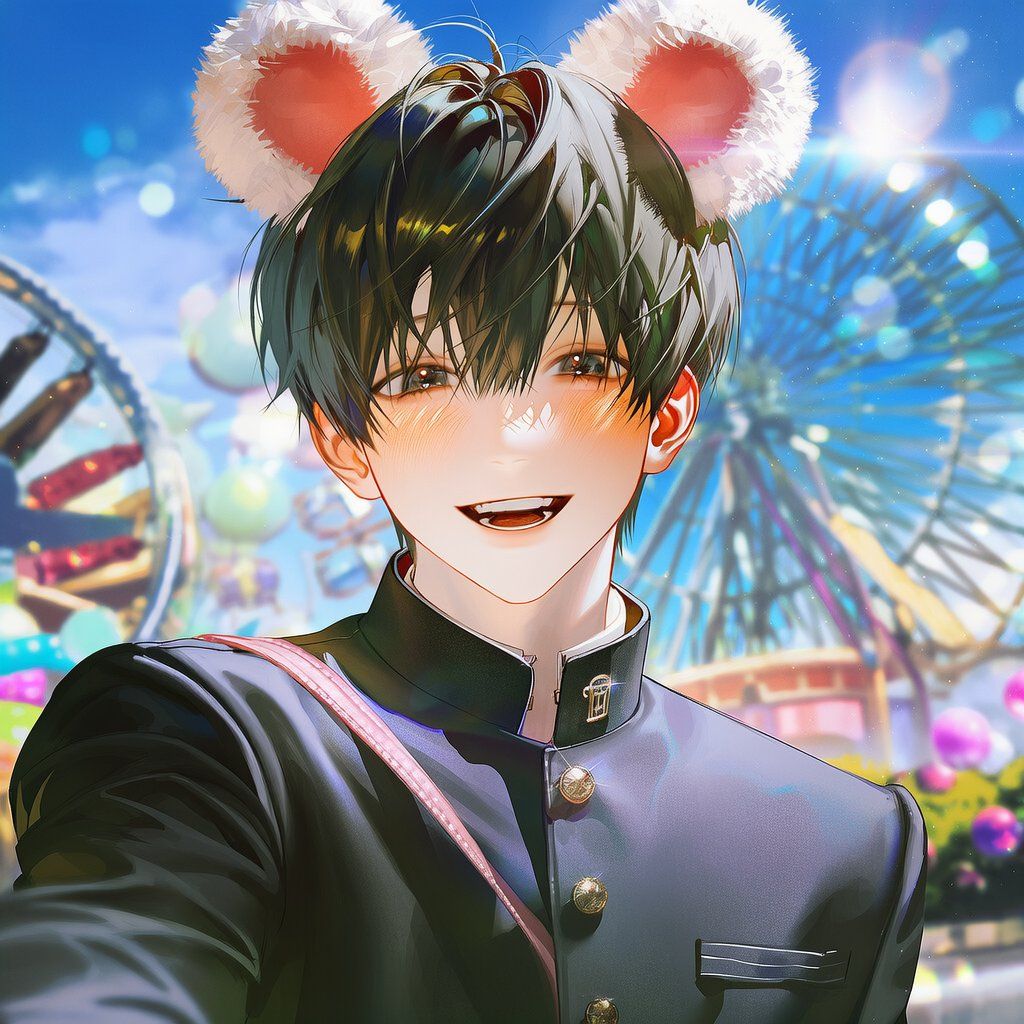
游乐园约会第一视角提示(伸手)
Enlarge

游乐园约会第一视角提示(伸手)

Prompt
(1::Medium shot::), (Waist up framing), POV of a friend on a amusement park date, a beautiful character with a bright happy smile looking directly at the camera, wearing a well-fitted school uniform (showing blazer/cardigan torso clearly), ({argument name="headband type" default="fluffy plush animal ear headband"}), ({argument name="ear type" default="cute costume mouse ears or bear ears"}), extending one hand right towards the camera lens as an invitation, sunlight hitting face, strong natural lens flare, background is a simplified and softly blurred amusement park environment with bokeh lights and rides, colorful atmosphere, clear sky, highly detailed face, 8k resolution, masterpiece.
Category
创意图片
Model
Nano Banana Pro
Creator
나비
Views0
Source ID
4eb4a291-3ed4-4843-8316-5f678502a5fc
Published
Mar 8, 2026

Guide

About "游乐园约会第一视角提示(伸手)"

What is this prompt for?

"游乐园约会第一视角提示(伸手)" AI image prompt for Nano Banana Pro (创意图片). 一个详细的提示,用于生成一张角色邀请观众进行游乐园约会的 POV(第一人称视角)图片。它指定了中景镜头,一个面带幸福微笑的美丽角色,穿着校服和动物耳朵头带,将一只手伸向相机镜头,带有强烈的自然镜…

The full copyable prompt and example visuals above are ready for AI image generation or one-click recreate in Picva.

How to use this prompt

  1. Step 1

    Open the prompt detail

    Review the example visuals, category, and full prompt text for "游乐园约会第一视角提示(伸手)".

  2. Step 2

    Copy the prompt

    Copy the prompt body from this page, or load it directly in Studio.

  3. Step 3

    Pick a model (Nano Banana Pro)

    Prefer Nano Banana Pro. If you switch models, keep subject and composition and tweak style terms.

  4. Step 4

    Generate and export

    Recreate the look in Picva, or export into your workflow for editing and publishing.

FAQ

What is the "游乐园约会第一视角提示(伸手)" prompt?
It is an AI image-generation prompt for Nano Banana Pro in the 创意图片 category. This page includes the full prompt text, example visuals, and a one-click recreate path in Picva.
How do I use this prompt to generate an image?
Copy the prompt from this page, or use Generate / Studio. Paste it into a compatible image model, or recreate the look in Picva with optional reference images.
Which model is this prompt for?
This page lists Nano Banana Pro. Most descriptive prompts also transfer to nearby image models such as GPT Image, Flux, or Midjourney with light style tweaks.
Can I use the result commercially?
You can usually copy the prompt for creation, but commercial use of the final image depends on the model terms, reference-image rights, and the generated content. Follow the source author and platform rules.












