海滩写真拍摄
Prompt
{
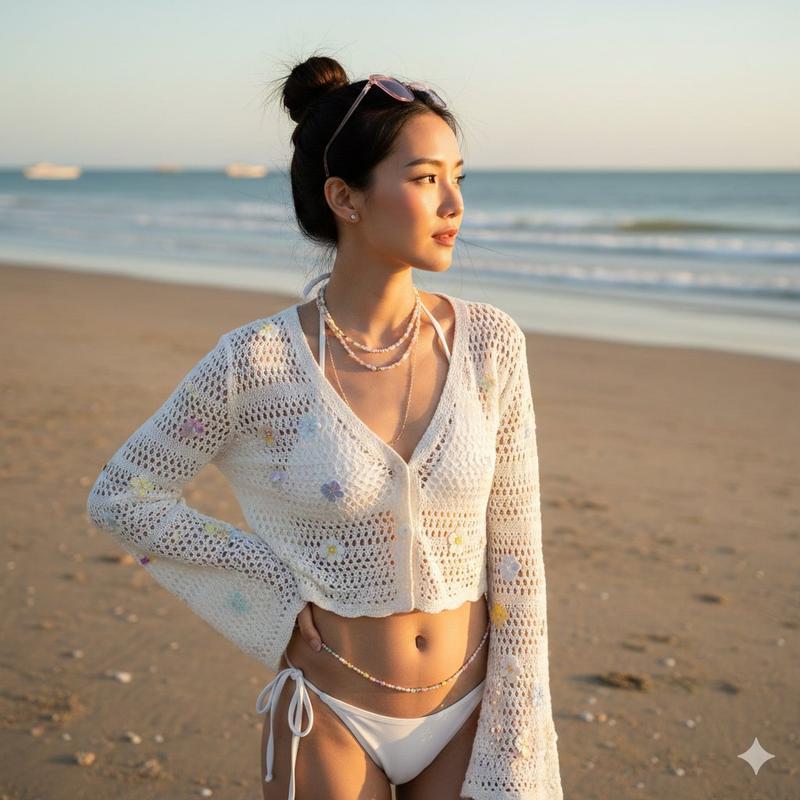
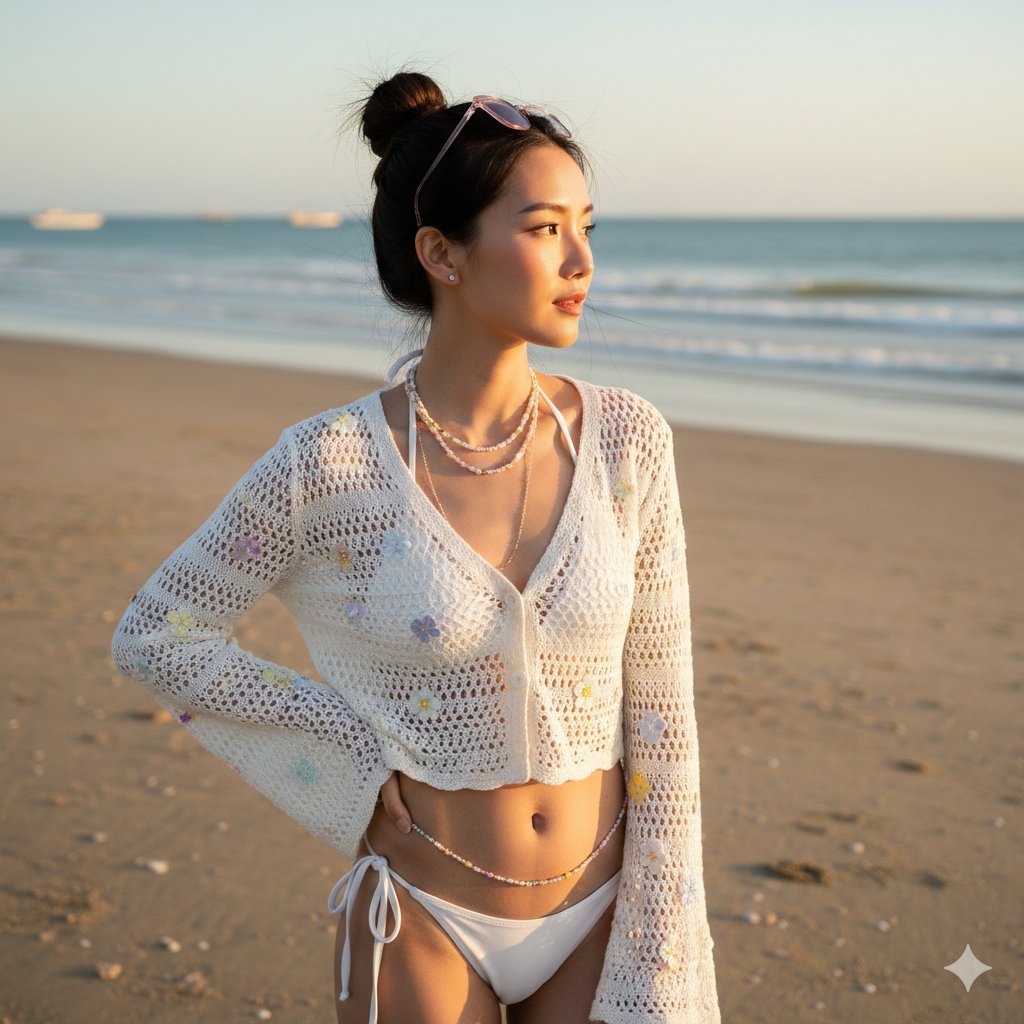
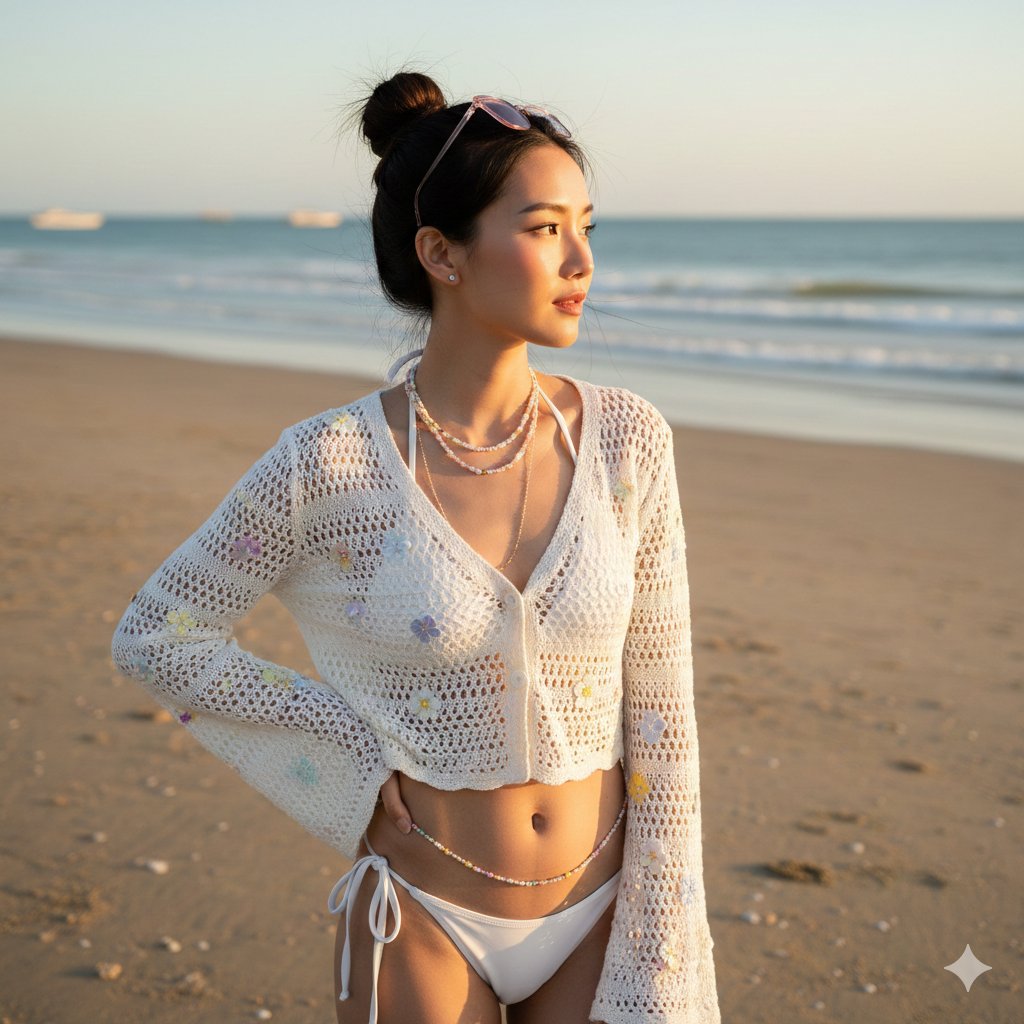
 "prompt_title": "Beachside Crochet Fashion Portrait at Sunset",
  "model_type": "Hyper-Realistic Photo",
  "style": [
    "Ultra-detailed photo-realism",
    "Golden hour beach photography",
    "Soft, natural light",
    "Vibrant yet natural color palette"
  ],
  "subject": {
    "description": "A slender and elegant Asian woman, mid-20s, with a gentle, contemplative expression, gazing towards the right of the frame.",
    "hair": "Dark brown hair styled in a high, messy bun, with soft wisps framing the face.",
    "makeup": "Minimalist, natural 'no-makeup' makeup look, featuring soft pink lips and a light blush, enhancing natural features.",
    "expression": "Serene, distant gaze, creating a sense of introspection or admiration of the view.",
    "attire": {
      "outerwear": "White, open-knit crochet cardigan with long, slightly flared sleeves, adorned with scattered small, pastel-colored floral appliques (yellow, blue, pink).",
      "swimwear": "White string bikini top and matching bottom, peeking out from beneath the cardigan.",
      "accessories": "Delicate, multi-strand beaded necklaces in pastel colors (pink, white, yellow), some extending as a body chain around her waist. Pink-tinted sunglasses perched on top of her bun. Small, understated stud earrings."
    }
  },
  "setting": {
    "location": "A tranquil, sandy beach at golden hour.",
    "background_elements": [
      "Calm ocean water with subtle waves meeting the shore in the mid-ground.",
      "A light, sandy beach foreground with gentle ripples and scattered small shells.",
      "A few distant boats visible on the horizon, adding depth and realism.",
      "A soft, clear sky with warm, diffused light of late afternoon."
    ]
  },
  "pose": {
    "type": "Standing portrait, waist-up shot.",
    "stance": "Body slightly angled to the left, head turned to look towards the right. Right hand gently rests on her hip.",
    "gaze": "Looking off into the distance to the right, not directly at the camera."
  },
  "camera_and_technical": {
    "camera": "Fujifilm GFX 100S or Sony A7R IV",
    "lens": "50mm f/1.2 or 85mm f/1.4 (Fast Prime Lens for shallow depth of field)",
    "shot_type": "Medium shot / Upper body portrait.",
    "composition": "Rule of Thirds, with the subject positioned slightly to the left, allowing space for her gaze to lead the eye.",
    "depth_of_field": "Shallow (soft bokeh on the ocean and distant background).",
    "aperture": "f/2.0",
    "shutter_speed": "1/250s",
    "iso": "ISO 160",
    "resolution": "8K, emphasizing intricate details of crochet knit and sand texture."
  },
  "lighting": {
    "overall_mood": "Soft, warm, luminous, and natural.",
    "key_light": {
      "source": "Natural sunlight, low in the sky (golden hour).",
      "position": "Coming from slightly behind and to the left of the subject, creating a subtle rim light effect and soft, elongated shadows.",
      "color_temp": "Warm (4500K - 5500K), characteristic of late afternoon sun."
    },
    "fill_light": {
      "source": "Natural ambient light reflecting off the sand and ocean.",
      "position": "Filling in shadows on the front of the subject, ensuring soft transitions.",
      "intensity": "Moderate, to maintain natural contrast."
    },
    "rim_light": {
      "source": "Direct sunlight.",
      "position": "Highlights the edges of her hair, shoulders, and arms, creating a glow that separates her from the background."
    },
    "shadows": "Soft, long, and diffused, typical of golden hour, contributing to a dreamy atmosphere."
  }
}- Category
- 创意图片
- Model
- Nano Banana Pro
- Creator
- @IqraSaifiii
- Source ID
- 1dc53a57-1b98-425e-a2d6-087f93d1cfd5
- Published
- Dec 27, 2025
Views5