20

Seedance 2 的电影级日式动作动漫战斗提示

Prompt
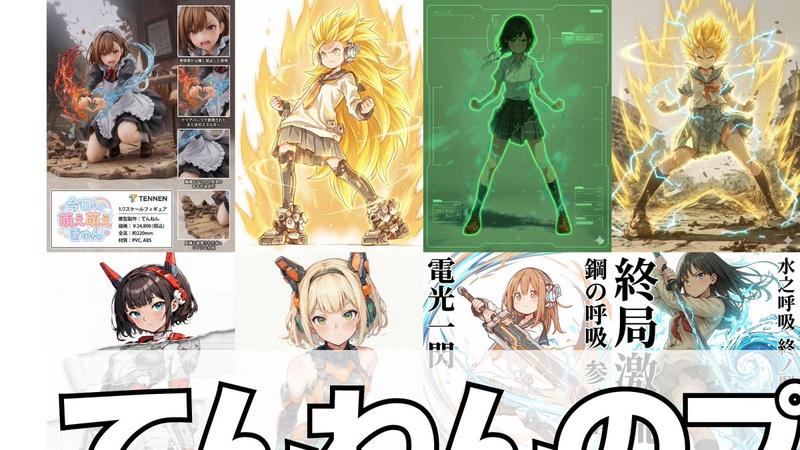
Cinematic full color japanese action anime of 【@图片1】in dynamic combat against an army of humanoid robots.
Fast paced fight where she fights an army of humanoid robots. She fights at close quarters against the robots while dodging and deflecting bullets as she strikes with a samurai sword. She finish with by charging up a powerful horizontal slash that cuts through a large area of enemy robots in front of her. She is super human. Ignore physics. Freeze for a split second on hit. Dynamic aerial acrobatic maneuvers.

Rapid dynamic cuts that follow the action. Emphasis on her speed and precision. One hit one kill. Do not pause between attacks. Dark cataclysmic robot uprising vibes.
Category
创意图片
Model
seedance-2.0
Views0
Source ID
04acaad5-cdbb-4606-b45b-c1332538e68c
Published
Mar 8, 2026

Guide

About "Seedance 2 的电影级日式动作动漫战斗提示"

What is this prompt for?

"Seedance 2 的电影级日式动作动漫战斗提示" AI image prompt for seedance-2.0 (创意图片). 一个为 Seedance 2.0 I2V(图像转视频)模型设计的详细提示词,指示其生成一个电影级的、全彩的日本动作动漫场景。该场景描绘了一个角色(通过图像引用)用武士刀与一群人形机…

The full copyable prompt and example visuals above are ready for AI image generation or one-click recreate in Picva.

How to use this prompt

  1. Step 1

    Open the prompt detail

    Review the example visuals, category, and full prompt text for "Seedance 2 的电影级日式动作动漫战斗提示".

  2. Step 2

    Copy the prompt

    Copy the prompt body from this page, or load it directly in Studio.

  3. Step 3

    Pick a model (seedance-2.0)

    Prefer seedance-2.0. If you switch models, keep subject and composition and tweak style terms.

  4. Step 4

    Generate and export

    Recreate the look in Picva, or export into your workflow for editing and publishing.

FAQ

What is the "Seedance 2 的电影级日式动作动漫战斗提示" prompt?
It is an AI image-generation prompt for seedance-2.0 in the 创意图片 category. This page includes the full prompt text, example visuals, and a one-click recreate path in Picva.
How do I use this prompt to generate an image?
Copy the prompt from this page, or use Generate / Studio. Paste it into a compatible image model, or recreate the look in Picva with optional reference images.
Which model is this prompt for?
This page lists seedance-2.0. Most descriptive prompts also transfer to nearby image models such as GPT Image, Flux, or Midjourney with light style tweaks.
Can I use the result commercially?
You can usually copy the prompt for creation, but commercial use of the final image depends on the model terms, reference-image rights, and the generated content. Follow the source author and platform rules.