20

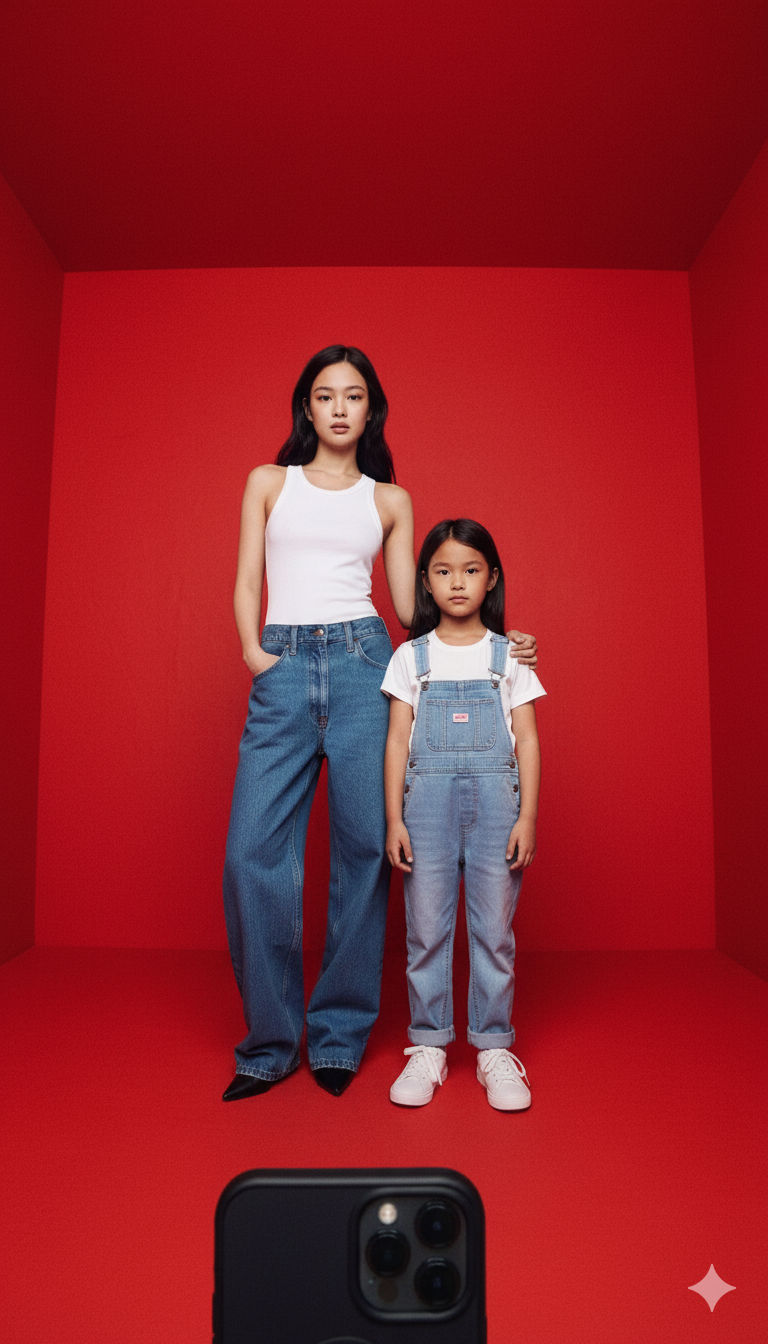
Take a photo with my childhood self
Enlarge

Take a photo with my childhood self

Prompt
These two photos are of the same girl, one as a child and one as her grown-up self. Please merge the two photos into a single image, where the grown-up version gently places her arm around the child’s shoulder, and they stand together taking a selfie in a red space. The background should be a vivid red wall. The photo should be shot with a wide-angle lens from a low angle, looking upward, as if taken with a real smartphone. Both should be looking directly at the camera, with facial features remaining as close as possible to the original photos. The final image should look highly realistic.
Category
group_interaction
Model
Nano Banana Pro
Creator
Pixshop
Views11
Source ID
63353032-d4dd-47df-99e3-c79e94eb858e
Published
Sep 26, 2025

Guide

About "Take a photo with my childhood self"

What is this prompt for?

"Take a photo with my childhood self" AI image prompt for Nano Banana Pro (group_interaction). group_interaction Copy it on Picva and recreate the look in one…

The full copyable prompt and example visuals above are ready for AI image generation or one-click recreate in Picva.

How to use this prompt

  1. Step 1

    Open the prompt detail

    Review the example visuals, category, and full prompt text for "Take a photo with my childhood self".

  2. Step 2

    Copy the prompt

    Copy the prompt body from this page, or load it directly in Studio.

  3. Step 3

    Pick a model (Nano Banana Pro)

    Prefer Nano Banana Pro. If you switch models, keep subject and composition and tweak style terms.

  4. Step 4

    Generate and export

    Recreate the look in Picva, or export into your workflow for editing and publishing.

FAQ

What is the "Take a photo with my childhood self" prompt?
It is an AI image-generation prompt for Nano Banana Pro in the group_interaction category. This page includes the full prompt text, example visuals, and a one-click recreate path in Picva.
How do I use this prompt to generate an image?
Copy the prompt from this page, or use Generate / Studio. Paste it into a compatible image model, or recreate the look in Picva with optional reference images.
Which model is this prompt for?
This page lists Nano Banana Pro. Most descriptive prompts also transfer to nearby image models such as GPT Image, Flux, or Midjourney with light style tweaks.
Can I use the result commercially?
You can usually copy the prompt for creation, but commercial use of the final image depends on the model terms, reference-image rights, and the generated content. Follow the source author and platform rules.