20

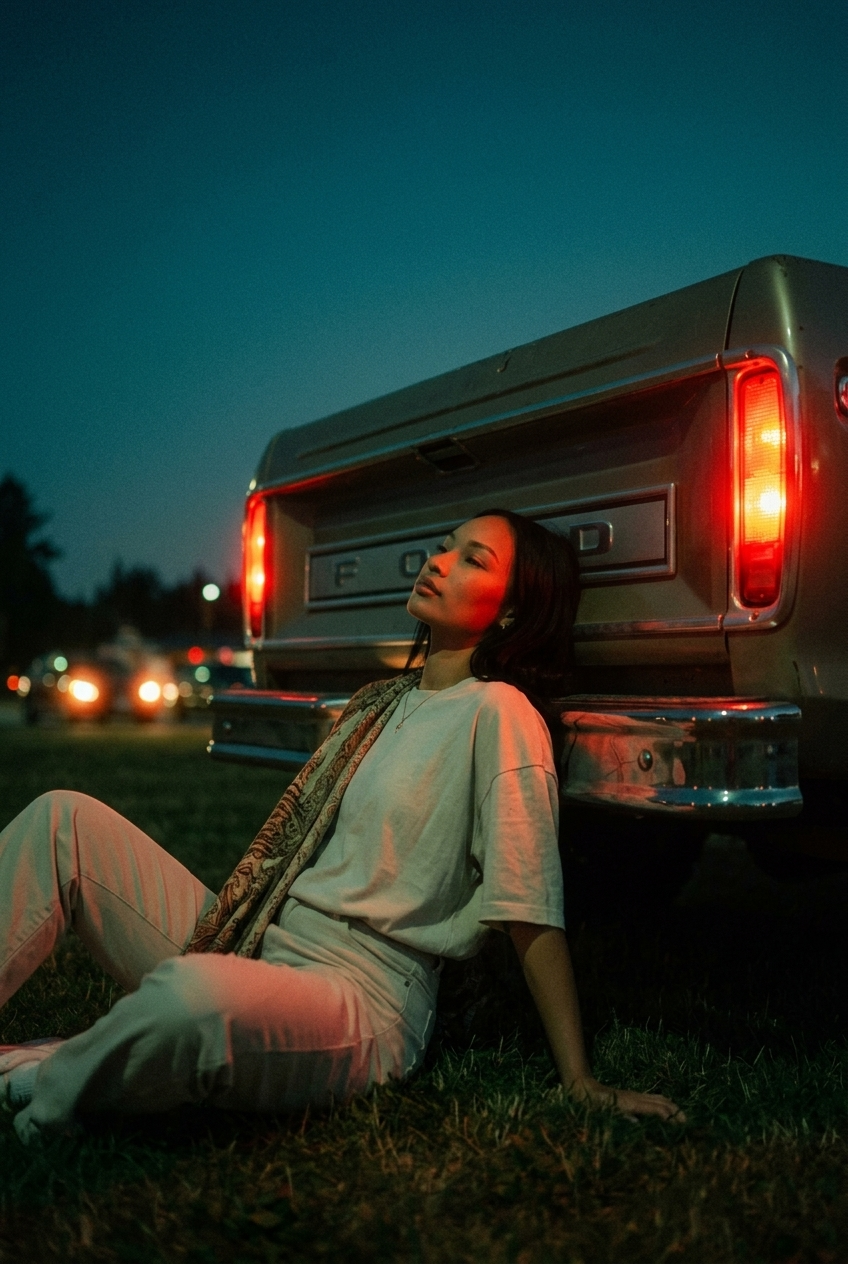
Image from subject, low-angle vertical shot, subject sitting on the ground leani
Enlarge

Image from subject, low-angle vertical shot, subject sitting on the ground leani

Prompt
Image from subject, low-angle vertical shot, subject sitting on the ground leaning back against the rear bumper of a vehicle, relaxed posture with head tilted back looking away. Wearing a loose-fitting light-colored t-shirt, light trousers, and a patterned fabric draped over one shoulder. Nighttime outdoor setting on grass, positioned against glowing red car taillights with distant bokeh under a deep twilight sky. Moody teal and red color grading; intense red rim lighting contrasting with cool blue ambient shadows and lifted matte blacks. Heavy 35mm analog film grain, vintage cinematic texture.
Category
Photography & Realism
Model
Nano Banana 2
Views98
Source ID
1214
Published
Mar 24, 2026

Guide

About "Image from subject, low-angle vertical shot, subject sitting on the ground leani"

What is this prompt for?

"Image from subject, low-angle vertical shot, subject sitting on the ground leani" AI image prompt for Nano Banana 2 (Photography & Realism). Image from subjec…

The full copyable prompt and example visuals above are ready for AI image generation or one-click recreate in Picva.

How to use this prompt

  1. Step 1

    Open the prompt detail

    Review the example visuals, category, and full prompt text for "Image from subject, low-angle vertical shot, subject sitting on the ground leani".

  2. Step 2

    Copy the prompt

    Copy the prompt body from this page, or load it directly in Studio.

  3. Step 3

    Pick a model (Nano Banana 2)

    Prefer Nano Banana 2. If you switch models, keep subject and composition and tweak style terms.

  4. Step 4

    Generate and export

    Recreate the look in Picva, or export into your workflow for editing and publishing.

FAQ

What is the "Image from subject, low-angle vertical shot, subject sitting on the ground leani" prompt?
It is an AI image-generation prompt for Nano Banana 2 in the Photography & Realism category. This page includes the full prompt text, example visuals, and a one-click recreate path in Picva.
How do I use this prompt to generate an image?
Copy the prompt from this page, or use Generate / Studio. Paste it into a compatible image model, or recreate the look in Picva with optional reference images.
Which model is this prompt for?
This page lists Nano Banana 2. Most descriptive prompts also transfer to nearby image models such as GPT Image, Flux, or Midjourney with light style tweaks.
Can I use the result commercially?
You can usually copy the prompt for creation, but commercial use of the final image depends on the model terms, reference-image rights, and the generated content. Follow the source author and platform rules.