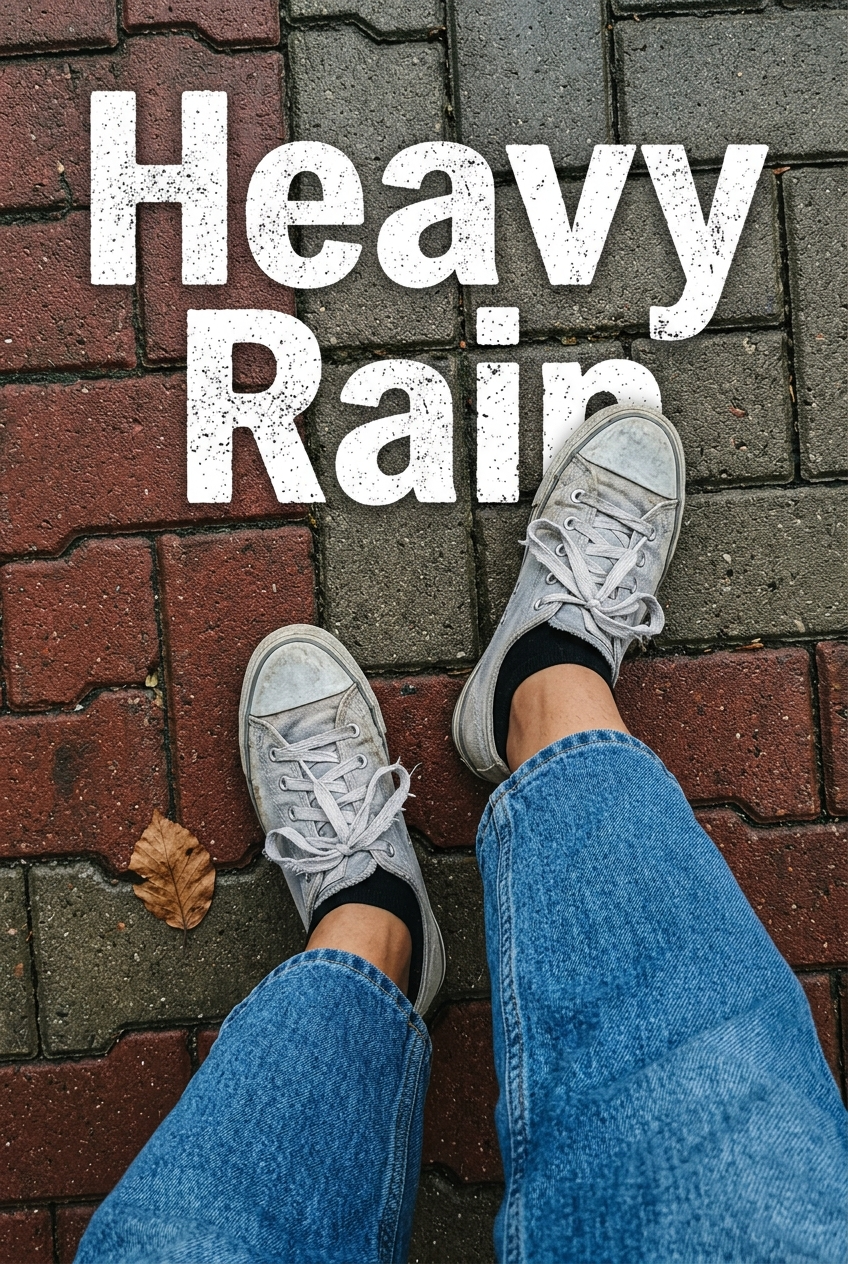
{ "subject": { "description": "First-person view of legs and feet standing on pa
Prompt
{
 "subject": {
 "description": "First-person view of legs and feet standing on pavement.",
 "mirror_rules": null,
 "age": "unknown",
 "expression": null,
 "face": null
 },
 "hair": null,
 "body": {
 "frame": "casual stance",
 "waist": null,
 "chest": null,
 "legs": "relaxed posture, wearing denim",
 "skin": {
 "visible_areas": "ankles between shoes and jeans",
 "tone": "medium-light",
 "texture": "matte, dry",
 "lighting_effect": "soft, flat ambient light hitting bare skin"
 }
 },
 "pose": {
 "position": "standing, right foot slightly forward",
 "base": "feet planted firmly on paving stones",
 "overall": "relaxed, casual top-down perspective"
 },
 "clothing": {
 "top": null,
 "bottom": {
 "type": "jeans",
 "color": "medium blue",
 "details": "denim, slightly loose fit, hem resting just above the ankle"
 }
 },
 "accessories": {
 "headwear": null,
 "jewelry": null,
 "device": null,
 "prop": "worn light grey low-top sneakers with loose laces, black ankle socks. Large distressed white typography overlay reading 'Heavy Rain'."
 },
 "photography": {
 "camera_style": "casual smartphone snapshot",
 "angle": "top-down, high angle POV",
 "shot_type": "close-up of feet",
 "aspect_ratio": "3:4",
 "texture": "slightly gritty, film grain, muted saturation",
 "lighting": "overcast, flat natural light, no harsh shadows",
 "depth_of_field": "deep focus, wide-angle lens (approx 24mm eq) keeping both feet and ground sharp"
 },
 "background": {
 "setting": "outdoor street or walkway",
 "wall_color": null,
 "elements": [
 "interlocking red and grey rectangular paving stones",
 "single dry brown leaf"
 ],
 "atmosphere": "damp, overcast, autumnal",
 "lighting": "flat daylight"
 },
 "the_vibe": {
 "energy": "still, observant",
 "mood": "melancholic, calm",
 "aesthetic": "street grunge, casual daily diary",
 "authenticity": "high, unpolished everyday moment with slight frame tilt",
 "intimacy": "personal POV",
 "story": "stood in the street observing the overcast weather",
 "caption_energy": "Rainy weather social media update"
 },
 "constraints": {
 "must_keep": [
 "top-down POV",
 "paving stone texture",
 "worn sneakers",
 "distressed text overlay"
 ],
 "avoid": [
 "faces",
 "studio lighting",
 "perfectly clean clothes",
 "shallow depth of field"
 ]
 },
 "negative_prompt": [
 "face",
 "studio lighting",
 "perfect composition",
 "clean shoes",
 "shallow depth of field",
 "bright colors",
 "sunlight",
 "bokeh"
 ]
}- Category
- Posters & Typography
- Model
- Nano Banana 2
- Creator
- xie underwood
- Source ID
- 1616
- Published
- Apr 7, 2026
Views42