Create a realistic low-resolution candid phone photo of two young adults descend
Prompt
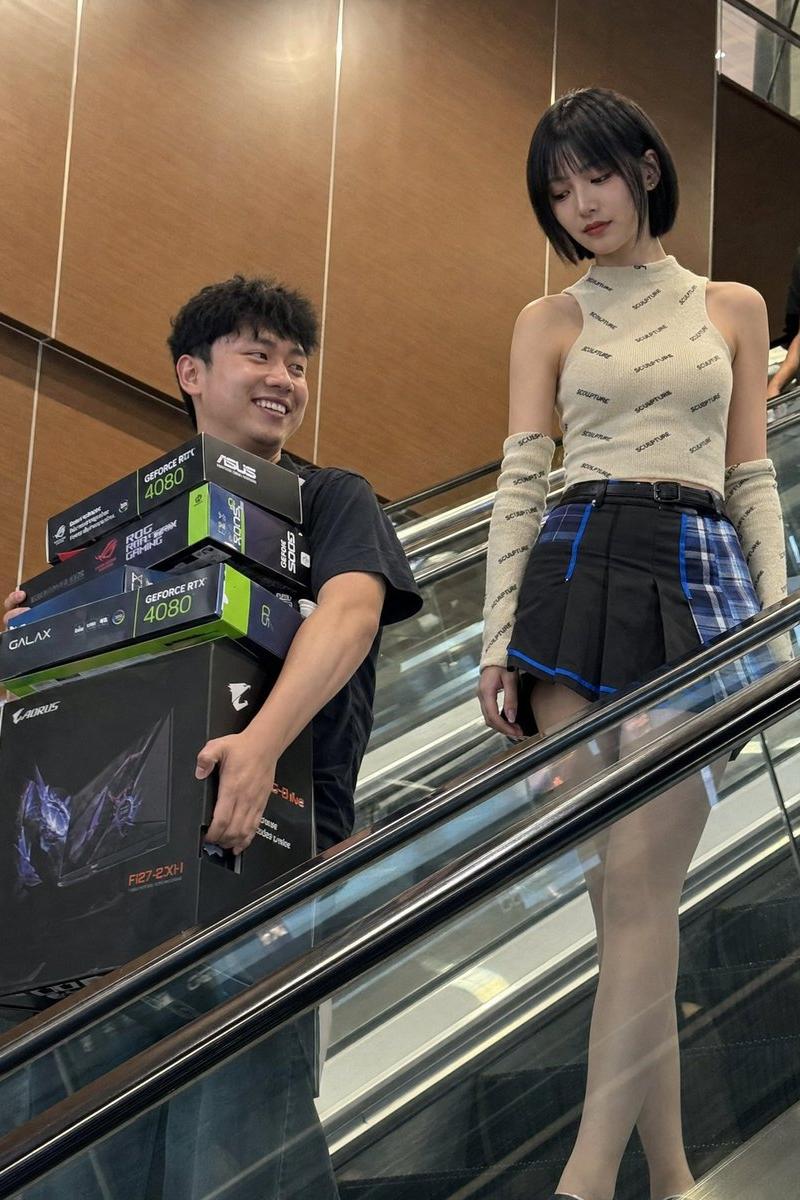
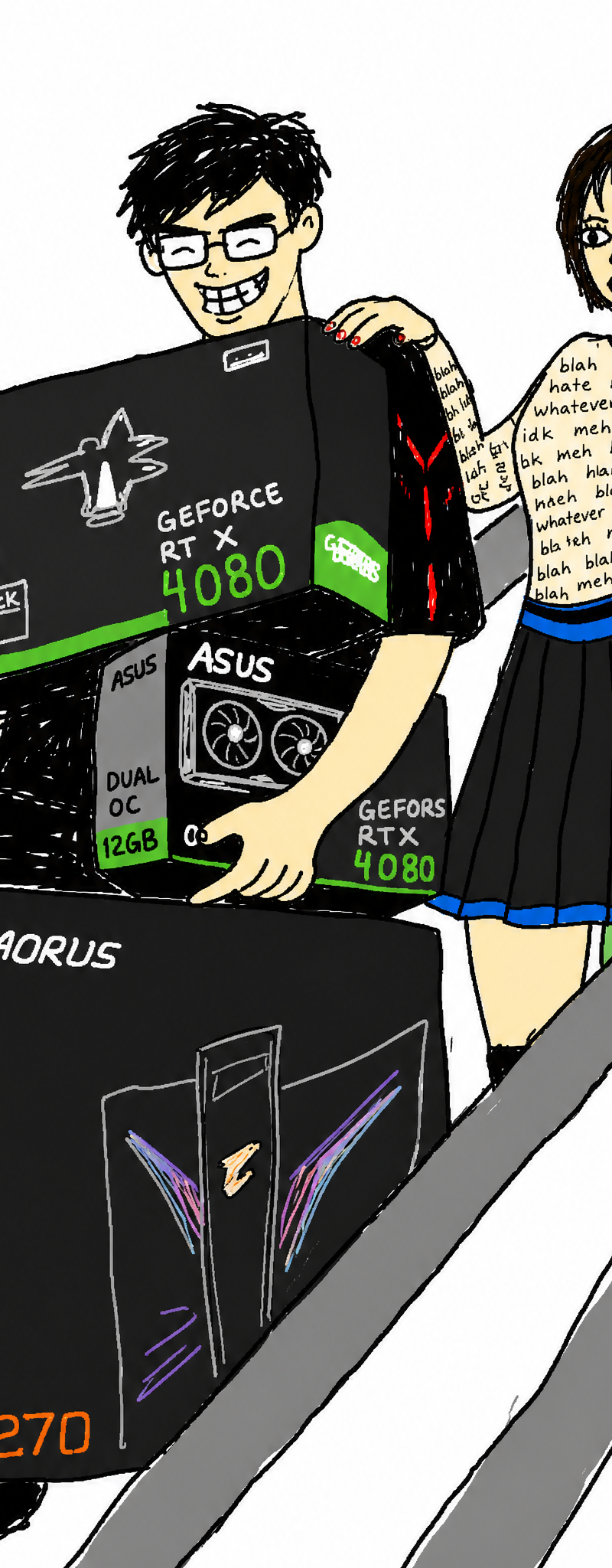
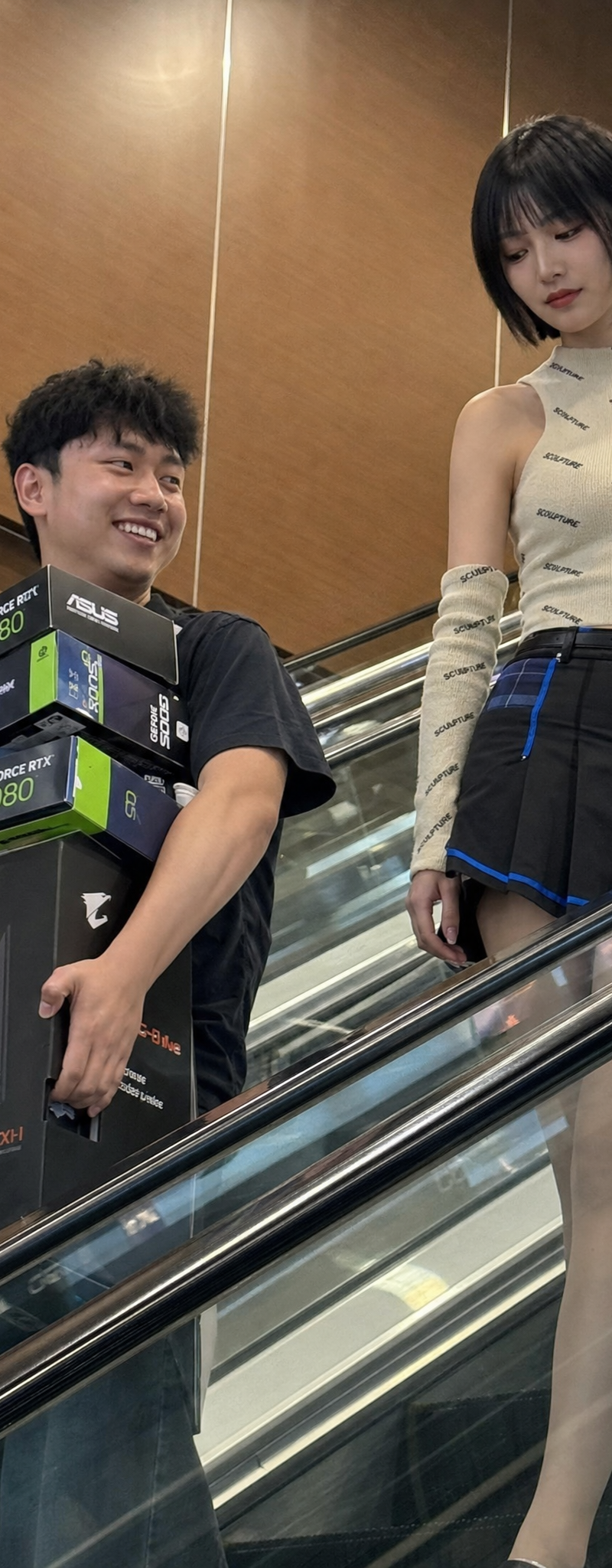
Create a realistic low-resolution candid phone photo of two young adults descending an indoor shopping mall escalator, captured from a lower diagonal angle across the escalator. The composition should feel accidental and slightly imperfect, with the escalator handrail and glass side panel cutting across the foreground as a strong diagonal obstruction.

On the left, show a cheerful young man with short black slightly tousled hair, wearing a dark casual short-sleeve shirt. He is smiling genuinely while carrying several oversized PC hardware boxes pressed against his torso, including visible GeForce RTX 4080 graphics card boxes, ASUS or GALAX-style GPU packaging, and a large black AORUS monitor box. His face, neck, forearms, and hands are visible, with natural warm skin tone and practical tension in the hands from holding heavy boxes.

On the right, show a slim young woman standing slightly higher on the escalator, calm and composed, looking downward rather than at the camera. She has a neat short dark bob haircut with straight bangs, soft indoor shine, pale warm ivory skin, and an East Asian fashion-editorial inspired makeup style: smooth matte base, subtle eyes, and defined red lips. She wears a fitted sleeveless cream or beige knit top covered with small repeated dark text-like pattern, matching long patterned arm sleeves, and a short black pleated skirt with vivid blue and turquoise plaid paneling, blue trim, and a dark belt. Visible skin includes her face, neck, exposed shoulders, upper arms, a small neckline area, and partially visible thighs above the escalator rail. The skin should look natural and softly matte, as if smooth and cool to the touch, lit by ordinary overhead mall lights rather than beauty lighting.

The background is a warm brown wood or laminate wall panel area inside a mall or electronics shopping center, with vertical seams, reflective metal rails, glass panels, and a partial passerby shape near the edge of the frame. Use practical indoor mall lighting: soft overhead illumination, warm reflected light from the brown wall, weak uneven shadows, and broken reflections on the escalator glass and metal. Keep a deep phone-camera-like depth of field where the subjects, boxes, escalator, and background remain mostly readable.

The image should preserve compressed social-media photo texture: mild noise, softened details, slightly muddy colors, imperfect framing, and a believable candid snapshot feeling. The emotional tone is a funny, slightly surreal tech purchase moment: the man looks proud and happy after buying expensive gaming hardware, while the woman appears cool, stylish, and detached. It should feel like they had just bought the hardware and were caught by someone passing by before either noticed the camera.
- Category
- Posters & Typography
- Model
- GPT Image 2
- Creator
- xie underwood
- Source language
- en
- Source ID
- 2491
- Published
- May 3, 2026
Views611