街头时尚摄影:自信的女摄影师
Prompt
Paparazzi
{
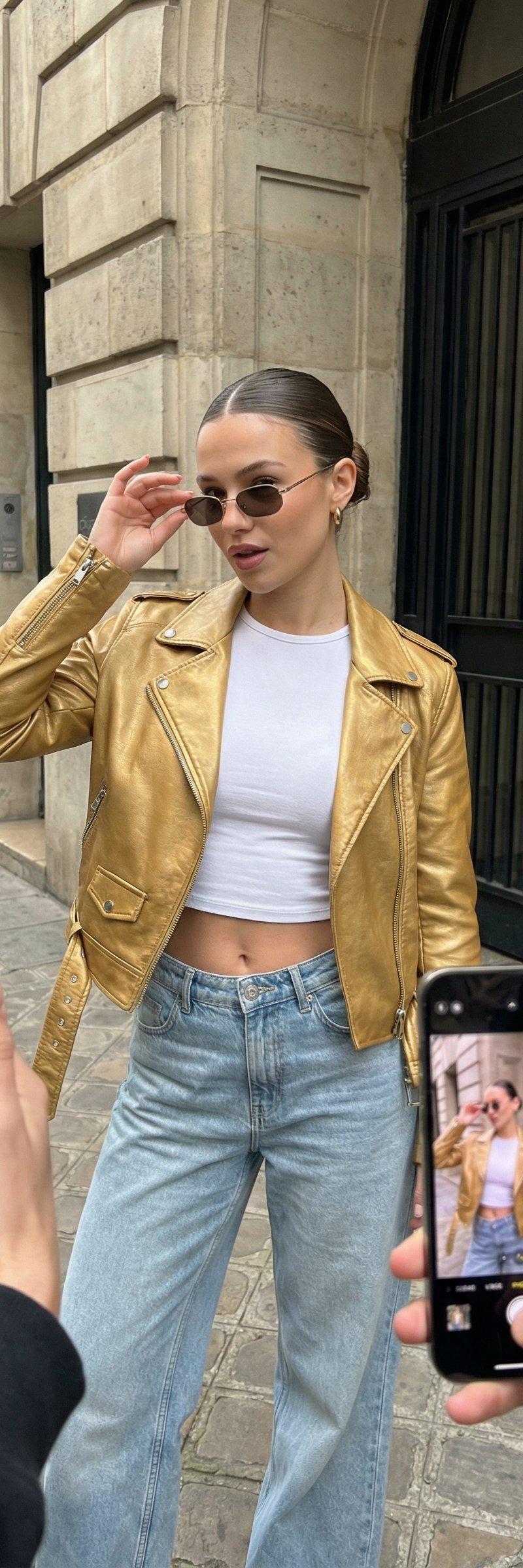
 "subject": "young woman posing confidently while being photographed by multiple people holding smartphones",
 "character": {
 "gender": "female",
 "age_range": "early 20s",
 "body_type": "slim, feminine, toned",
 "skin_tone": "natural medium skin tone",
 "hair": "sleek low bun with a clean middle part, subtle face-framing highlights, polished and modern",
 "expression": "confident, slightly playful, composed editorial look",
 "pose": "one hand near face with relaxed gesture, casual confident stance emphasizing effortless street-style charm"
 },
 "wardrobe": {
 "outfit_color": "metallic gold, white, light blue, brown accents",
 "top": "white fitted glamour crop top with a sleek, structured fit",
 "jacket": "open golden leather jacket with a glossy, luxurious finish and tailored silhouette",
 "bottom": "high-waisted wide-leg light-wash denim jeans with relaxed fit",
 "details": "glamour styling with metallic accents, jacket worn open to frame the crop top, casual luxury street styling",
 "style": "modern street-style editorial with glamorous twist, fashion-forward, effortless chic"
 },
 "accessories": {
 "jewelry": "gold hoop earrings, layered gold necklaces, multiple gold rings and bracelets",
 "bag": "brown monogram shoulder bag worn crossbody",
 "eyewear": "small rectangular sunglasses with tinted lenses",
 "vibe": "confident, trendy, city-girl aesthetic with added glamour"
 },
 "interaction": {
 "surrounding_hands": "multiple hands reaching in holding smartphones",
 "devices": {
 "model": "iPhone 17 Pro Max",
 "color": "graphite titanium",
 "screen": "live camera view showing the subject in-frame",
 "design": "ultra-thin bezels, edge-to-edge display, premium futuristic finish"
 },
 "concept": "attention, paparazzi energy, street fashion meets social media obsession"
 },
 "environment": {
 "location": "urban street entrance",
 "background": "stone building facade with dark metal door details",
 "aesthetic": "European street style, candid fashion moment"
 },
 "lighting": {
 "type": "natural daylight",
 "setup": "soft directional daylight with subtle shadows",
 "effect": "realistic skin tones, crisp fabric texture, natural contrast"
 },
 "camera": {
 "shot_type": "full-body street-style editorial shot",
 "angle": "eye-level",
 "lens": "50mm",
 "focus": "sharp subject with natural depth of field"
 },
 "render_style": {
 "photorealism": "very high",
 "texture_detail": "high skin, denim, and fabric texture fidelity",
 "color_grading": "natural, clean, fashion-editorial tones",
 "quality": "high-resolution, commercial-ready"
 },
 "style_tags": [
 "street style editorial",
 "modern fashion",
 "paparazzi aesthetic",
 "urban chic",
 "high realism",
 "fashion photography",
 "glamour street style"
 ]
}- Category
- Photography & Realism
- Model
- Unknown
- Creator
- ANKIT PATEL 🇮🇳 | AI
- Source language
- zh-CN
- Source ID
- confident-urban-fashion-photography-the-paparazzi
Views0