20

使用Photoshop创建新的角色设计图
Enlarge

Example images

使用Photoshop创建新的角色设计图

Prompt
新しいPhotoshopでキャラクターデザインシートを作成する
- 7680 x 4320 pxの新規作成
- 写真を配置
- モデルをNano Banana Proに
- キャラクターシート用のプロンプトを実行
プロンプト:
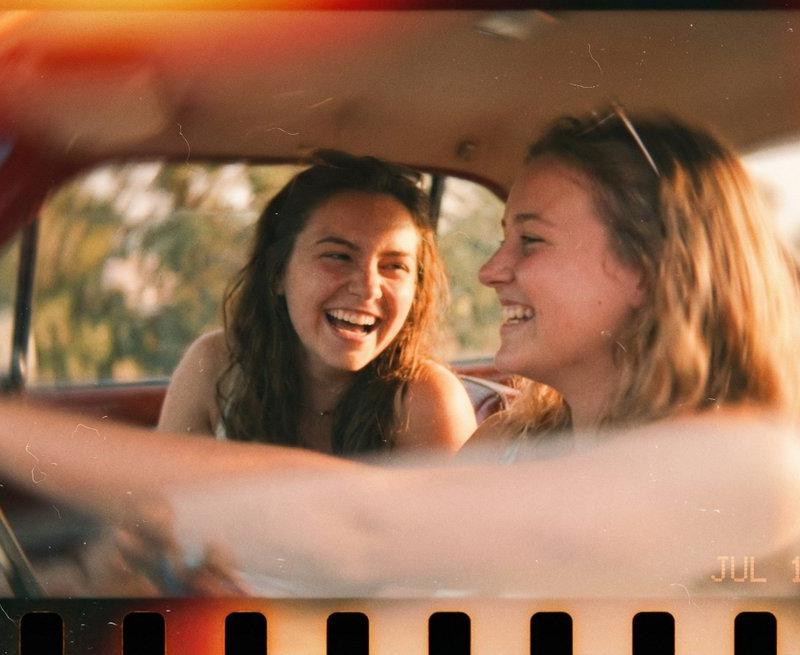
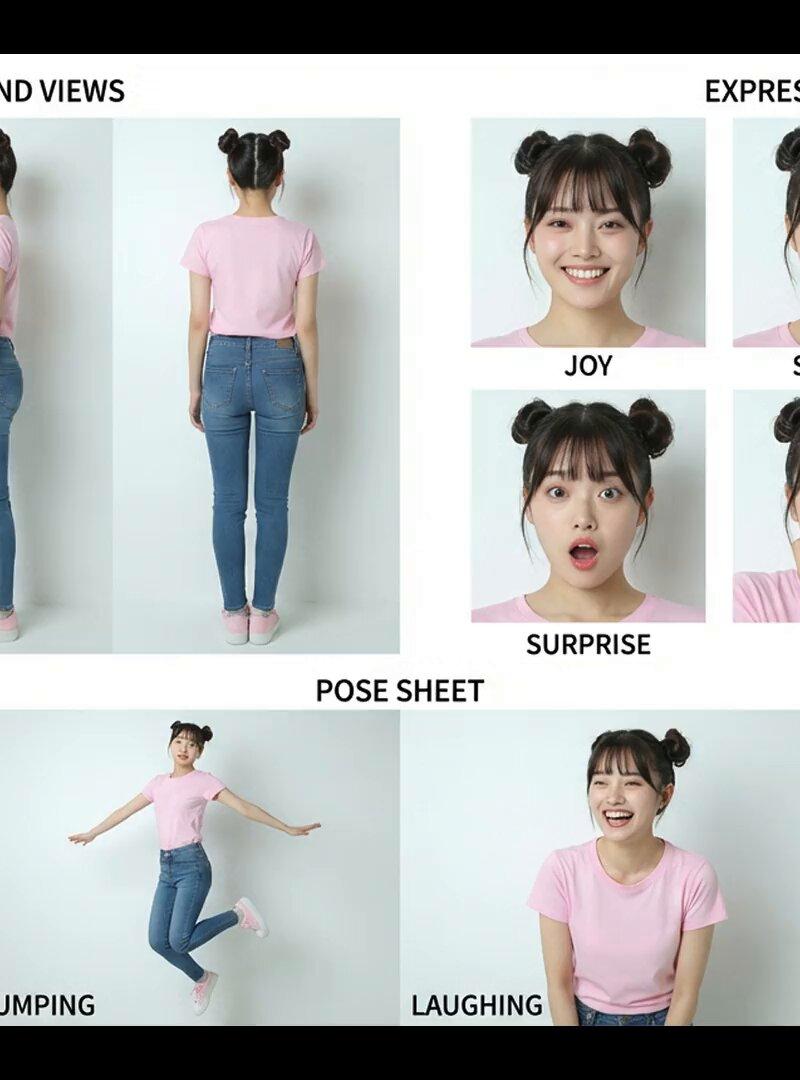
この写真の人物の詳細なキャラクターデザインシートを作成してください。実写映画で使いますのでアニメの絵にならないように注意してください。必ず以下の3つのキャラクター設定で構成してください。作成できたら元の人物の画像は消してください。
- キャラクターを複数の角度から描いたターンアラウンド(三面図)
- 喜び、悲しみ、怒り、驚き、恐怖、中立など、基本的な感情状態がそれぞれ描かれた表情シート
- キャラクターの走る、跳ぶ、笑う、泣くなどの典型的な行動を示したポーズシート
#Photoshop #NanoBananaPro
Category
Photography & Realism
Model
Nano Banana Pro
Creator
Creative.Edge CL+
Source language
zh-CN
Views0
Source ID
create-a-new-character-design-sheet-in-photoshop
Studio

Guide

About "使用Photoshop创建新的角色设计图"

What is this prompt for?

"使用Photoshop创建新的角色设计图" AI image prompt for Nano Banana Pro (Photography & Realism). 新しいPhotoshopでキャラクターデザインシートを作成する - 7680 x 4320 pxの新規作成 - 写真を配置 - モデルをNano Ba…

The full copyable prompt and example visuals above are ready for AI image generation or one-click recreate in Picva.

How to use this prompt

  1. Step 1

    Open the prompt detail

    Review the example visuals, category, and full prompt text for "使用Photoshop创建新的角色设计图".

  2. Step 2

    Copy the prompt

    Copy the prompt body from this page, or load it directly in Studio.

  3. Step 3

    Pick a model (Nano Banana Pro)

    Prefer Nano Banana Pro. If you switch models, keep subject and composition and tweak style terms.

  4. Step 4

    Generate and export

    Recreate the look in Picva, or export into your workflow for editing and publishing.

FAQ

What is the "使用Photoshop创建新的角色设计图" prompt?
It is an AI image-generation prompt for Nano Banana Pro in the Photography & Realism category. This page includes the full prompt text, example visuals, and a one-click recreate path in Picva.
How do I use this prompt to generate an image?
Copy the prompt from this page, or use Generate / Studio. Paste it into a compatible image model, or recreate the look in Picva with optional reference images.
Which model is this prompt for?
This page lists Nano Banana Pro. Most descriptive prompts also transfer to nearby image models such as GPT Image, Flux, or Midjourney with light style tweaks.
Can I use the result commercially?
You can usually copy the prompt for creation, but commercial use of the final image depends on the model terms, reference-image rights, and the generated content. Follow the source author and platform rules.