19

Grok搭建全自动Alpha雷达教程
Enlarge

Example images

Grok搭建全自动Alpha雷达教程

Prompt
拒绝人肉刷推!我用Grok搭建了一套“24小时全自动Alpha雷达”
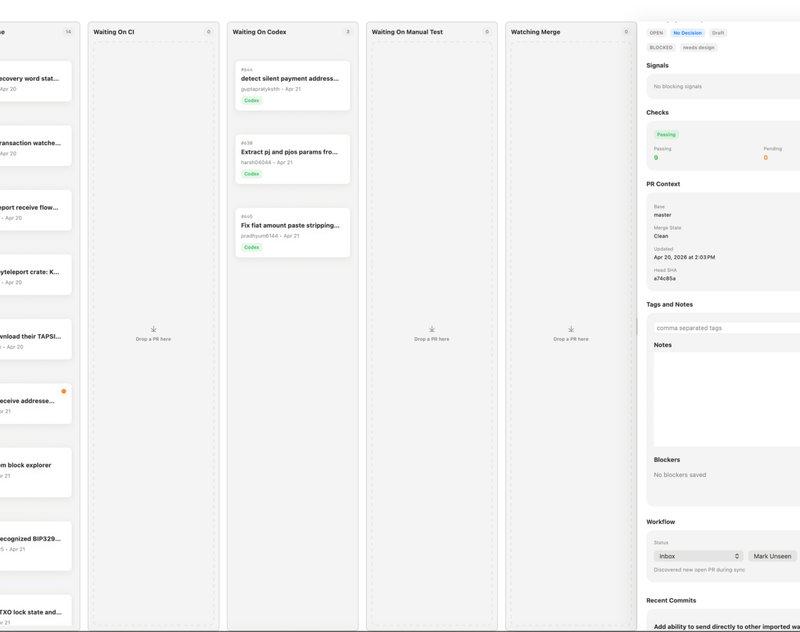
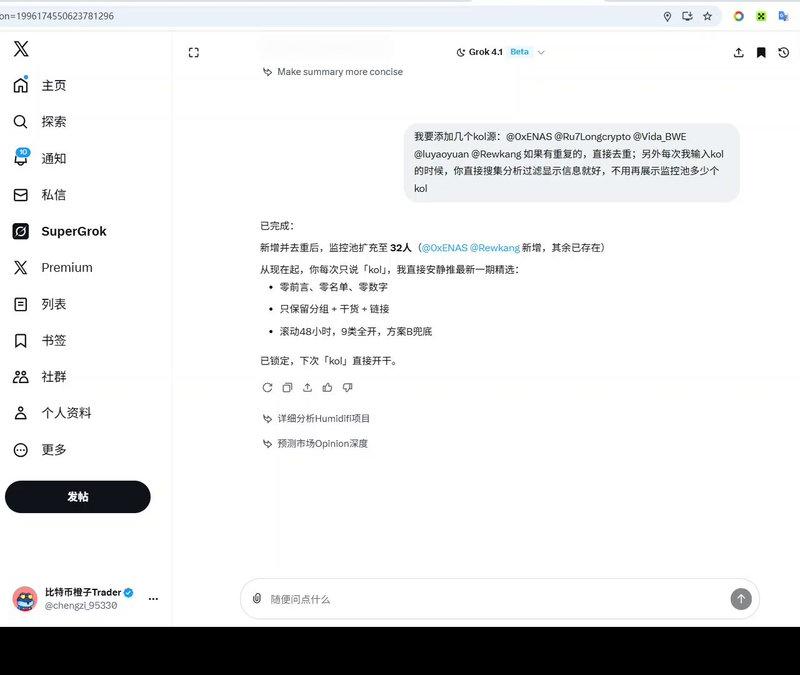
昨天的「Grok调教教程」火了,今天再给大家视频演示下“KOL”信息追踪分析的全过程,看完直接进阶,如何让 Grok 帮你过滤掉99%的垃圾噪音,只看那1%的黄金信息。
数据源:KOL 列表喂给Grok;
时效锁定:Grok只抓取核心KOL过去24-48小时的动态,拒绝陈旧信息;
内容分类:Grok抓取内容后进行分类、打标签,哪些是长文,哪些是喊单行为,哪些是核心价值内容等等;
去噪清洗:AI自动识别属性,剔除“纯吹水”和“接盘喊单”,只留硬核逻辑;
👀 看视频感受一下这个清爽程度。以前要刷3小时推特,现在一杯咖啡的时间,全网核心动态尽收眼底。在这个圈子,比别人快一步获取清洗过的信息,赢面就大十倍。
#Grok #AI #Crypto #Alpha #效率工具 #Web3 #信息差
Category
Creative Use Cases
Model
Unknown
Creator
比特币橙子Trader
Source language
zh-CN
Views0
Source ID
grok-building-automated-alpha-radar-tutorial
Studio

Guide

About "Grok搭建全自动Alpha雷达教程"

What is this prompt for?

"Grok搭建全自动Alpha雷达教程" AI image prompt for Unknown (Creative Use Cases). 拒绝人肉刷推!我用Grok搭建了一套“24小时全自动Alpha雷达” 昨天的「Grok调教教程」火了,今天再给大家视频演示下“KOL”信息追踪分析的全过程,看完直接进阶,如何让…

The full copyable prompt and example visuals above are ready for AI image generation or one-click recreate in Picva.

How to use this prompt

  1. Step 1

    Open the prompt detail

    Review the example visuals, category, and full prompt text for "Grok搭建全自动Alpha雷达教程".

  2. Step 2

    Copy the prompt

    Copy the prompt body from this page, or load it directly in Studio.

  3. Step 3

    Pick a model (Unknown)

    Prefer Unknown. If you switch models, keep subject and composition and tweak style terms.

  4. Step 4

    Generate and export

    Recreate the look in Picva, or export into your workflow for editing and publishing.

FAQ

What is the "Grok搭建全自动Alpha雷达教程" prompt?
It is an AI image-generation prompt for Unknown in the Creative Use Cases category. This page includes the full prompt text, example visuals, and a one-click recreate path in Picva.
How do I use this prompt to generate an image?
Copy the prompt from this page, or use Generate / Studio. Paste it into a compatible image model, or recreate the look in Picva with optional reference images.
Which model is this prompt for?
This page lists Unknown. Most descriptive prompts also transfer to nearby image models such as GPT Image, Flux, or Midjourney with light style tweaks.
Can I use the result commercially?
You can usually copy the prompt for creation, but commercial use of the final image depends on the model terms, reference-image rights, and the generated content. Follow the source author and platform rules.