20

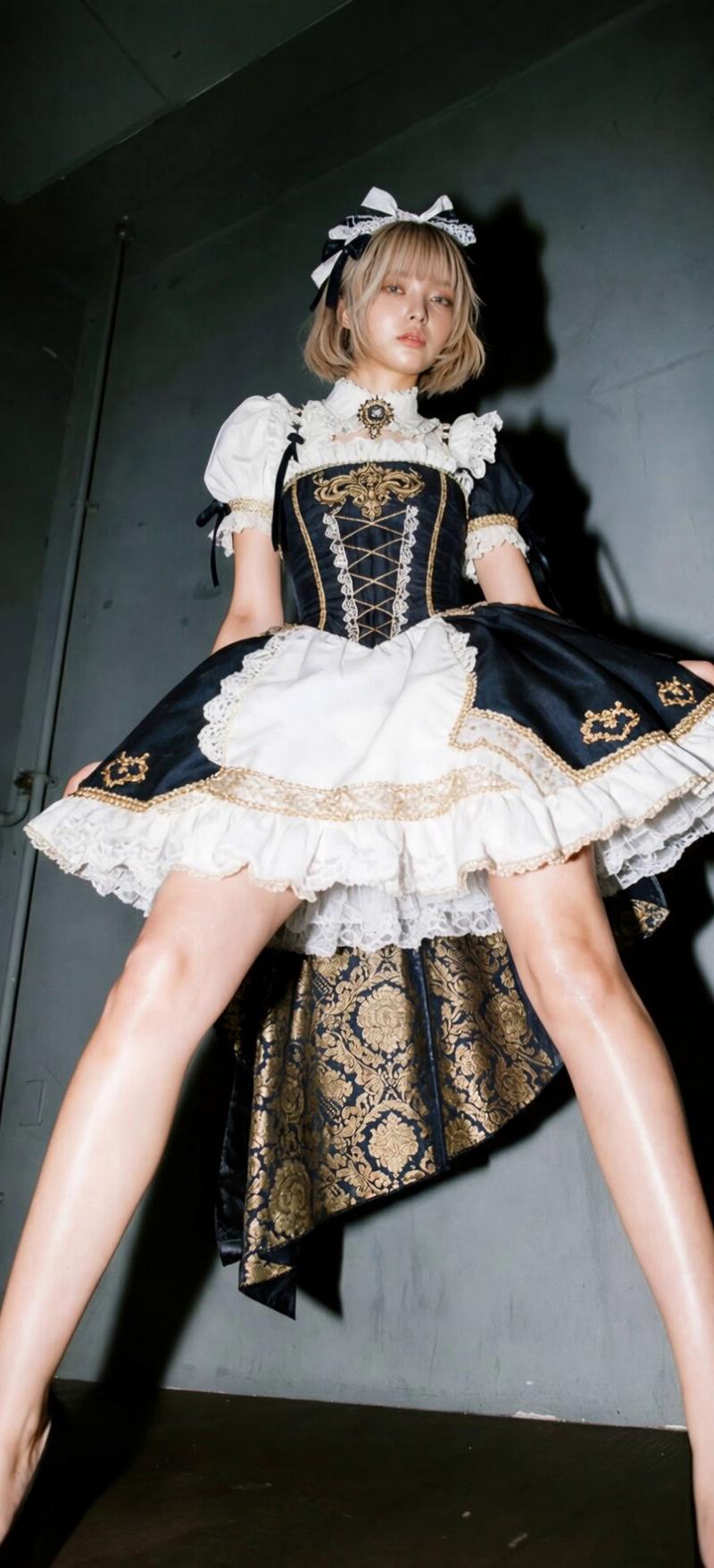
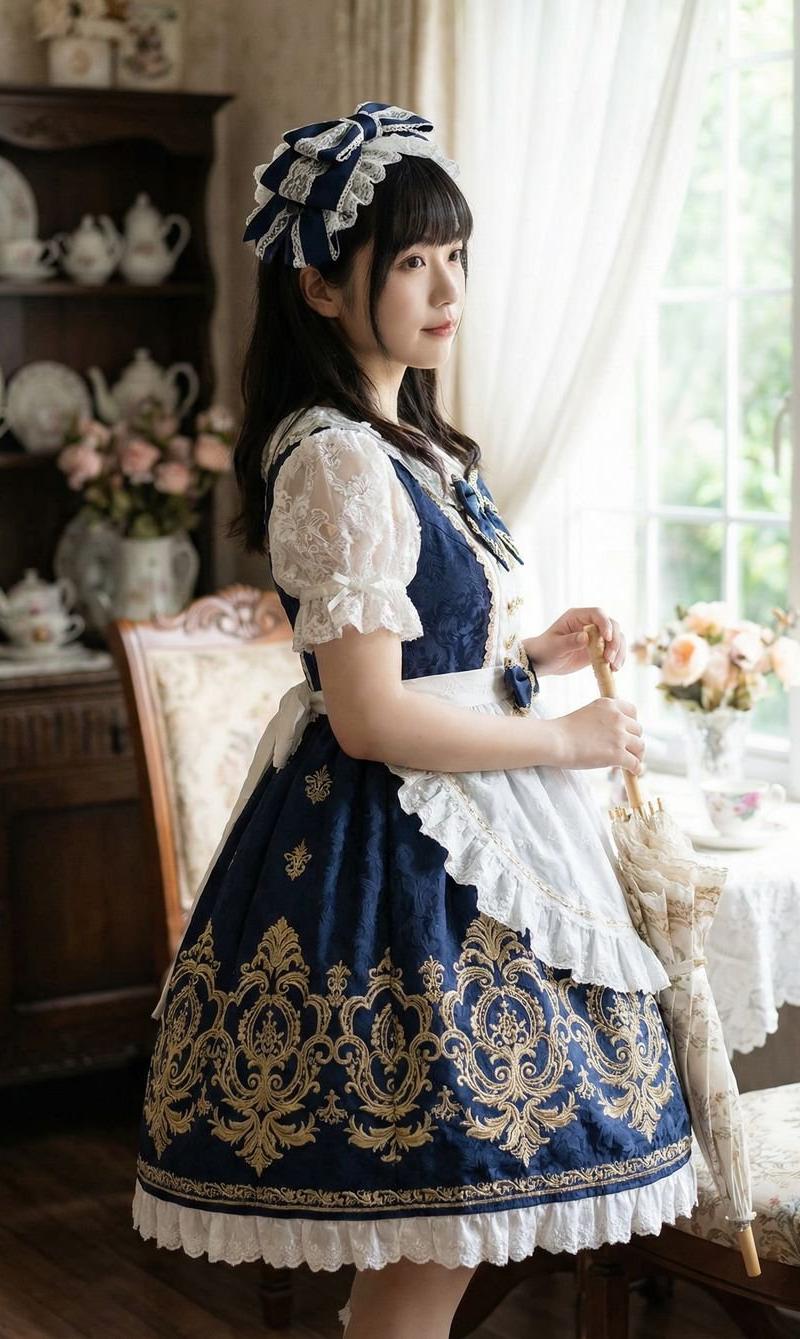
日式洛丽塔风格:海军蓝与白色泡泡袖洛丽塔连衣裙
Enlarge

Example images

日式洛丽塔风格:海军蓝与白色泡泡袖洛丽塔连衣裙

Prompt
Nano Banana Pro
Creation in @Somake_ai
Base Prompt @KusoPhoto
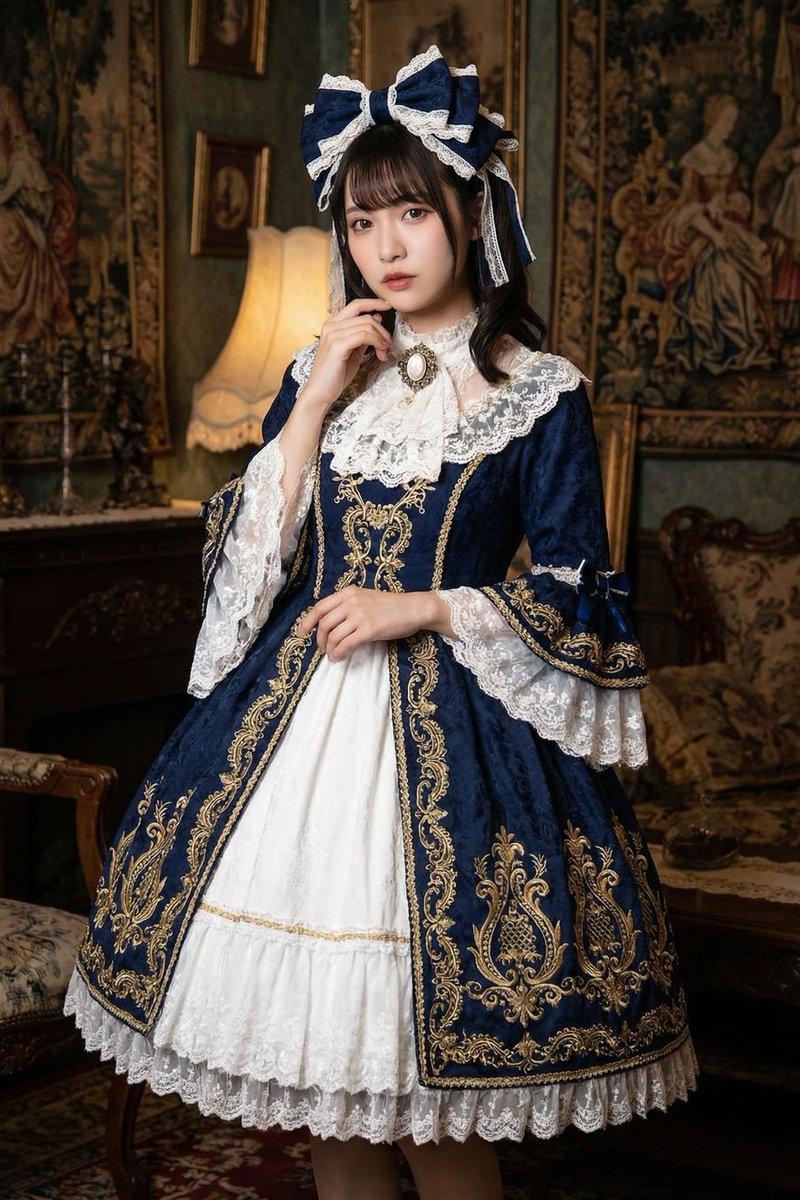
A beautiful japanese young woman Navy blue and white Lolita dress with ornate baroque design and gold trim details. White puff sleeves with lace ruffles and navy ribbon ties. Navy blue bodice with gold embroidered motifs and lace-up front corset styling. White lace collar with decorative brooch detail. Navy blue full skirt with gold embroidered patterns and brocade fabric. White lace apron overlay with ruffled edges. Navy and white hair bow accessory with lace and ribbon details. Classic Lolita style with navy, white, and gold color palette. Baroque elegant aesthetic with ornate decorative elements. NOT casual wear, NOT minimalist design, NOT modern styling.
Category
Photography & Realism
Model
Nano Banana Pro
Creator
ANKIT PATEL 🇮🇳 | AI
Source language
zh-CN
Views0
Source ID
japanese-lolita-style-navy-blue-and-white-puff-sleeve-dress
Studio

Guide

About "日式洛丽塔风格:海军蓝与白色泡泡袖洛丽塔连衣裙"

What is this prompt for?

"日式洛丽塔风格:海军蓝与白色泡泡袖洛丽塔连衣裙" AI image prompt for Nano Banana Pro (Photography & Realism). Nano Banana Pro Creation in @Somake_ai Base Prompt @KusoPhoto A beautifu…

The full copyable prompt and example visuals above are ready for AI image generation or one-click recreate in Picva.

How to use this prompt

  1. Step 1

    Open the prompt detail

    Review the example visuals, category, and full prompt text for "日式洛丽塔风格:海军蓝与白色泡泡袖洛丽塔连衣裙".

  2. Step 2

    Copy the prompt

    Copy the prompt body from this page, or load it directly in Studio.

  3. Step 3

    Pick a model (Nano Banana Pro)

    Prefer Nano Banana Pro. If you switch models, keep subject and composition and tweak style terms.

  4. Step 4

    Generate and export

    Recreate the look in Picva, or export into your workflow for editing and publishing.

FAQ

What is the "日式洛丽塔风格:海军蓝与白色泡泡袖洛丽塔连衣裙" prompt?
It is an AI image-generation prompt for Nano Banana Pro in the Photography & Realism category. This page includes the full prompt text, example visuals, and a one-click recreate path in Picva.
How do I use this prompt to generate an image?
Copy the prompt from this page, or use Generate / Studio. Paste it into a compatible image model, or recreate the look in Picva with optional reference images.
Which model is this prompt for?
This page lists Nano Banana Pro. Most descriptive prompts also transfer to nearby image models such as GPT Image, Flux, or Midjourney with light style tweaks.
Can I use the result commercially?
You can usually copy the prompt for creation, but commercial use of the final image depends on the model terms, reference-image rights, and the generated content. Follow the source author and platform rules.