20

衍纸艺术老虎
Enlarge

Example images

衍纸艺术老虎

Prompt
Original No.73 | Visual Note
有些画面一看就知道,重点不在“画得多像”,
而在“像不像真的有人做过”。
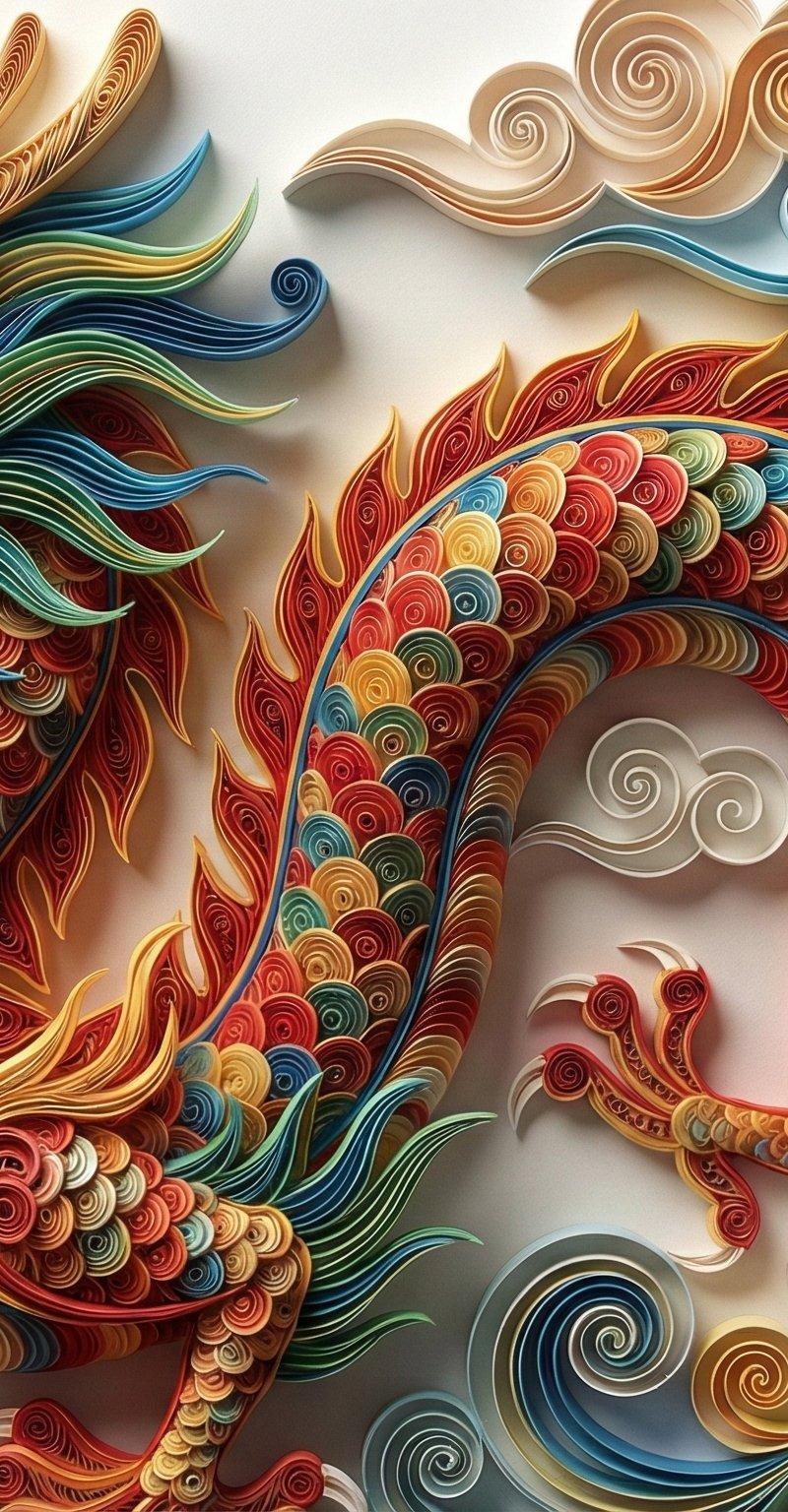
这次做的是 Paper Quilling(衍纸艺术) 的视觉重构。
不是贴纹理,而是用结构、卷曲密度和侧光,把“纸条一圈圈堆出来”的感觉做出来。
当细节足够密、阴影足够克制,
AI 生成的就不再像插画,更像一件被拍下来的手工艺品。
提示词在下面👇
生成一幅令人惊叹的衍纸艺术作品(Paper Quilling Art),描绘了[老虎]。**[细节填充]**:整个画面由成千上万条色彩斑斓的卷曲纸带组成,极其繁复的细节,精密的螺旋纹理,纸带边缘清晰锐利。**[环境氛围]**:具有触感的纸张质感,侧光照明产生细腻的阴影和立体感(Depth and Relief),色彩鲜艳且具有丰富渐变,微距摄影视角,工艺美学,8k 分辨率,超精细。直接生成图片
Category
Photography & Realism
Model
Unknown
Creator
VoxcatAI
Source language
zh-CN
Views0
Source ID
paper-quilling-tiger-art
Studio

Guide

About "衍纸艺术老虎"

What is this prompt for?

"衍纸艺术老虎" AI image prompt for Unknown (Photography & Realism). Original No.73 | Visual Note 有些画面一看就知道,重点不在“画得多像”, 而在“像不像真的有人做过”。 这次做的是 Paper Quilling(衍纸艺术) 的视觉重…

The full copyable prompt and example visuals above are ready for AI image generation or one-click recreate in Picva.

How to use this prompt

  1. Step 1

    Open the prompt detail

    Review the example visuals, category, and full prompt text for "衍纸艺术老虎".

  2. Step 2

    Copy the prompt

    Copy the prompt body from this page, or load it directly in Studio.

  3. Step 3

    Pick a model (Unknown)

    Prefer Unknown. If you switch models, keep subject and composition and tweak style terms.

  4. Step 4

    Generate and export

    Recreate the look in Picva, or export into your workflow for editing and publishing.

FAQ

What is the "衍纸艺术老虎" prompt?
It is an AI image-generation prompt for Unknown in the Photography & Realism category. This page includes the full prompt text, example visuals, and a one-click recreate path in Picva.
How do I use this prompt to generate an image?
Copy the prompt from this page, or use Generate / Studio. Paste it into a compatible image model, or recreate the look in Picva with optional reference images.
Which model is this prompt for?
This page lists Unknown. Most descriptive prompts also transfer to nearby image models such as GPT Image, Flux, or Midjourney with light style tweaks.
Can I use the result commercially?
You can usually copy the prompt for creation, but commercial use of the final image depends on the model terms, reference-image rights, and the generated content. Follow the source author and platform rules.