Creative Use CasesYouMindother-use-cases创意玩法en
主体擦除与帽子替换
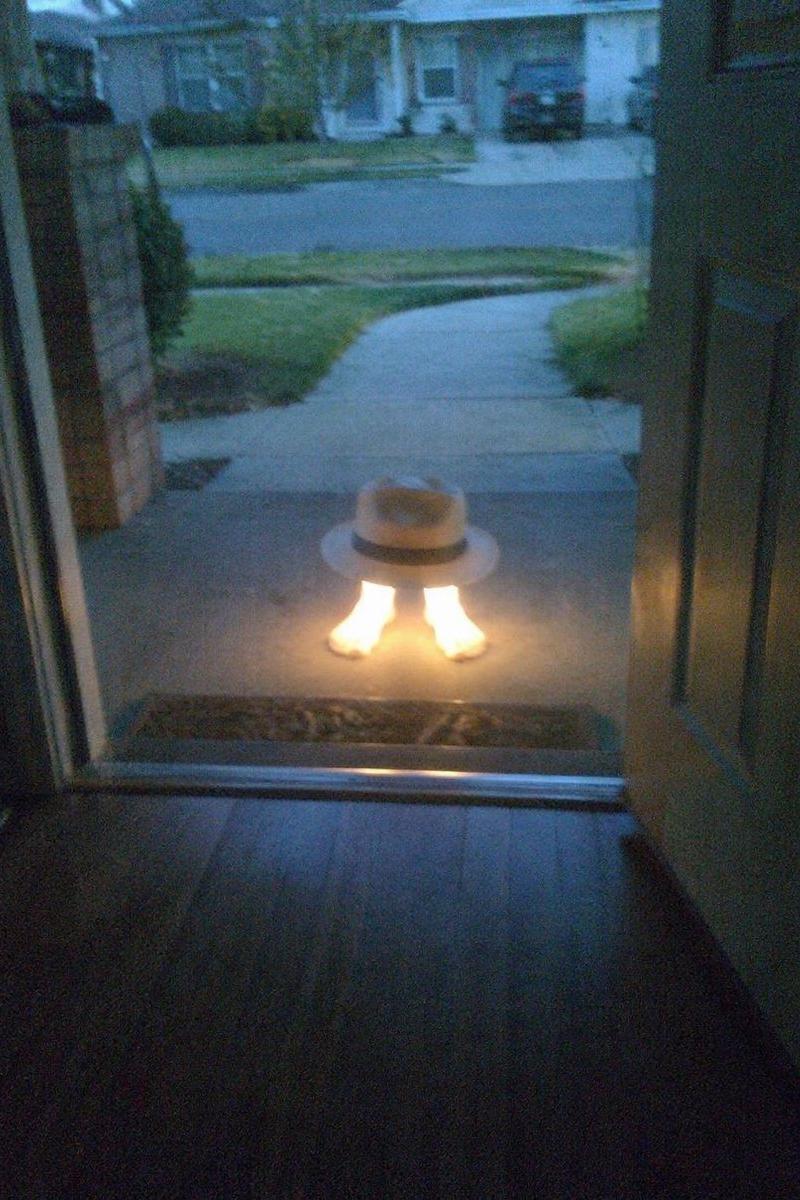
指示模型从参考图中删除主体的主要部分,仅保留脚部并替换为自定义帽子,同时迁移发光效果。
- Category
- Creative Use Cases
- Model
- GPT Image 2
- Creator
- ZyFou
- Source language
- en
- Source ID
- 13889
- Published
- Apr 17, 2026
Views4
Full prompt
Using the reference image, completely remove the pelican's body. Replace the traffic cone with a {argument name="hat style" default="white fedora with a black band"} and place it directly on top of the human feet. Apply a strong glowing effect to the feet, making them {argument name="foot effect" default="radiate bright warm light"}. Keep the open doorway framing, the porch setting, and the dusk suburban background intact.Translations2
主体擦除与帽子替换
enUsing the reference image, completely remove the pelican's body. Replace the traffic cone with a {argument name="hat style" default="white fedora with a black band"} and place it directly on top of the human feet. Apply a strong glowing effect to the feet, making them {argument name="foot effect" default="radiate bright warm light"}. Keep the open doorway framing, the porch setting, and the dusk suburban background intact.
主体擦除与帽子替换
zh-CN使用参考图,彻底移除鹈鹕的身体。将交通锥替换为 {argument name="hat style" default="带有黑色饰带的白色软呢帽"},并将其直接放置在人类脚部上方。为脚部添加强烈的发光效果,使其 {argument name="foot effect" default="散发出明亮的暖光"}。保持开放的门框、门廊环境以及黄昏郊区的背景不变。