Pastel Anime Figure in Sparkling Glass
Prompt
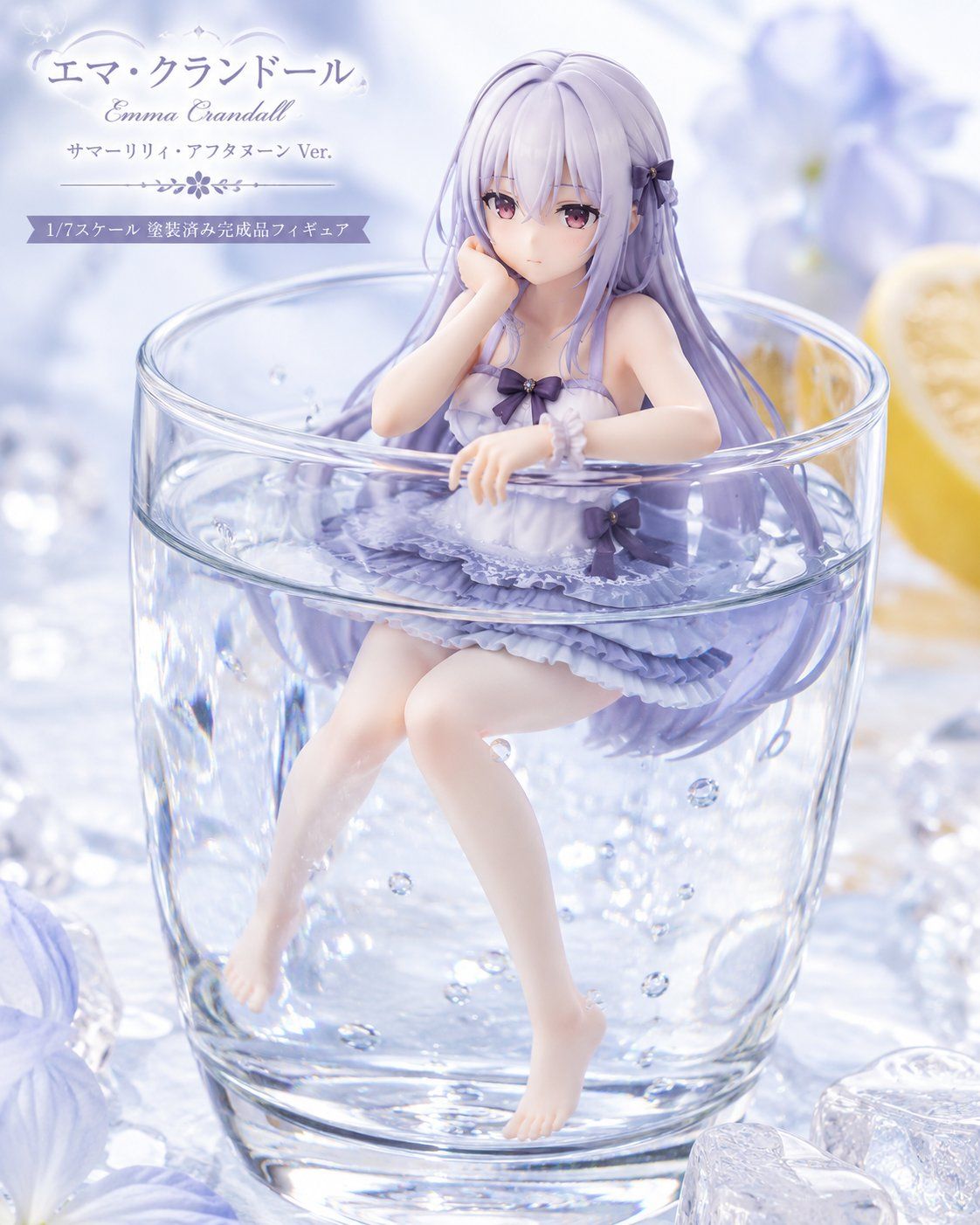
Goal: Create a delicate commercial product visual for a 1/7 scale pre-painted anime figure displayed like a refreshing summer dessert drink.

Canvas: Square 4:5-ish product photo composition, soft high-key lighting, pale lavender, icy blue, and white color palette, shallow depth of field, glossy realistic rendering with a collectible figure advertisement feel.

Main subject: Center-right, show one anime-style female figure named {argument name="character name" default="Emma Crandall"} seated inside a clear cylindrical glass tumbler filled with transparent sparkling water. The figure has very long flowing {argument name="hair color" default="pale lavender"} hair drifting around her in the water, with small dark purple bow accessories. Her face is covered by a smooth opaque pale pink rectangular censor block with no facial features. She wears one frilly lavender summer-lily swimsuit dress with layered ruffles, lace trim, a small dark bow at the chest, a dark bow at the hip, and a translucent scrunchie bracelet. Her pose: one hand near her cheek, the other resting over the glass rim, bare legs dangling underwater with pointed bare feet.

Visible counted elements: exactly 1 female figure, 1 transparent glass tumbler, 1 lemon slice on the right background, 3 prominent ice cubes in the foreground/background, many tiny air bubbles suspended in the water, 2 large blurred pale purple flowers in the background/foreground, and 3 dark purple bow accents on the figure outfit/hair.

Layout: The glass occupies the lower two-thirds of the image, with the figure emerging from the waterline. The top-left area contains elegant product typography and ornament lines, leaving the figure dominant on the right. Background is a dreamy macro tabletop scene with bokeh highlights, icy reflections, blurred flowers, and a lemon wedge.

Text content: Add exactly 4 text lines/blocks in the upper-left. Line 1 large Japanese title: {argument name="Japanese title" default="エマ・クランドール"}. Line 2 smaller cursive English name: {argument name="English name" default="Emma Crandall"}. Line 3 small Japanese subtitle: {argument name="version subtitle" default="サマーリリィ・アフタヌーン Ver."}. Line 4 on a lavender ribbon banner: {argument name="scale label" default="1/7スケール 塗装済み完成品フィギュア"}. Include a thin decorative floral divider between the subtitle and ribbon.

Visual style: Ultra-polished anime figure photography, resin/PVC collectible texture, transparent glass refraction, realistic water caustics, sparkling highlights, soft bloom, pastel elegance, luxury figure promotional key visual.

Constraints: Keep all text legible and placed only in the upper-left. Do not add extra characters, extra labels, logos, watermarks, or packaging. Maintain the censored blank rectangular face exactly as a flat opaque block.- Category
- Charts & Infographics
- Model
- GPT Image 2
- Creator
- 石上 三歳(イシガミ ミトセ)
- Source ID
- 24501
- Published
- Jun 6, 2026
Views107







