20

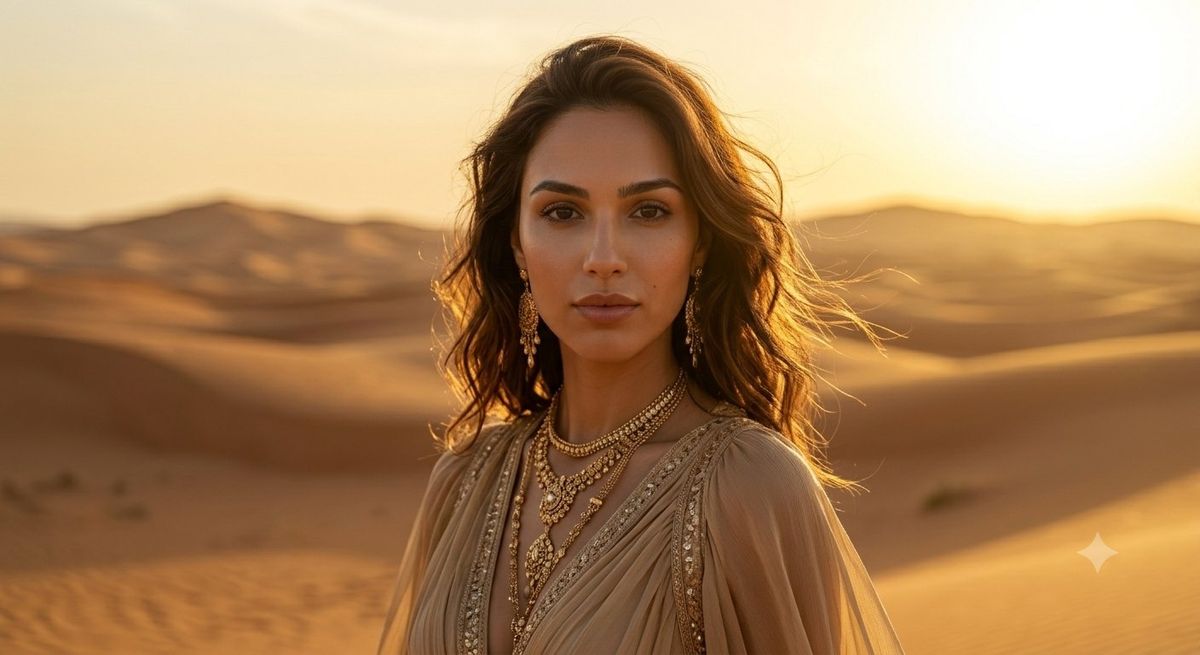
Golden Desert Fashion Portrait
Enlarge

Example images

Golden Desert Fashion Portrait

Prompt
Create a cinematic photorealistic half-body portrait of {argument name="subject" default="a stylish woman"} standing in sweeping desert sand dunes at golden hour, centered slightly right of frame, with warm sunset backlighting and a shallow depth of field. She has {argument name="hair color and style" default="long wavy brunette hair blowing in the wind"}, wears a flowing sheer beige bohemian dress with embroidered beadwork along the neckline and sleeves, and layered ornate gold necklaces with pendants. The background is softly blurred rolling dunes and distant low hills under a glowing amber sky, with the sun high on the upper right creating rim light, lens warmth, and a luxurious editorial travel-fashion mood. Place a single opaque solid brown rectangular censor block over the entire face, aligned vertically from forehead to chin, matching the warm brown shadow tones of the scene. Use a wide 16:9 horizontal composition, realistic skin and fabric texture, rich golden color grading, natural wind movement, and no visible text, logos, or watermarks.
Category
Charts & Infographics
Model
GPT Image 2
Creator
Cherry 2.O
Views2.1K
Source ID
24698
Published
Jun 6, 2026

Guide

About "Golden Desert Fashion Portrait"

What is this prompt for?

"Golden Desert Fashion Portrait" AI image prompt for GPT Image 2 (Charts & Infographics). A cinematic golden-hour desert fashion portrait with bohemian styling…

The full copyable prompt and example visuals above are ready for AI image generation or one-click recreate in Picva.

How to use this prompt

  1. Step 1

    Open the prompt detail

    Review the example visuals, category, and full prompt text for "Golden Desert Fashion Portrait".

  2. Step 2

    Copy the prompt

    Copy the prompt body from this page, or load it directly in Studio.

  3. Step 3

    Pick a model (GPT Image 2)

    Prefer GPT Image 2. If you switch models, keep subject and composition and tweak style terms.

  4. Step 4

    Generate and export

    Recreate the look in Picva, or export into your workflow for editing and publishing.

FAQ

What is the "Golden Desert Fashion Portrait" prompt?
It is an AI image-generation prompt for GPT Image 2 in the Charts & Infographics category. This page includes the full prompt text, example visuals, and a one-click recreate path in Picva.
How do I use this prompt to generate an image?
Copy the prompt from this page, or use Generate / Studio. Paste it into a compatible image model, or recreate the look in Picva with optional reference images.
Which model is this prompt for?
This page lists GPT Image 2. Most descriptive prompts also transfer to nearby image models such as GPT Image, Flux, or Midjourney with light style tweaks.
Can I use the result commercially?
You can usually copy the prompt for creation, but commercial use of the final image depends on the model terms, reference-image rights, and the generated content. Follow the source author and platform rules.

