匿名热带肖像
Prompt
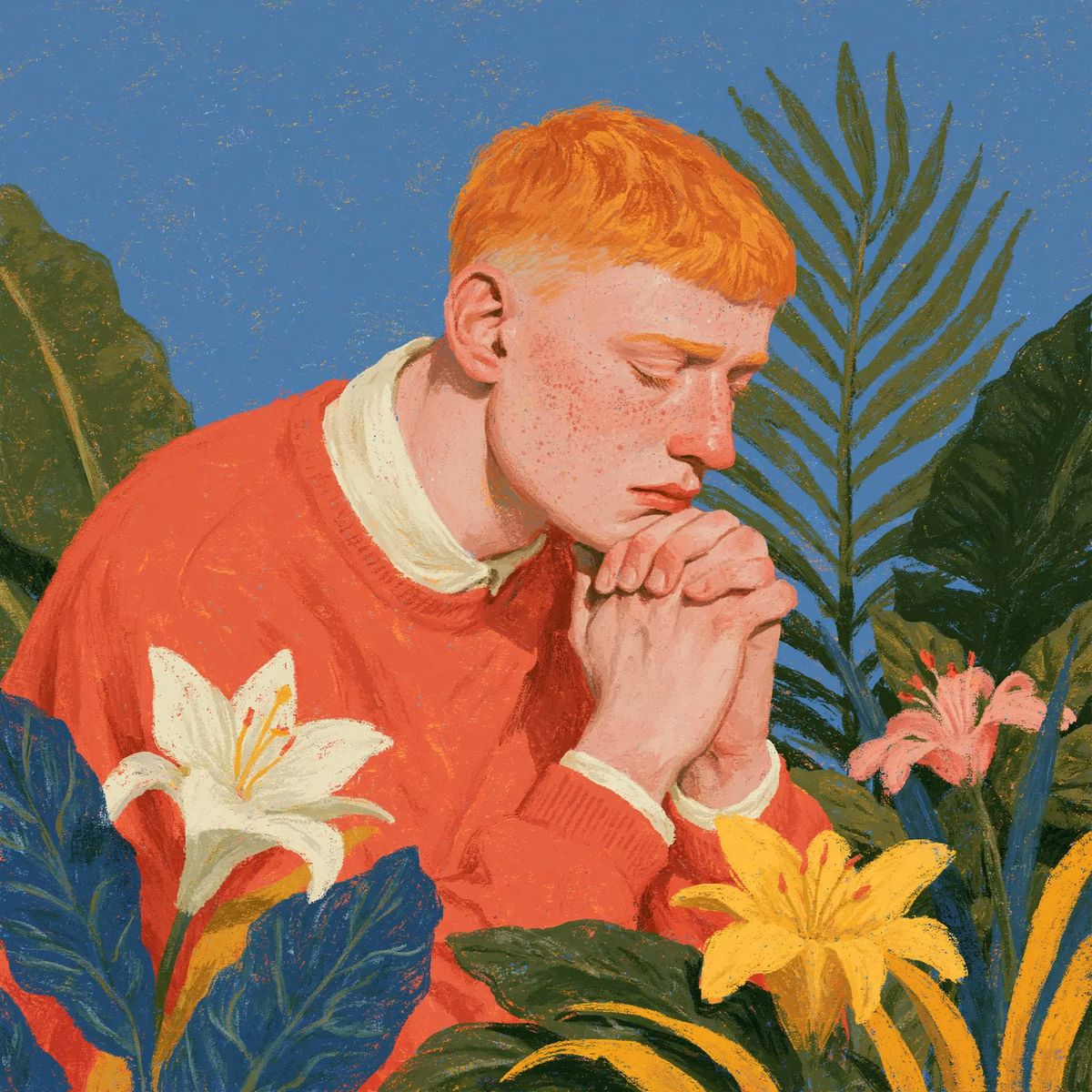
Create a square 1:1 painterly editorial portrait in a vintage gouache/oil-pastel illustration style: a young person with {argument name="hair color" default="bright ginger orange"} short cropped hair leans forward in three-quarter view, wearing a {argument name="sweater color" default="coral red-orange"} knit sweater over a soft cream collared shirt. Their hands are clasped prayer-like near the mouth, fingers interlaced and softly modeled, while the entire face is deliberately hidden by a centered opaque matte square censor block in warm peach skin tone, covering from forehead to chin. Surround the figure with lush tropical foliage against a textured dusty blue sky: exactly 3 fully visible lily-like flowers, consisting of 1 large white lily at lower left, 1 large yellow lily at lower right-center, and 1 smaller pink lily on the right; include 1 partial orange-yellow flower cropped at the far right edge. Add broad dark green and blue-green leaves in the foreground, a tall palm frond rising behind the head on the right, and large banana-like leaves framing both sides. Use rough visible brush strokes, grainy paper texture, saturated complementary colors, flattened shapes, warm natural light, no photorealism, no text, no watermark, and a calm contemplative mood. The portrait subject should feel anonymous and modern, with the censor square as a strong graphic element.- Category
- Photography & Realism
- Model
- GPT Image 2
- Creator
- Boris Jov
- Source ID
- 24977
- Published
- Jun 9, 2026
Views0



![Flat modern risograph-style poster illustration of [HUMAN], wearing [CLOTHING],](https://whqgdndlpxjbwosvipip.supabase.co/storage/v1/render/image/public/prompt-source-media/promptsref/work-36808/image-1-9f92d767e6a5f644.png?width=800&quality=75&resize=contain)