20

神秘生命之树景观
Enlarge

Example images

神秘生命之树景观

Prompt
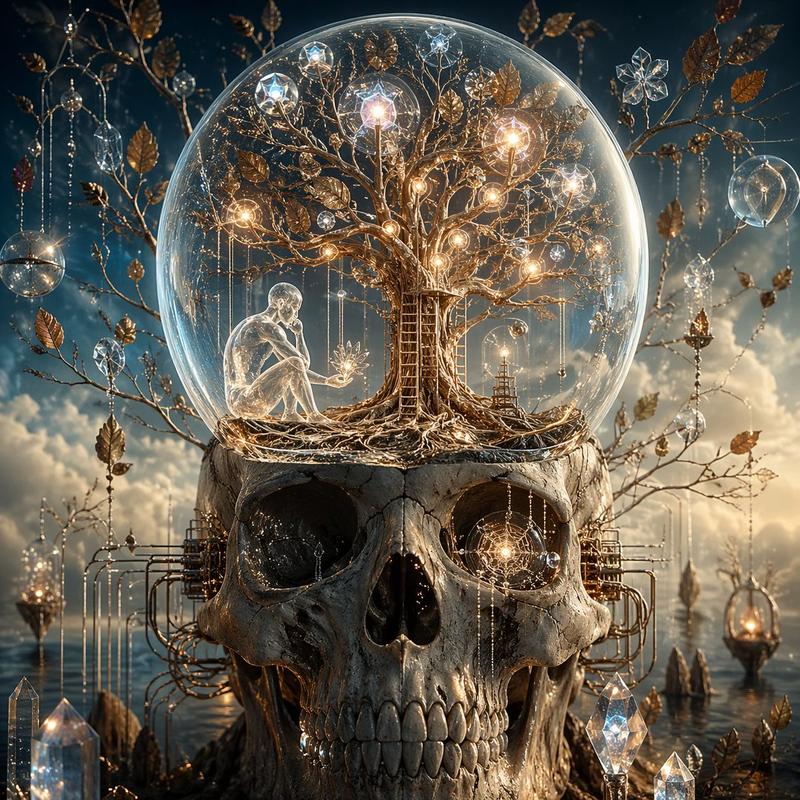
An {argument name="tree size" default="ancient, towering"} tree with massive twisted roots stands at the center of a lush mystical landscape, its roots curling into a rushing stream tumbling over moss-covered stones. Cradled within the vast dark-green canopy is a {argument name="orb style" default="luminous golden orb"} casting warm ethereal light, enclosing a delicate silhouette of a tree of life. A colossal waterfall thunders down a rugged mist-wrapped cliff into the river beyond. The golden orb's soft warm glow contrasts with the moody overcast sky and the deep, rich greens of the surrounding forest. Photorealistic, {argument name="lighting" default="cinematic lighting"}, high fantasy art style, intricate bark and water textures, 8k resolution.
Category
Photography & Realism
Model
GPT Image 2
Creator
PromptLab
Views0
Source ID
25048
Published
Jun 10, 2026

Guide

About "神秘生命之树景观"

What is this prompt for?

"神秘生命之树景观" AI image prompt for GPT Image 2 (Photography & Realism). 一个高奇幻风格的提示词,用于生成包含发光金球和奔腾瀑布的古老神秘树木景观,非常适合电影级艺术创作。 Copy it on Picva and recreate the look in…

The full copyable prompt and example visuals above are ready for AI image generation or one-click recreate in Picva.

How to use this prompt

  1. Step 1

    Open the prompt detail

    Review the example visuals, category, and full prompt text for "神秘生命之树景观".

  2. Step 2

    Copy the prompt

    Copy the prompt body from this page, or load it directly in Studio.

  3. Step 3

    Pick a model (GPT Image 2)

    Prefer GPT Image 2. If you switch models, keep subject and composition and tweak style terms.

  4. Step 4

    Generate and export

    Recreate the look in Picva, or export into your workflow for editing and publishing.

FAQ

What is the "神秘生命之树景观" prompt?
It is an AI image-generation prompt for GPT Image 2 in the Photography & Realism category. This page includes the full prompt text, example visuals, and a one-click recreate path in Picva.
How do I use this prompt to generate an image?
Copy the prompt from this page, or use Generate / Studio. Paste it into a compatible image model, or recreate the look in Picva with optional reference images.
Which model is this prompt for?
This page lists GPT Image 2. Most descriptive prompts also transfer to nearby image models such as GPT Image, Flux, or Midjourney with light style tweaks.
Can I use the result commercially?
You can usually copy the prompt for creation, but commercial use of the final image depends on the model terms, reference-image rights, and the generated content. Follow the source author and platform rules.