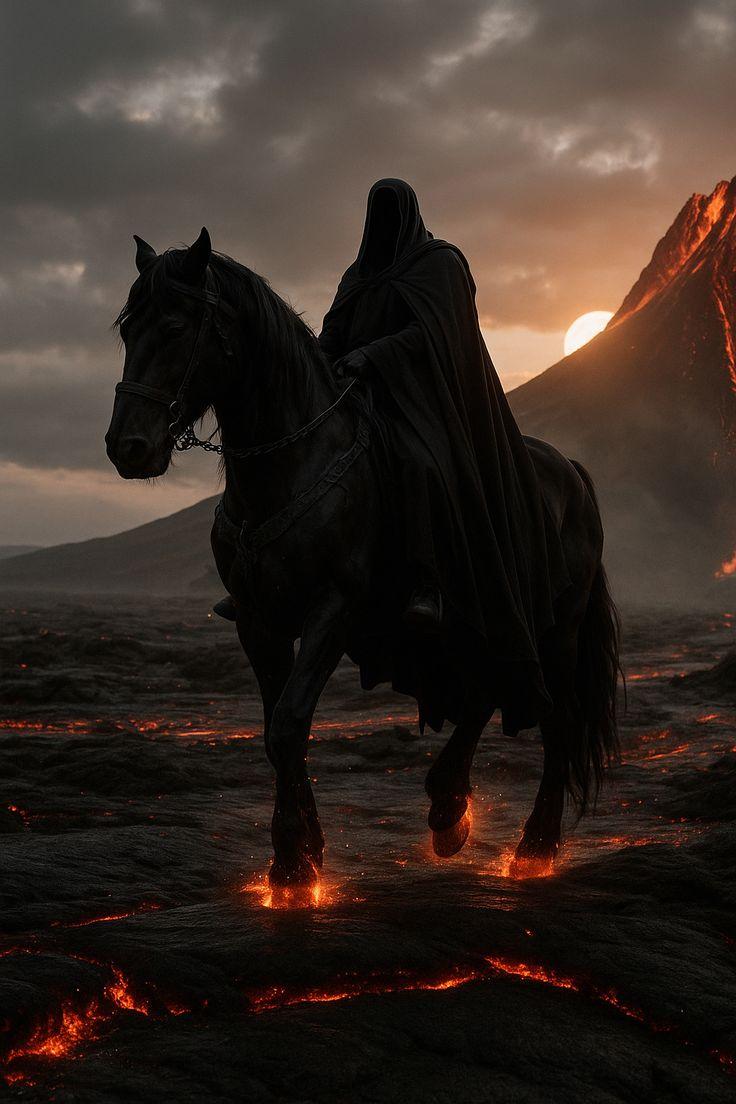
无面骑士火山关键帧
Prompt
Using REFERENCE_0 as the visual bible, generate a single cinematic keyframe from the storyboard rather than the full reference sheet. Focus on Cut 1: a mysterious faceless hooded rider on the massive black horse crossing the volcanic wasteland. Preserve the rider and horse design, black cloak, faceless hood, dark tack, ember-orange lava glow, ash-black terrain, smoke-gray storm sky, and volcanic dark fantasy mood.

Composition: Vertical portrait frame, low-angle tracking shot with the rider and horse large in the foreground, moving toward the viewer from left-center to center. Show exactly 1 rider and exactly 1 horse; remove all supporting riders, storyboard panels, labels, borders, diagrams, palette swatches, and text.

Environment additions/changes: Convert the sheet into a photoreal cinematic scene at {argument name="time of day" default="sunset"}. Place the erupting volcano on the right background with glowing lava streaks, a low sun partially hidden behind the volcano slope, heavy storm clouds overhead, ash haze, smoke, and a cracked basalt plain with molten fissures.

Action and effects: Make the horse mid-stride with glowing molten lava under each visible hoofstep, sparks and ember light reflecting on the legs and ground. Add subtle drifting ash and heat haze, but keep the scene solemn and menacing rather than explosive.

Style: {argument name="visual style" default="dark fantasy cinematic photorealism"}, high contrast, deep blacks, warm ember highlights, volumetric smoke, realistic horse anatomy, dramatic backlighting, shallow atmospheric depth, epic movie still quality. No typography, no UI, no collage layout, no extra characters, no watermark.- Category
- Charts & Infographics
- Model
- GPT Image 2
- Creator
- ZORD CRYPT
- Source language
- en
- Source ID
- 25274
- Published
- Jun 11, 2026
Views0