20

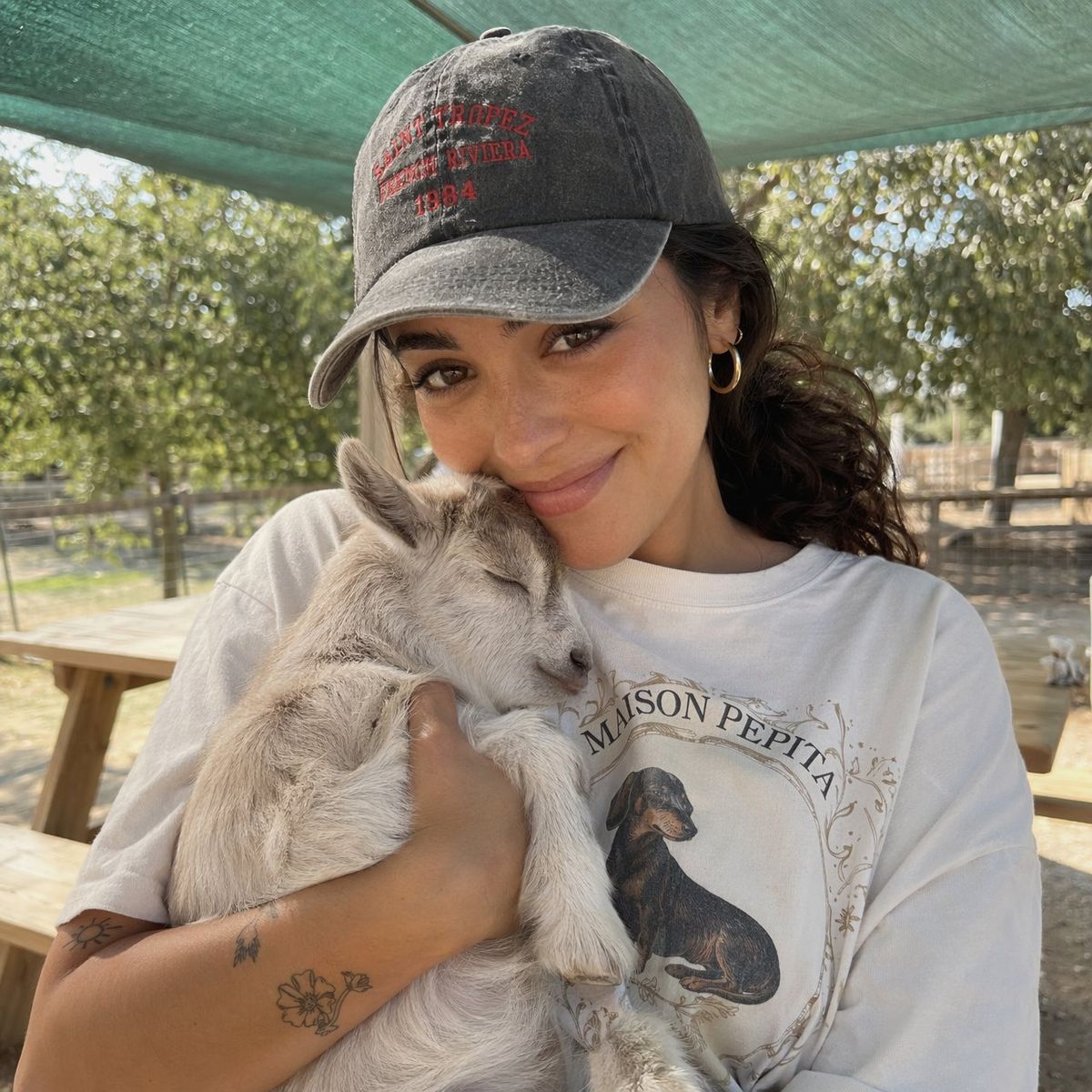
女孩与小山羊的抓拍肖像
Enlarge

女孩与小山羊的抓拍肖像

Prompt
A close-up candid portrait of a young woman with a warm complexion, soft brown eyes, and a gentle smile, holding an {argument name="subject" default="adorable baby goat"} in her arms. She is wearing a {argument name="headwear" default="faded charcoal gray baseball cap with red embroidered text"}, gold hoop earrings, and an {argument name="clothing" default="oversized white graphic t-shirt"} that features a vintage-style dachshund illustration and the text "MAISON PEPITA". Her dark, wavy hair is tied back into a low ponytail, and her arms show small, delicate line-art tattoos. The baby goat is light gray and white, nestled peacefully against her chest with its eyes closed. The setting is a sunny, outdoor farm or petting zoo on a bright day, with a green sunshade canopy overhead and a soft, naturally blurred background of trees and a wooden picnic table. The lighting is soft and flattering, capturing a warm, cozy, and aesthetic lifestyle vibe with realistic textures.
Category
Photography & Realism
Model
GPT Image 2
Creator
yusra.
Views0
Source ID
25358
Published
Jun 12, 2026

Guide

About "女孩与小山羊的抓拍肖像"

What is this prompt for?

"女孩与小山羊的抓拍肖像" AI image prompt for GPT Image 2 (Photography & Realism). 一张温馨的生活化抓拍肖像,展示了一位女性在农场怀抱小山羊的场景,细节丰富的服饰与逼真的质感。 Copy it on Picva and recreate the look in…

The full copyable prompt and example visuals above are ready for AI image generation or one-click recreate in Picva.

How to use this prompt

  1. Step 1

    Open the prompt detail

    Review the example visuals, category, and full prompt text for "女孩与小山羊的抓拍肖像".

  2. Step 2

    Copy the prompt

    Copy the prompt body from this page, or load it directly in Studio.

  3. Step 3

    Pick a model (GPT Image 2)

    Prefer GPT Image 2. If you switch models, keep subject and composition and tweak style terms.

  4. Step 4

    Generate and export

    Recreate the look in Picva, or export into your workflow for editing and publishing.

FAQ

What is the "女孩与小山羊的抓拍肖像" prompt?
It is an AI image-generation prompt for GPT Image 2 in the Photography & Realism category. This page includes the full prompt text, example visuals, and a one-click recreate path in Picva.
How do I use this prompt to generate an image?
Copy the prompt from this page, or use Generate / Studio. Paste it into a compatible image model, or recreate the look in Picva with optional reference images.
Which model is this prompt for?
This page lists GPT Image 2. Most descriptive prompts also transfer to nearby image models such as GPT Image, Flux, or Midjourney with light style tweaks.
Can I use the result commercially?
You can usually copy the prompt for creation, but commercial use of the final image depends on the model terms, reference-image rights, and the generated content. Follow the source author and platform rules.



