20

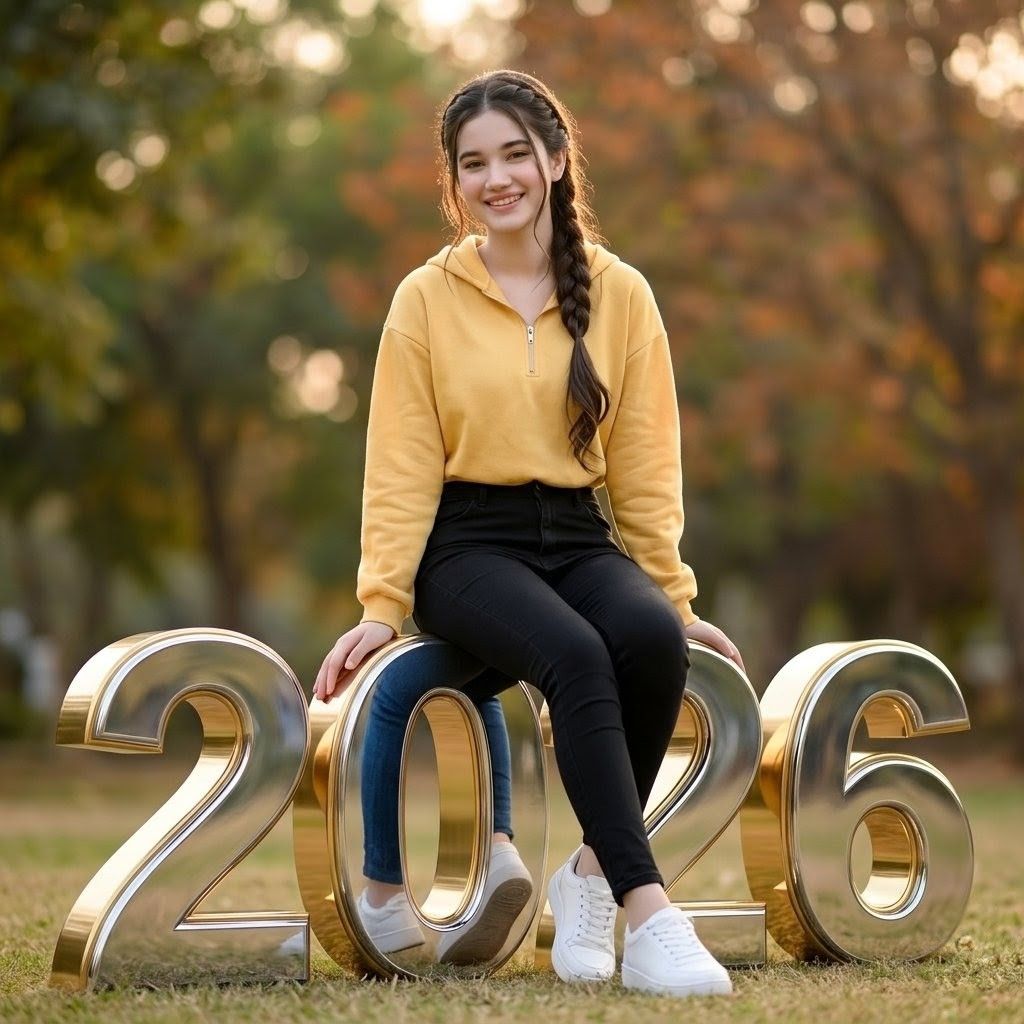
坐在 2026 数字上的女大学生
Enlarge

坐在 2026 数字上的女大学生

Prompt
Create an ultra-realistic vertical portrait photo of {argument name="character description" default="a cute college-age girl"} sitting casually on giant freestanding 3D metallic gold numbers spelling {argument name="year text" default="2026"} in a beautiful park. The girl is centered, seated across the top of the middle numbers, with both hands resting on the number edges, legs relaxed downward, wearing exactly 3 main outfit pieces: a soft yellow half-zip hoodie, fitted black jeans, and clean white sneakers. She has long dark hair styled in a side braid over one shoulder, natural skin tone, and a calm casual pose. The face area should be softly anonymized or left indistinct, with no detailed identity features. The 3D numbers are large glossy gold chrome with beveled edges, realistic reflections, and visible thickness; all 4 digits are clearly readable from left to right: 2, 0, 2, 6. Set the scene on grass in an autumn park with warm green, orange, and brown trees in the background, heavily blurred bokeh depth of field, soft daylight and golden-hour backlighting, cinematic lens look, realistic shadows, shallow focus, high detail, natural proportions, no extra text, no watermark.
Category
Photography & Realism
Model
GPT Image 2
Creator
Alina Ai
Views0
Source ID
25971
Published
Jun 16, 2026

Guide

About "坐在 2026 数字上的女大学生"

What is this prompt for?

"坐在 2026 数字上的女大学生" AI image prompt for GPT Image 2 (Photography & Realism). 生成一张写实的黄金时刻公园肖像,展示一位穿着休闲的女大学生坐在光亮的 3D 2026 数字上,适用于新年或毕业季视觉素材。 Copy it on Picva and…

The full copyable prompt and example visuals above are ready for AI image generation or one-click recreate in Picva.

How to use this prompt

  1. Step 1

    Open the prompt detail

    Review the example visuals, category, and full prompt text for "坐在 2026 数字上的女大学生".

  2. Step 2

    Copy the prompt

    Copy the prompt body from this page, or load it directly in Studio.

  3. Step 3

    Pick a model (GPT Image 2)

    Prefer GPT Image 2. If you switch models, keep subject and composition and tweak style terms.

  4. Step 4

    Generate and export

    Recreate the look in Picva, or export into your workflow for editing and publishing.

FAQ

What is the "坐在 2026 数字上的女大学生" prompt?
It is an AI image-generation prompt for GPT Image 2 in the Photography & Realism category. This page includes the full prompt text, example visuals, and a one-click recreate path in Picva.
How do I use this prompt to generate an image?
Copy the prompt from this page, or use Generate / Studio. Paste it into a compatible image model, or recreate the look in Picva with optional reference images.
Which model is this prompt for?
This page lists GPT Image 2. Most descriptive prompts also transfer to nearby image models such as GPT Image, Flux, or Midjourney with light style tweaks.
Can I use the result commercially?
You can usually copy the prompt for creation, but commercial use of the final image depends on the model terms, reference-image rights, and the generated content. Follow the source author and platform rules.



