17

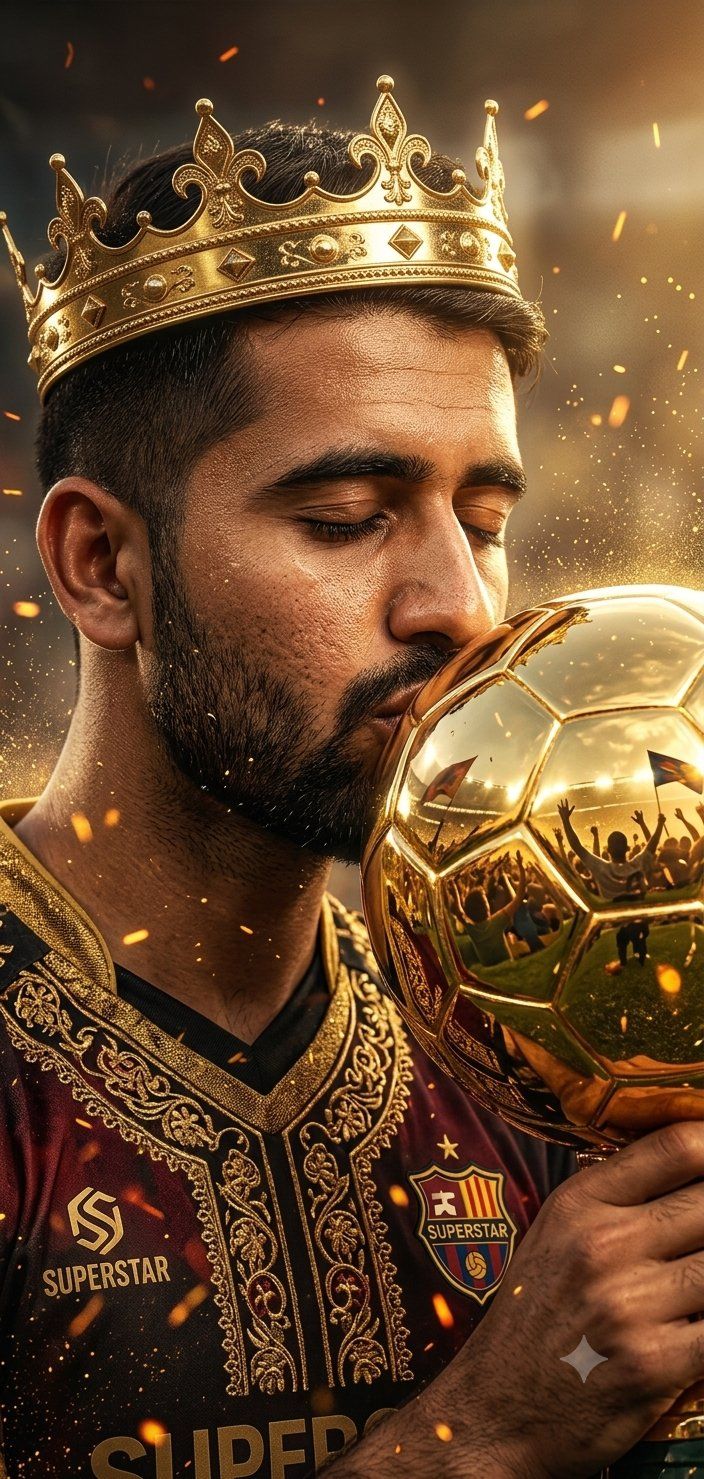
足球巨星胜利肖像
Enlarge

足球巨星胜利肖像

Prompt
A cinematic ultra-realistic close-up portrait of a {argument name="subject" default="football/soccer superstar"} wearing an ornate gold jeweled crown, gently kissing a golden trophy shaped like a reflective sphere. The trophy surface mirrors a {argument name="reflection" default="cheering stadium crowd filled with raised hands and celebration"}. Dramatic warm lighting with glowing sparks and floating embers in the air, creating a triumphant atmosphere. Shallow depth of field, intense focus on facial expression and trophy reflection. Hyper-detailed skin texture, cinematic color grading with rich gold tones, volumetric lighting, soft bokeh background, 8K resolution, highly detailed, emotional victory moment, epic sports photography style.
Category
Photography & Realism
Model
GPT Image 2
Views0
Source ID
25982
Published
Jun 17, 2026

Guide

About "足球巨星胜利肖像"

What is this prompt for?

"足球巨星胜利肖像" AI image prompt for GPT Image 2 (Photography & Realism). 一份用于创作足球运动员手捧金杯的电影感肖像的详细提示词,强调光影与质感。 Copy it on Picva and recreate the look in one click.

The full copyable prompt and example visuals above are ready for AI image generation or one-click recreate in Picva.

How to use this prompt

  1. Step 1

    Open the prompt detail

    Review the example visuals, category, and full prompt text for "足球巨星胜利肖像".

  2. Step 2

    Copy the prompt

    Copy the prompt body from this page, or load it directly in Studio.

  3. Step 3

    Pick a model (GPT Image 2)

    Prefer GPT Image 2. If you switch models, keep subject and composition and tweak style terms.

  4. Step 4

    Generate and export

    Recreate the look in Picva, or export into your workflow for editing and publishing.

FAQ

What is the "足球巨星胜利肖像" prompt?
It is an AI image-generation prompt for GPT Image 2 in the Photography & Realism category. This page includes the full prompt text, example visuals, and a one-click recreate path in Picva.
How do I use this prompt to generate an image?
Copy the prompt from this page, or use Generate / Studio. Paste it into a compatible image model, or recreate the look in Picva with optional reference images.
Which model is this prompt for?
This page lists GPT Image 2. Most descriptive prompts also transfer to nearby image models such as GPT Image, Flux, or Midjourney with light style tweaks.
Can I use the result commercially?
You can usually copy the prompt for creation, but commercial use of the final image depends on the model terms, reference-image rights, and the generated content. Follow the source author and platform rules.