20

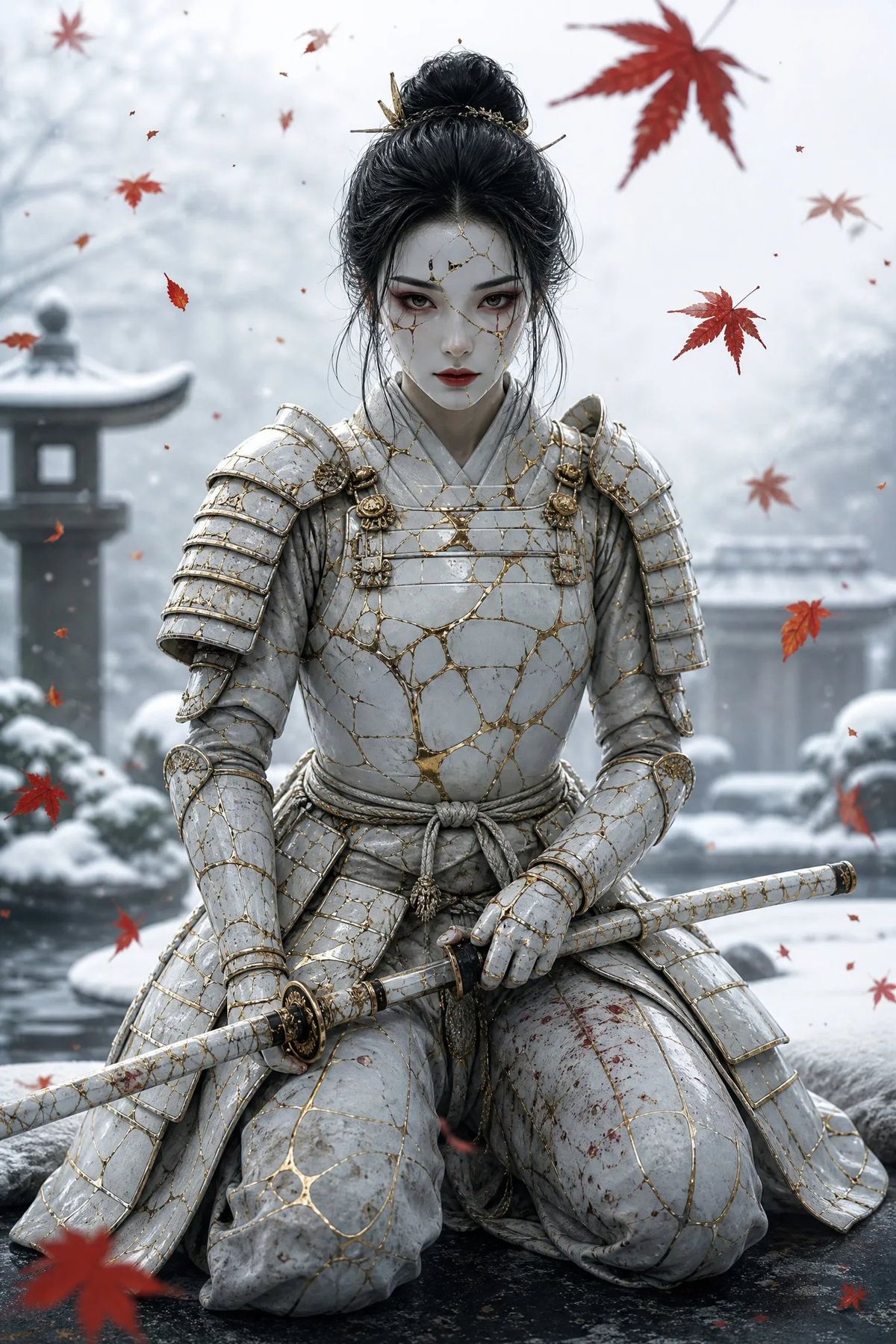
金缮雪中武士肖像
Enlarge

金缮雪中武士肖像

Prompt
Create a vertical cinematic fantasy portrait of {argument name="character name" default="a female samurai warrior"} kneeling in seiza in a snowy Japanese garden. She wears ornate cracked white ceramic samurai armor repaired with gold kintsugi seams, with layered shoulder guards, gauntlets, skirt plates, and tied waist cord; the armor is weathered with subtle dirt, scratches, and small dark red blood stains on the thigh. Her face is intentionally hidden by a plain centered gray rectangular censor block with no facial features visible. She has {argument name="hair color" default="black"} hair styled in a high messy bun with loose strands and decorative hairpins. She holds a long white katana or sheathed sword horizontally across her lap with both armored hands, matching the cracked white-and-gold kintsugi motif and a dark ornate guard. The background is a soft-focus winter Japanese courtyard with snow-covered stone lanterns, shrubs, rocks, a pond or wet stone surface, and misty pale trees. Red maple leaves drift through the air around her, including several large foreground leaves, contrasting with the cold blue-gray snow. Use realistic high-detail digital art, dramatic shallow depth of field, soft diffused overcast lighting, cool desaturated palette with gold accents, centered symmetrical composition, full torso and knees visible, no readable text, no watermark, no extra characters.
Category
Photography & Realism
Model
GPT Image 2
Creator
mynth
Views0
Source ID
26068
Published
Jun 17, 2026

Guide

About "金缮雪中武士肖像"

What is this prompt for?

"金缮雪中武士肖像" AI image prompt for GPT Image 2 (Photography & Realism). 一个电影级奇幻肖像提示词,用于生成一位跪姿女性武士,身着白色金缮裂纹盔甲,置身于雪景与飘落的红枫叶之中。 Copy it on Picva and recreate the look…

The full copyable prompt and example visuals above are ready for AI image generation or one-click recreate in Picva.

How to use this prompt

  1. Step 1

    Open the prompt detail

    Review the example visuals, category, and full prompt text for "金缮雪中武士肖像".

  2. Step 2

    Copy the prompt

    Copy the prompt body from this page, or load it directly in Studio.

  3. Step 3

    Pick a model (GPT Image 2)

    Prefer GPT Image 2. If you switch models, keep subject and composition and tweak style terms.

  4. Step 4

    Generate and export

    Recreate the look in Picva, or export into your workflow for editing and publishing.

FAQ

What is the "金缮雪中武士肖像" prompt?
It is an AI image-generation prompt for GPT Image 2 in the Photography & Realism category. This page includes the full prompt text, example visuals, and a one-click recreate path in Picva.
How do I use this prompt to generate an image?
Copy the prompt from this page, or use Generate / Studio. Paste it into a compatible image model, or recreate the look in Picva with optional reference images.
Which model is this prompt for?
This page lists GPT Image 2. Most descriptive prompts also transfer to nearby image models such as GPT Image, Flux, or Midjourney with light style tweaks.
Can I use the result commercially?
You can usually copy the prompt for creation, but commercial use of the final image depends on the model terms, reference-image rights, and the generated content. Follow the source author and platform rules.



