20

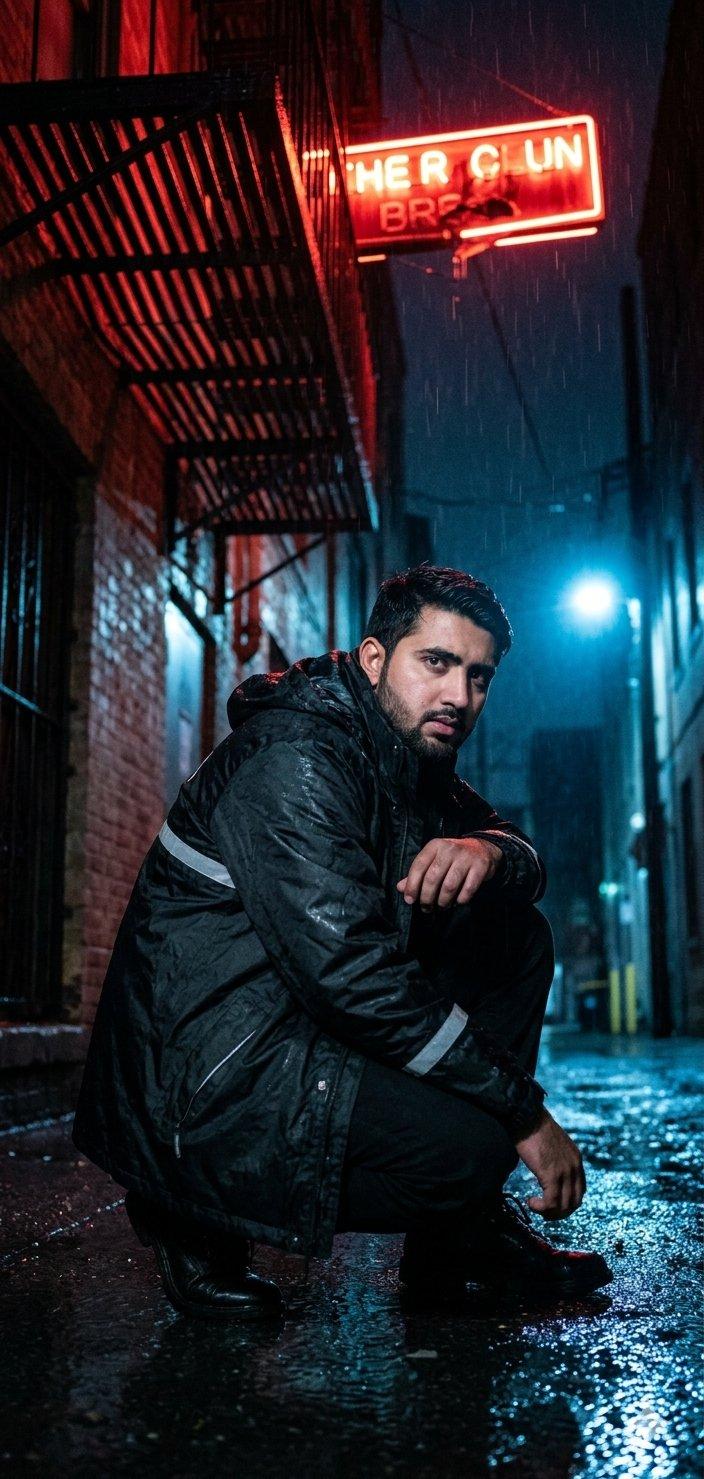
霓虹灯巷低角度拍摄
Enlarge

Example images

霓虹灯巷低角度拍摄

Prompt
A dynamic low-angle shot of {argument name="subject" default="your face"} crouching in a damp alley, resting one arm on your knee. You’re dressed in a {argument name="outfit" default="waterproof black parka with reflective strips"}, hood down, under a dripping fire escape. A {argument name="neon sign" default="broken neon sign"} flickers above, casting a pulsating red glow. Shot on Nikon Z6 II with 24mm f/1.8 S, ISO 1250, f/2.5, 1/125s. Pose: grounded, tense, ready to move. Expression: sharp, focused, slightly guarded. Lighting: flickering neon + cold blue streetlamp from a distance.
Category
Photography & Realism
Model
GPT Image 2
Creator
Muhammad Jamil
Source language
en
Views0
Source ID
26205
Published
Jun 19, 2026
Studio

Guide

About "霓虹灯巷低角度拍摄"

What is this prompt for?

"霓虹灯巷低角度拍摄" AI image prompt for GPT Image 2 (Photography & Realism). 一个用于在霓虹灯巷中创作情绪化、氛围感人像的详细提示词,已针对 GPT Image 2 模型进行优化。 Copy it on Picva and recreate the look…

The full copyable prompt and example visuals above are ready for AI image generation or one-click recreate in Picva.

How to use this prompt

  1. Step 1

    Open the prompt detail

    Review the example visuals, category, and full prompt text for "霓虹灯巷低角度拍摄".

  2. Step 2

    Copy the prompt

    Copy the prompt body from this page, or load it directly in Studio.

  3. Step 3

    Pick a model (GPT Image 2)

    Prefer GPT Image 2. If you switch models, keep subject and composition and tweak style terms.

  4. Step 4

    Generate and export

    Recreate the look in Picva, or export into your workflow for editing and publishing.

FAQ

What is the "霓虹灯巷低角度拍摄" prompt?
It is an AI image-generation prompt for GPT Image 2 in the Photography & Realism category. This page includes the full prompt text, example visuals, and a one-click recreate path in Picva.
How do I use this prompt to generate an image?
Copy the prompt from this page, or use Generate / Studio. Paste it into a compatible image model, or recreate the look in Picva with optional reference images.
Which model is this prompt for?
This page lists GPT Image 2. Most descriptive prompts also transfer to nearby image models such as GPT Image, Flux, or Midjourney with light style tweaks.
Can I use the result commercially?
You can usually copy the prompt for creation, but commercial use of the final image depends on the model terms, reference-image rights, and the generated content. Follow the source author and platform rules.