20

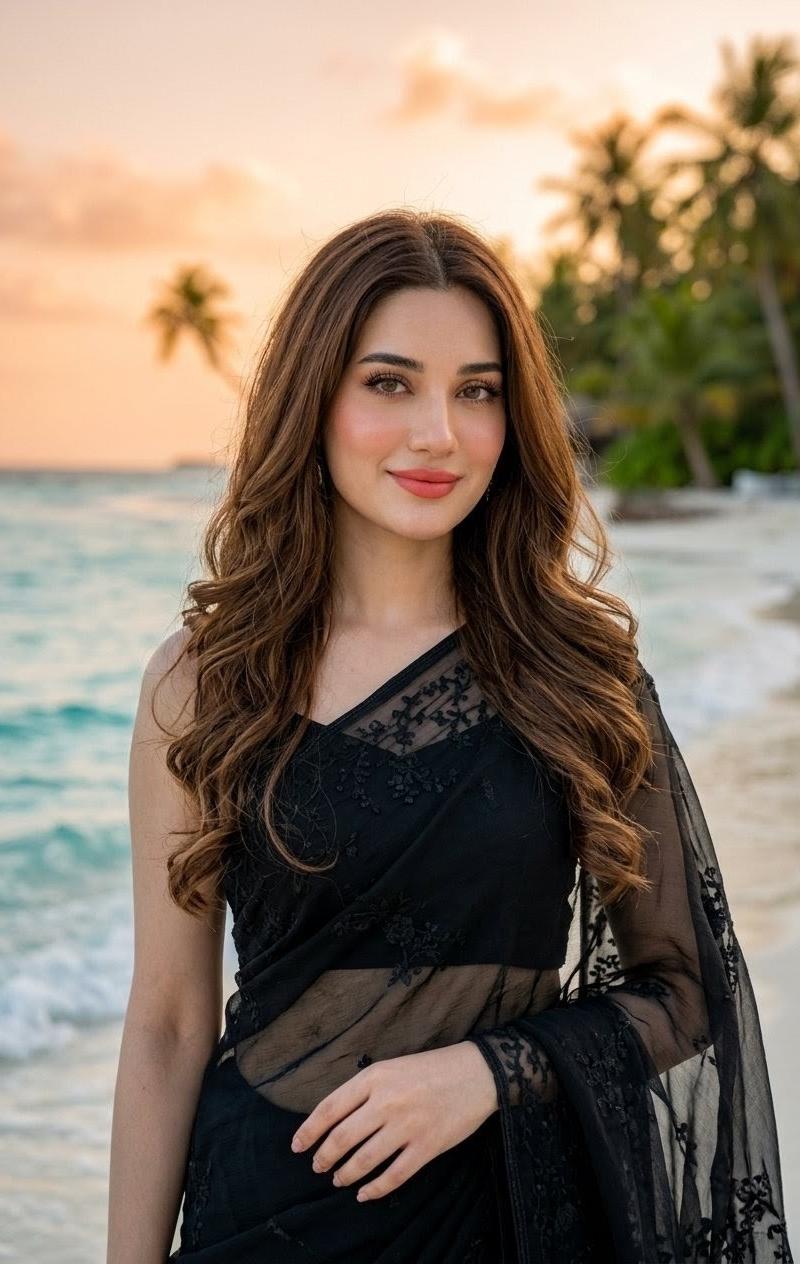
身着黑色纱丽的海滩人像
Enlarge

Example images

身着黑色纱丽的海滩人像

Prompt
Create a realistic vertical portrait photograph of an {argument name="ethnicity and gender" default="Indian woman"} standing on a tropical beach at sunset, framed from mid-thigh to above the head. She has long, flowing, soft, voluminous {argument name="hair color" default="brown hair"} with gentle loose curls cascading over both shoulders and down her back, natural free-flowing texture, center part, glossy highlights, and wind-touched strands. She wears an elegant {argument name="outfit" default="black sheer embroidered saree with a matching black blouse"}, with delicate floral lace embroidery, translucent net fabric draped over one shoulder and across the torso, and a sophisticated evening look. Her pose is relaxed and graceful, facing the camera, one arm hanging naturally and the other hand lightly resting near the waist. The face area should be intentionally obscured by a plain rectangular skin-tone placeholder block centered over the face, covering the facial features from forehead to chin while leaving the hair, neck, and outfit visible. Background: shallow-depth-of-field tropical shoreline with turquoise ocean waves on the left, pale sandy beach on the right, blurred palm trees and lush greenery in the distance, warm peach-orange sunset sky, golden-hour lighting, soft bokeh, cinematic travel-fashion photography. Use natural skin tones, realistic fabric transparency, high detail in hair and saree embroidery, vertical 2:3 composition, no text, no watermark, no extra people.
Category
Photography & Realism
Model
GPT Image 2
Creator
Mehwish kiran
Source language
en
Views0
Source ID
26293
Published
Jun 19, 2026
Studio

Guide

About "身着黑色纱丽的海滩人像"

What is this prompt for?

"身着黑色纱丽的海滩人像" AI image prompt for GPT Image 2 (Photography & Realism). 一张写实的黄金时刻海滩时尚人像,主角是一位身着透明黑色刺绣纱丽的印度女性,留着飘逸的卷发,面部带有遮挡占位符。 Copy it on Picva and recreate th…

The full copyable prompt and example visuals above are ready for AI image generation or one-click recreate in Picva.

How to use this prompt

  1. Step 1

    Open the prompt detail

    Review the example visuals, category, and full prompt text for "身着黑色纱丽的海滩人像".

  2. Step 2

    Copy the prompt

    Copy the prompt body from this page, or load it directly in Studio.

  3. Step 3

    Pick a model (GPT Image 2)

    Prefer GPT Image 2. If you switch models, keep subject and composition and tweak style terms.

  4. Step 4

    Generate and export

    Recreate the look in Picva, or export into your workflow for editing and publishing.

FAQ

What is the "身着黑色纱丽的海滩人像" prompt?
It is an AI image-generation prompt for GPT Image 2 in the Photography & Realism category. This page includes the full prompt text, example visuals, and a one-click recreate path in Picva.
How do I use this prompt to generate an image?
Copy the prompt from this page, or use Generate / Studio. Paste it into a compatible image model, or recreate the look in Picva with optional reference images.
Which model is this prompt for?
This page lists GPT Image 2. Most descriptive prompts also transfer to nearby image models such as GPT Image, Flux, or Midjourney with light style tweaks.
Can I use the result commercially?
You can usually copy the prompt for creation, but commercial use of the final image depends on the model terms, reference-image rights, and the generated content. Follow the source author and platform rules.