19

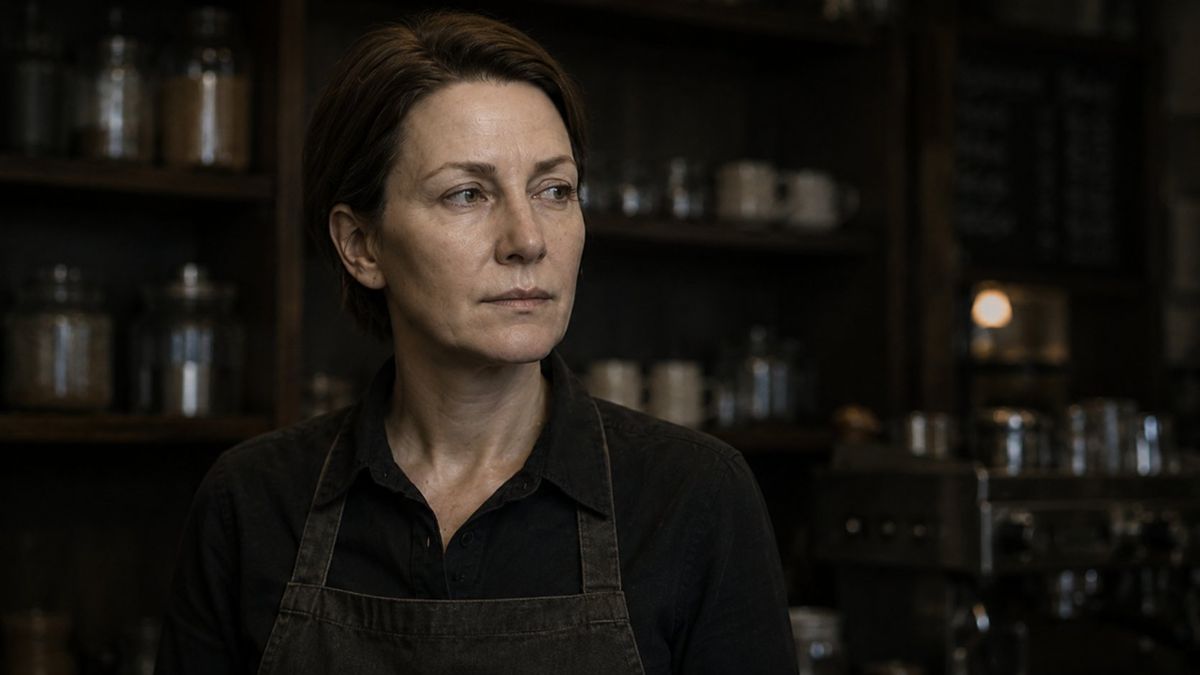
电影感咖啡师人像
Enlarge

电影感咖啡师人像

Prompt
Create an original cinematic photographic portrait of a {argument name="subject" default="female barista in her 40s"} inside a {argument name="location" default="dim rustic café"}. She has short brown hair, light skin, natural facial lines, and a calm, thoughtful expression, looking slightly off camera to her left. She wears a {argument name="outfit" default="black button up work shirt and a worn dark apron with visible fabric texture"}. Behind her are dark wooden shelves filled with coffee jars, cups, and café tools, with a softly blurred espresso machine in the background. Use warm low key lighting, shallow depth of field, muted brown and black tones, realistic skin texture, natural wrinkles, and a quiet documentary photography style. The mood should feel intimate, mature, and cinematic, like a still from an independent film. Aspect ratio 16:9.
Category
Photography & Realism
Model
GPT Image 2
Creator
BMX
Views0
Source ID
26950
Published
Jun 27, 2026

Guide

About "电影感咖啡师人像"

What is this prompt for?

"电影感咖啡师人像" AI image prompt for GPT Image 2 (Photography & Realism). 一张富有深意且氛围感十足的摄影人像,展现了在昏暗、质朴的咖啡馆环境中,一位咖啡师的电影级光影肖像。 Copy it on Picva and recreate the look in…

The full copyable prompt and example visuals above are ready for AI image generation or one-click recreate in Picva.

How to use this prompt

  1. Step 1

    Open the prompt detail

    Review the example visuals, category, and full prompt text for "电影感咖啡师人像".

  2. Step 2

    Copy the prompt

    Copy the prompt body from this page, or load it directly in Studio.

  3. Step 3

    Pick a model (GPT Image 2)

    Prefer GPT Image 2. If you switch models, keep subject and composition and tweak style terms.

  4. Step 4

    Generate and export

    Recreate the look in Picva, or export into your workflow for editing and publishing.

FAQ

What is the "电影感咖啡师人像" prompt?
It is an AI image-generation prompt for GPT Image 2 in the Photography & Realism category. This page includes the full prompt text, example visuals, and a one-click recreate path in Picva.
How do I use this prompt to generate an image?
Copy the prompt from this page, or use Generate / Studio. Paste it into a compatible image model, or recreate the look in Picva with optional reference images.
Which model is this prompt for?
This page lists GPT Image 2. Most descriptive prompts also transfer to nearby image models such as GPT Image, Flux, or Midjourney with light style tweaks.
Can I use the result commercially?
You can usually copy the prompt for creation, but commercial use of the final image depends on the model terms, reference-image rights, and the generated content. Follow the source author and platform rules.