20

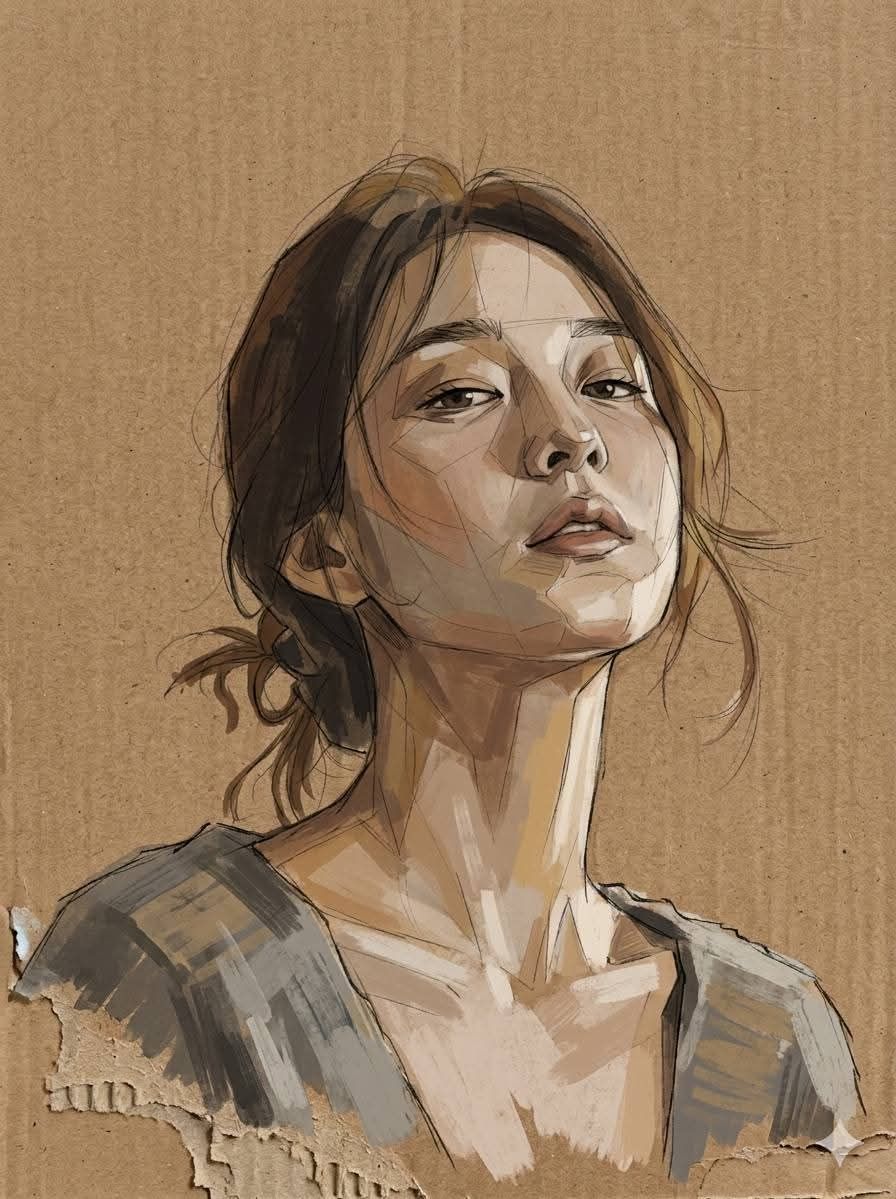
Cardboard Mixed Media Portrait
Enlarge

Example images

Cardboard Mixed Media Portrait

Prompt
A contemporary mixed media portrait illustration style that combines expressive, hand-drawn lines with beautiful color blocking. Featuring loose, faint pencil and ink lines that remain visible and imperfect, layered with angular brushstrokes and faceted planes of paint. The color palette is understated and subdued, dominated by {argument name="colors" default="warm browns, ochres, soft grays and desaturated skin tones"}. The texture feels raw and tactile, resembling work on {argument name="material" default="rough paper or cardboard"}. The lighting is subtle and natural, emphasizing structure over polish. The background is original brown cardboard, with an unfinished impression at the bottom. The overall aesthetic is intimate, honest, and emotionally grounded—balancing realism with abstraction.
Category
Photography & Realism
Model
nano-banana-pro
Creator
zayan
Views2.4K
Source ID
24379
Published
Jun 6, 2026

Guide

About "Cardboard Mixed Media Portrait"

What is this prompt for?

"Cardboard Mixed Media Portrait" AI image prompt for nano-banana-pro (Photography & Realism). An artistic mixed media illustration style combining hand-drawn l…

The full copyable prompt and example visuals above are ready for AI image generation or one-click recreate in Picva.

How to use this prompt

  1. Step 1

    Open the prompt detail

    Review the example visuals, category, and full prompt text for "Cardboard Mixed Media Portrait".

  2. Step 2

    Copy the prompt

    Copy the prompt body from this page, or load it directly in Studio.

  3. Step 3

    Pick a model (nano-banana-pro)

    Prefer nano-banana-pro. If you switch models, keep subject and composition and tweak style terms.

  4. Step 4

    Generate and export

    Recreate the look in Picva, or export into your workflow for editing and publishing.

FAQ

What is the "Cardboard Mixed Media Portrait" prompt?
It is an AI image-generation prompt for nano-banana-pro in the Photography & Realism category. This page includes the full prompt text, example visuals, and a one-click recreate path in Picva.
How do I use this prompt to generate an image?
Copy the prompt from this page, or use Generate / Studio. Paste it into a compatible image model, or recreate the look in Picva with optional reference images.
Which model is this prompt for?
This page lists nano-banana-pro. Most descriptive prompts also transfer to nearby image models such as GPT Image, Flux, or Midjourney with light style tweaks.
Can I use the result commercially?
You can usually copy the prompt for creation, but commercial use of the final image depends on the model terms, reference-image rights, and the generated content. Follow the source author and platform rules.