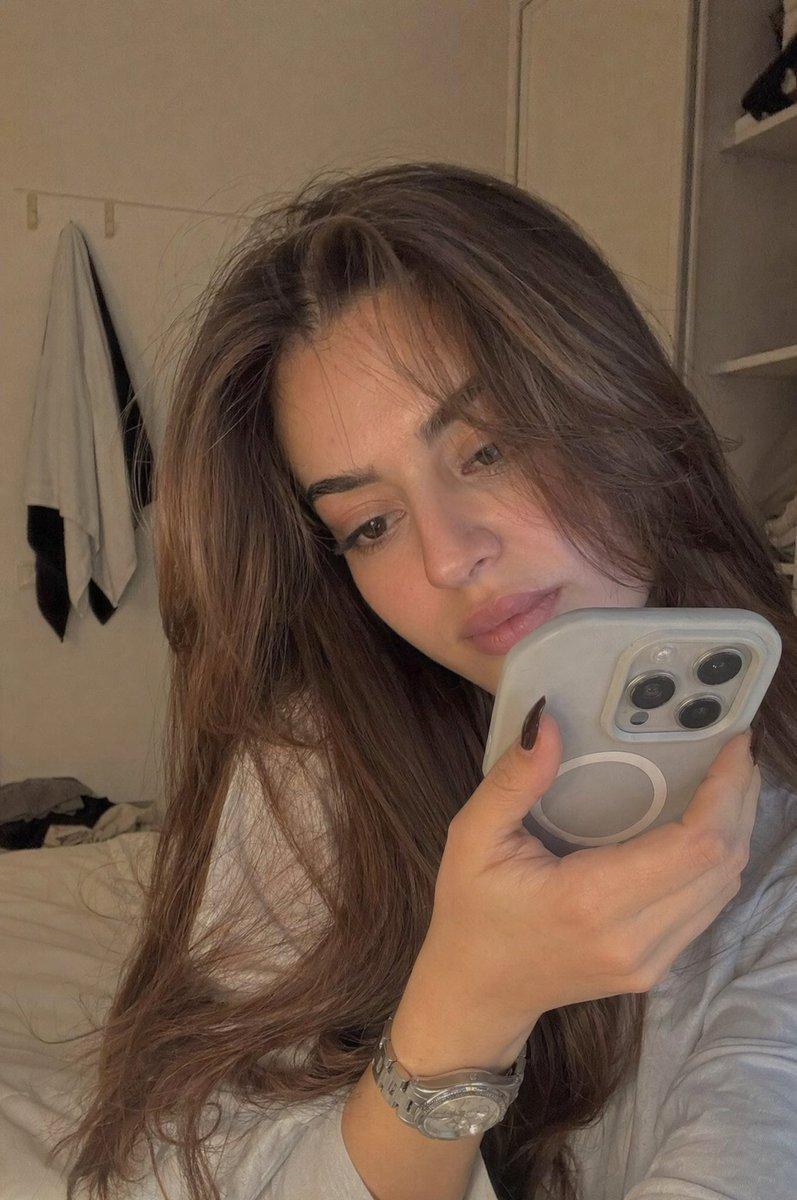
真实的 iPhone GRWM 网红短视频
Prompt
@-image1 Your image @-image2 Jersey Image
Style & Mood: Authentic iPhone GRWM + match-day influencer reel with raw handheld realism, warm bedroom daylight evolving into bright stadium energy. Feels like a genuine Instagram/TikTok story — natural, candid, slightly imperfect, zero production gloss. Soft dewy skin, realistic iPhone HDR, autofocus breathing, tiny handheld shake throughout, subtle motion blur, natural audio texture.

Shot 1 (0–3s): Front-facing iPhone selfie in a softly lit bedroom during warm morning daylight. Young woman with long voluminous wavy dark brown hair smiles into camera while holding an iced coffee. She playfully raises her eyebrows and mouths something casual to followers. White football jersey with black trim lies on the bed behind her. Warm sunlight through curtains creates soft glow on her face. Tiny handheld tremble, ice clinking in cup.

Shot 2 (3–6s): Tight handheld bathroom mirror close-up. She applies clear lip gloss while filming the reflection. Frosted daylight softly lights her face and pearl choker. Gloss catches highlights as the applicator slowly pulls away. Slight bathroom echo and natural iPhone exposure shifts.

Shot 3 (6–8s): Full-body mirror selfie. She now wears a white football jersey with black trim and a small black crossbody bag. Hair loose and wavy. She does a small approving spin while smiling naturally at herself in the mirror. Slight motion blur during movement.

Shot 4 (8–10s): Fast beauty-detail montage. Extreme close-ups of the football crest, pearl choker against pale skin, glossy lips, jersey fabric folds, fingertips brushing hair back. Handheld drift and shallow digital depth feel.

Shot 5 (10–13s): Rear POV inside a crowded stadium tunnel. Blue flooring, concrete overhang, fans in white numbered jerseys surrounding her, yellow hi-vis stewards at edges. Her dark wavy hair lifts slightly from tunnel airflow. Bright vivid green pitch glows ahead through the tunnel opening beneath an overcast sky. Crowd chants echo loudly.

Shot 6 (13–15s): Front-facing selfie from packed stadium stands. She grins widely into camera, eyes crinkling naturally, pearl choker catching diffused daylight. Massive stadium bowl and vivid green pitch fill the background while fans in white jerseys surround her. She tilts the phone upward slightly to reveal the stadium scale and holds the smile until the final frame.

Character: Young woman with long voluminous wavy dark brown hair, porcelain-fair dewy skin, large dark almond-shaped eyes, full glossy warm-rose lips, youthful soft features, double-strand pearl choker necklace, oversized white football jersey with black trim, small black crossbody bag.

Camera: Simulated iPhone 14 Pro, 26mm equivalent lens, 24fps, f/1.8, ISO 400, 1/50 shutter. Natural handheld shake, no stabilization, warm boosted indoor shadows, cool outdoor highlights, punchy green pitch saturation. Total runtime 15 seconds.
- Category
- Architecture & Spaces
- Model
- seedance-2.0
- Creator
- Harboris
- Source ID
- 5061
- Published
- May 20, 2026
Views0