20

电影感酸种面包烘焙延时摄影

Prompt
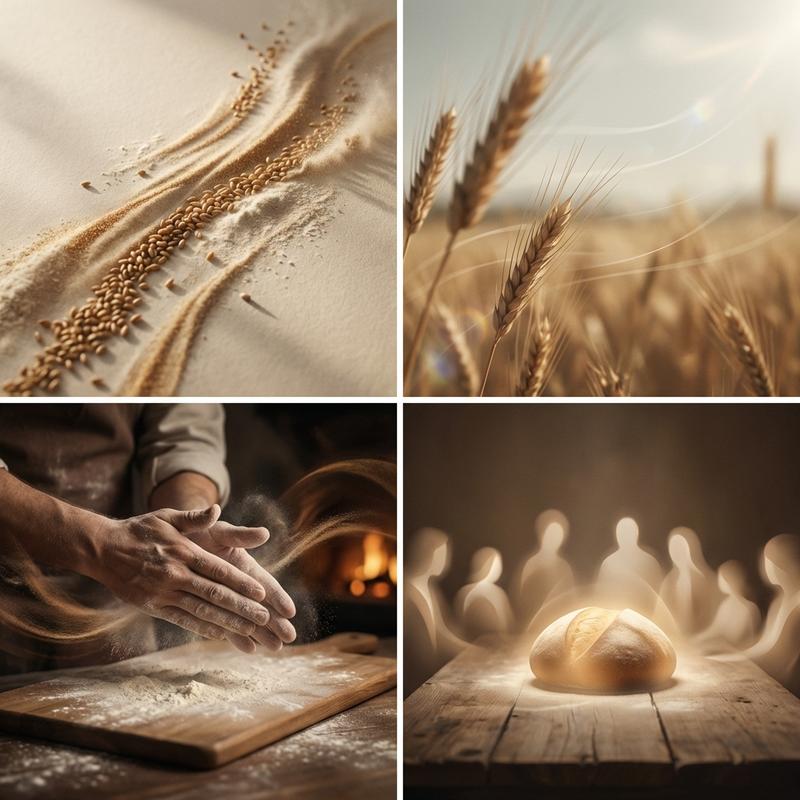
Cinematic 10-sec sourdough recipe timelapse. 
Hands + ingredients only, NO faces. 
Warm natural kitchen lighting throughout.

[0:00-0:02] Overhead: Hands mixing flour and water 
in silver bowl, flour clouds puffing, shaggy dough forming.

[0:02-0:04] Side shot: Hands kneading smooth dough 
on floured wooden board, rhythmic push-fold motion.

[0:04-0:05.5] Overhead timelapse: Dough rising in 
clear glass bowl on marble counter, doubling in size.

[0:05.5-0:07] Close-up: Blade scoring confident slash 
across round dough boule, surface opening cleanly.

[0:07-0:08.5] Oven interior: Loaf baking on rack, 
warm amber glow, steam rising, crust turning golden.

[0:08.5-0:10] Slow push-in: Baked boule on wire rack, 
steam rising, rustic ear crack, cinematic beauty shot.

STYLE: Warm film tones, smooth dissolve cuts, 
slow push-ins, no shaky cam, wrists/hands only, 
soft window light from left, 9:16 widescreen.
Category
Photography & Realism
Model
seedance-2.0
Creator
Caden Flux
Views0
Source ID
6530
Published
Jun 27, 2026

Guide

About "电影感酸种面包烘焙延时摄影"

What is this prompt for?

"电影感酸种面包烘焙延时摄影" AI image prompt for seedance-2.0 (Photography & Realism). 一份详细的多镜头视频提示词,用于生成专业的酸种面包烘焙延时摄影,包含揉面、发酵和烘焙的特写镜头,并配有温暖的电影级灯光效果。 Copy it on Picva and r…

The full copyable prompt and example visuals above are ready for AI image generation or one-click recreate in Picva.

How to use this prompt

  1. Step 1

    Open the prompt detail

    Review the example visuals, category, and full prompt text for "电影感酸种面包烘焙延时摄影".

  2. Step 2

    Copy the prompt

    Copy the prompt body from this page, or load it directly in Studio.

  3. Step 3

    Pick a model (seedance-2.0)

    Prefer seedance-2.0. If you switch models, keep subject and composition and tweak style terms.

  4. Step 4

    Generate and export

    Recreate the look in Picva, or export into your workflow for editing and publishing.

FAQ

What is the "电影感酸种面包烘焙延时摄影" prompt?
It is an AI image-generation prompt for seedance-2.0 in the Photography & Realism category. This page includes the full prompt text, example visuals, and a one-click recreate path in Picva.
How do I use this prompt to generate an image?
Copy the prompt from this page, or use Generate / Studio. Paste it into a compatible image model, or recreate the look in Picva with optional reference images.
Which model is this prompt for?
This page lists seedance-2.0. Most descriptive prompts also transfer to nearby image models such as GPT Image, Flux, or Midjourney with light style tweaks.
Can I use the result commercially?
You can usually copy the prompt for creation, but commercial use of the final image depends on the model terms, reference-image rights, and the generated content. Follow the source author and platform rules.