5

奢华两岁生日海报3D镂空数字人像
Enlarge

Example images

奢华两岁生日海报3D镂空数字人像

Prompt
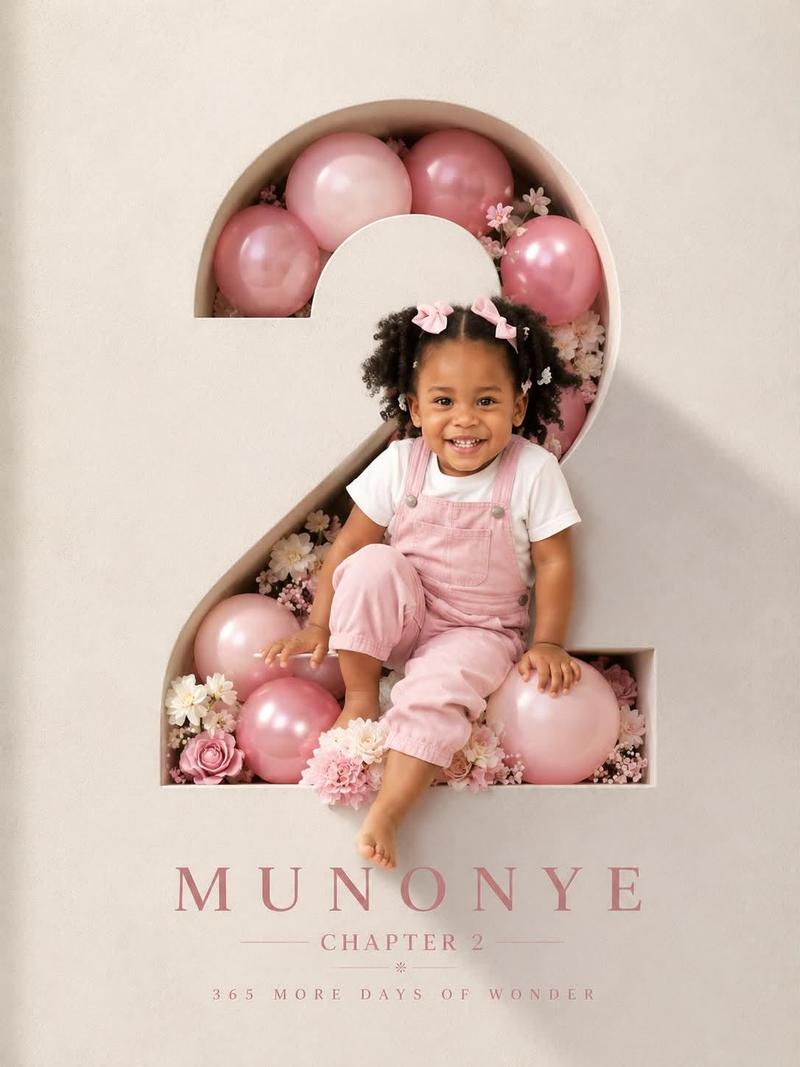
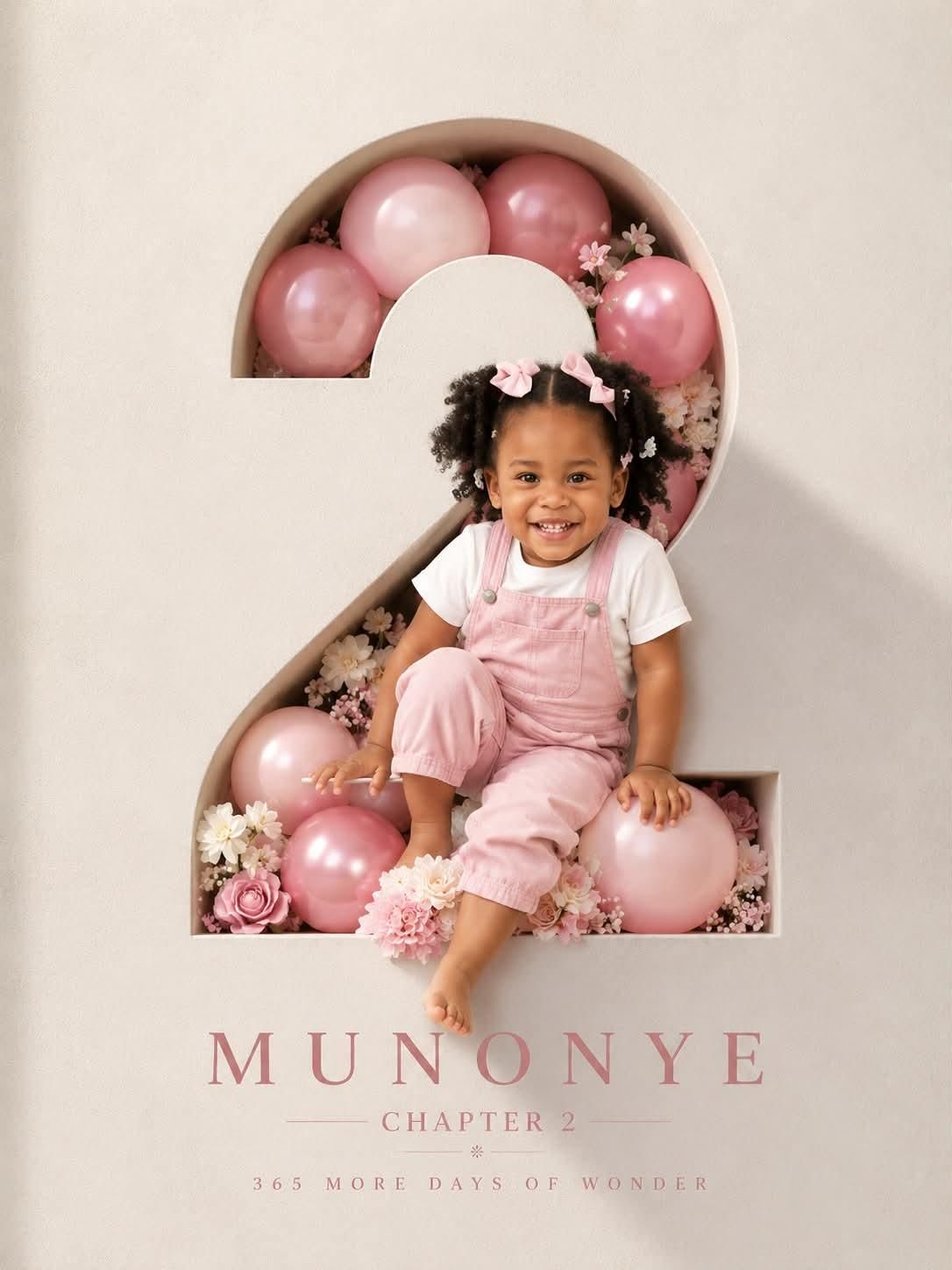
Professional luxury birthday poster, 3:4 ratio. Entire frame filled with a premium off white luxury paper textured wall. Large number “2” precisely carved in the wall with visible depth and realistic inner shadows. Inside the number: soft pink and pink balloons, subtle white flowers, elegant bouquet arrangement, premium celebration styling. A happy 2 year old child with preserved reference facial features, wearing a milky white T shirt and pink denim overalls, laughing naturally. Face, shoulder, one hand and one foot extend outside the number creating a realistic 3D effect. Warm cinematic sunlight from one side, soft rim light, photorealistic skin, premium studio photography, ultra realistic, sharp focus. Typography on wall: MUNONYE, CHAPTER 2, 365 MORE DAYS OF WONDER. Clean minimalist layout, luxury magazine cover aesthetic, high end art direction, realistic shadows, natural colors, no tree shadows, no fake lighting, no AI artifacts.
Category
Charts & Infographics
Model
ChatGPT
Creator
@Taaruk_
Views67
Source ID
15742
Published
Jun 10, 2026

Guide

About "奢华两岁生日海报3D镂空数字人像"

What is this prompt for?

"奢华两岁生日海报3D镂空数字人像" AI image prompt for ChatGPT (Charts & Infographics). 专业奢华生日海报,3:4 比例。整个画面充满了优质的米白色奢华纸张纹理墙面。墙上精确雕刻着一个巨大的数字“2”,具有明显的深度和逼真的内部阴影。数字内部:柔粉色和粉色气球、含…

The full copyable prompt and example visuals above are ready for AI image generation or one-click recreate in Picva.

How to use this prompt

  1. Step 1

    Open the prompt detail

    Review the example visuals, category, and full prompt text for "奢华两岁生日海报3D镂空数字人像".

  2. Step 2

    Copy the prompt

    Copy the prompt body from this page, or load it directly in Studio.

  3. Step 3

    Pick a model (ChatGPT)

    Prefer ChatGPT. If you switch models, keep subject and composition and tweak style terms.

  4. Step 4

    Generate and export

    Recreate the look in Picva, or export into your workflow for editing and publishing.

FAQ

What is the "奢华两岁生日海报3D镂空数字人像" prompt?
It is an AI image-generation prompt for ChatGPT in the Charts & Infographics category. This page includes the full prompt text, example visuals, and a one-click recreate path in Picva.
How do I use this prompt to generate an image?
Copy the prompt from this page, or use Generate / Studio. Paste it into a compatible image model, or recreate the look in Picva with optional reference images.
Which model is this prompt for?
This page lists ChatGPT. Most descriptive prompts also transfer to nearby image models such as GPT Image, Flux, or Midjourney with light style tweaks.
Can I use the result commercially?
You can usually copy the prompt for creation, but commercial use of the final image depends on the model terms, reference-image rights, and the generated content. Follow the source author and platform rules.