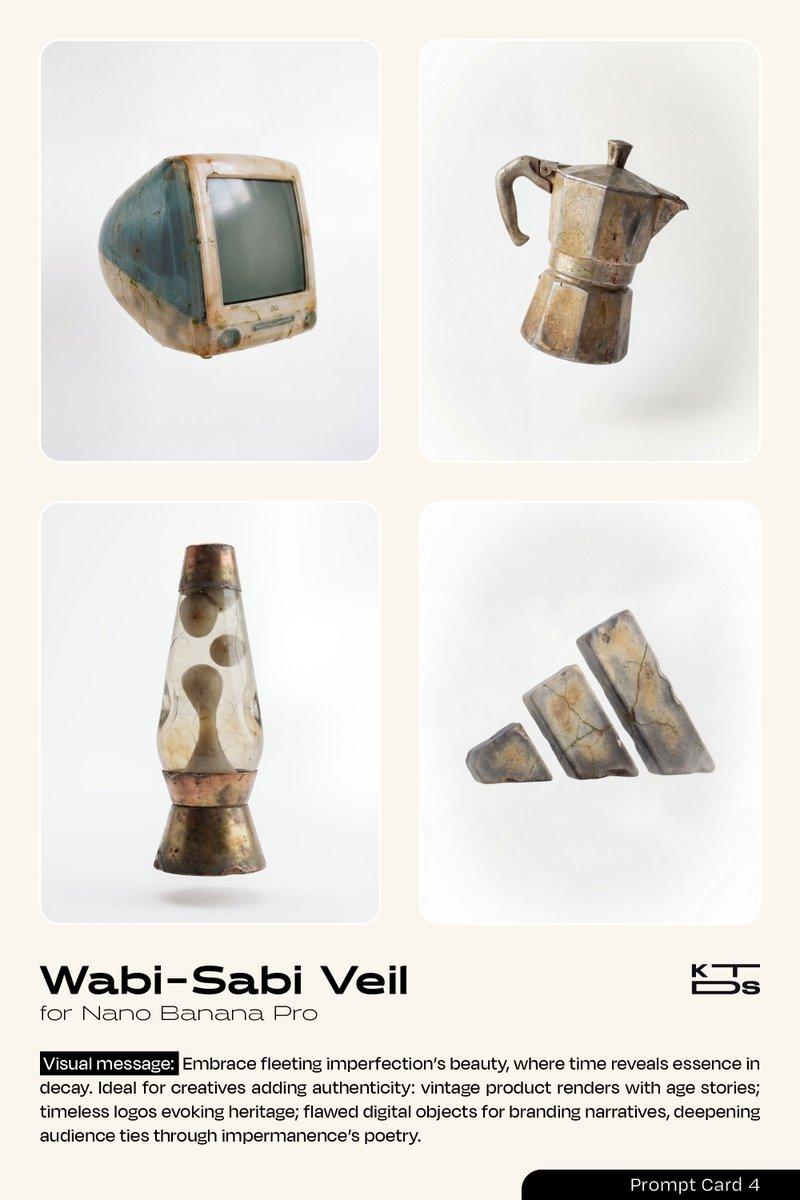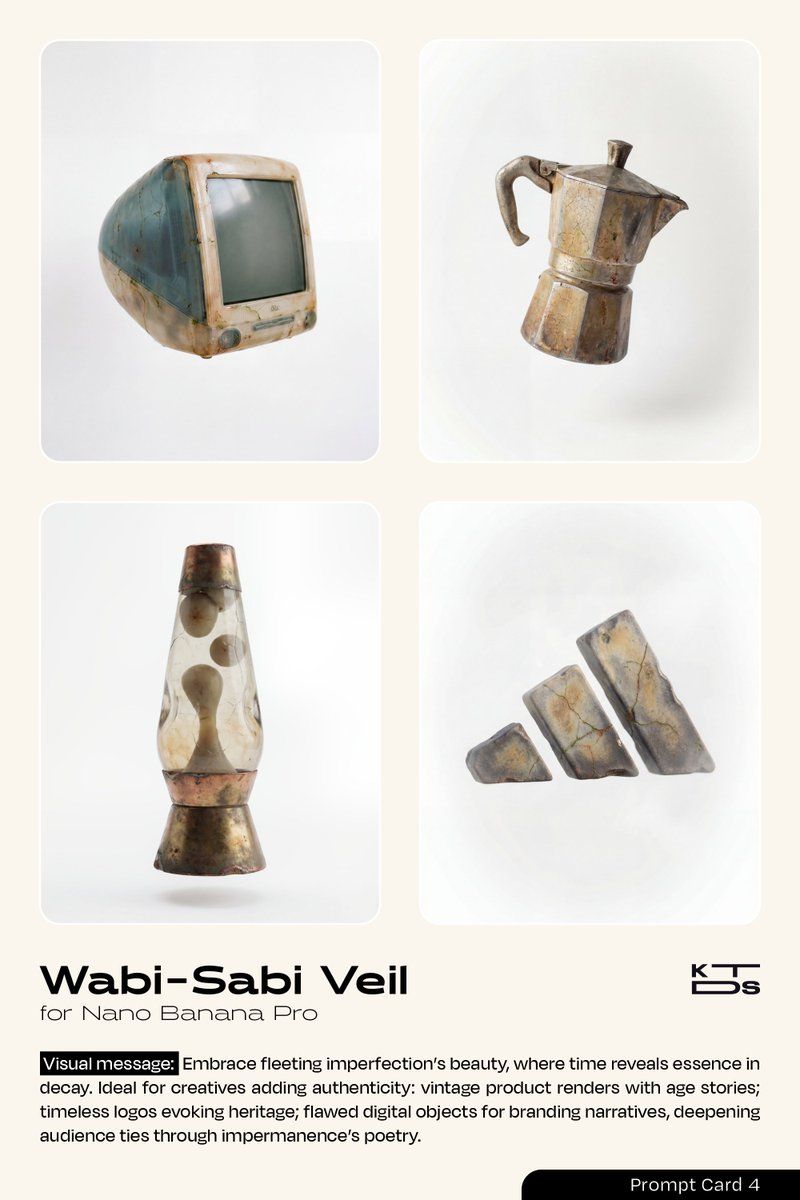
侘寂面纱美学提示
Prompt
{
  "name": "Wabi-Sabi Veil",
  "type": "image",
  "description": "A subtle, imperfectly aged and weathered effect applied to the [OBJECT/PRODUCT/LOGO], embodying the Wabi-Sabi philosophy of finding beauty in imperfection, transience, asymmetry, and natural decay. The surface shows gentle patina with faint cracks that add character like a cherished cracked bowl, subtle discoloration from time's touch revealing proof of life, irregular textures like hand-thrown pottery with uneven glazing that's interesting rather than flawed, soft erosion at edges as if worn by wind and water evoking well-loved wear, minimalist simplicity with organic irregularities, muted natural imperfections such as tiny fissures filled with faint moss-like accents or tea-stain blooms that highlight resilience, and a sense of quiet humility in the object's form, levitating freely in space to highlight its humble beauty without distraction, rejecting polished perfection for memorable authenticity.",
  "negative_description": "No glossy perfection, no symmetrical precision, no vibrant artificial colors, no modern sleekness or polished chrome, avoid uniform textures, no digital sharpness or CGI smoothness, no ornate decorations or complexity, no bright highlights or harsh contrasts, no futuristic or mechanical elements, no cartoonish exaggeration, no heavy decay or broken appearance, no hidden cracks or over-polished surfaces.",
  "style": "In the authentic Japanese Wabi-Sabi aesthetic, blending the rustic simplicity of traditional tea ceremony ceramics with the aged elegance of Zen garden stones, hyper-realistic digital rendering mimicking ancient craftsmanship by artists like Isamu Noguchi or Tadao Ando, with subtle influences from organic minimalism and imperfection-focused photography akin to Hiroshi Sugimoto's serene seascapes.",
  "composition": "Centered asymmetrical floating composition in a soft three-quarter view to emphasize natural irregularities and volumetric depth, with the object occupying central focus but offset slightly for organic imbalance, generous white negative space surrounding to evoke solitude and introspection, rule of thirds placing key imperfections like cracks or patina blooms at intersection points for subtle visual poetry.",
  "camera_settings": {
    "lens": "50mm prime lens for natural perspective and intimate detail capture without distortion.",
    "aperture": "f/5.6 for balanced depth of field, keeping subtle textures in focus while allowing gentle fall-off.",
    "shutter_speed": "1/125s to capture stillness with a hint of natural motion blur in any faint steam or dust motes.",
    "iso": "200 for subtle grain that enhances the aged, organic feel without excessive noise."
  },
  "lighting": {
    "type": "Soft, diffused natural daylight with minimal contrast for humble illumination.",
"direction": "Gentle overhead light mimicking overcast sky from above, with subtle side fill from left to soft- Category
- 创意图片
- Model
- Nano Banana Pro
- Creator
- KTDS
- Source ID
- f81c07a3-808a-4ca1-bfb9-18056af2f9c5
- Published
- Mar 8, 2026
Views0