18

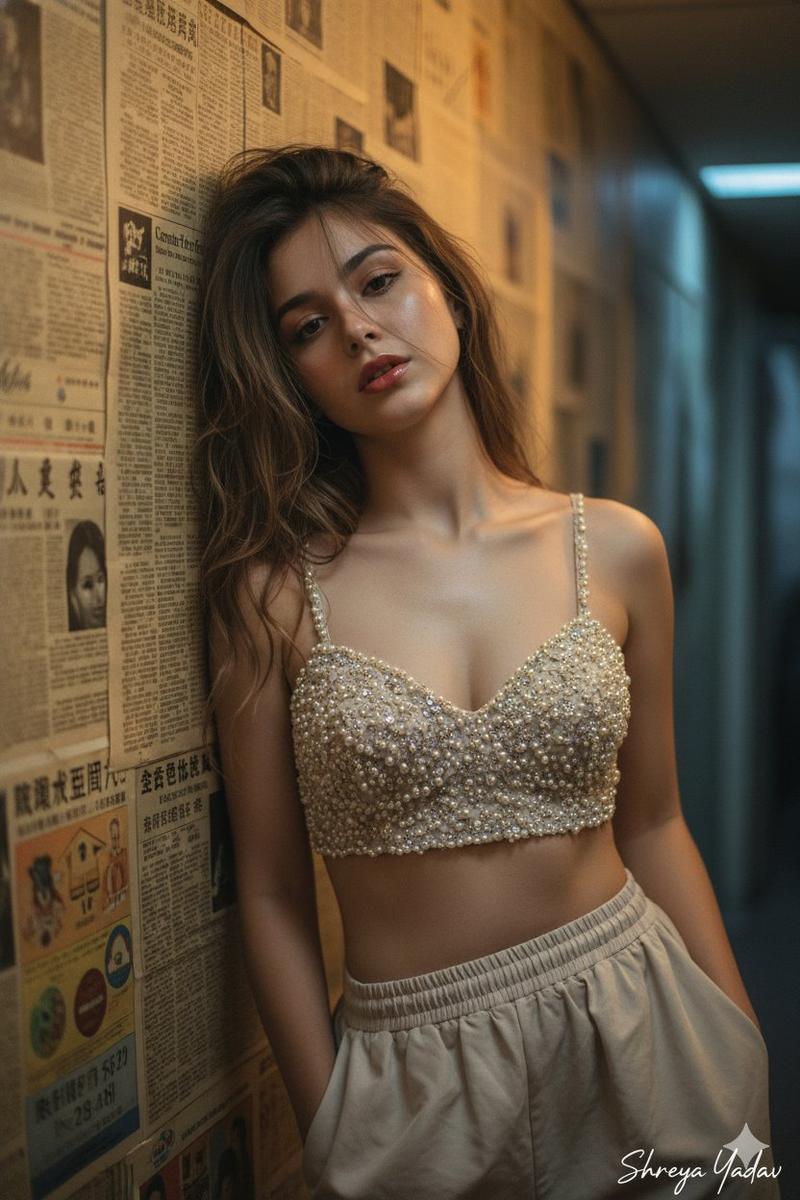
年轻女性的肖像照,采用明暗对比布光
Enlarge

年轻女性的肖像照,采用明暗对比布光

Prompt
{
  "prompt": "A portrait photograph of the young woman from image_0.png, captured in a similar pose, looking up with a soft smile. Her long, wavy brown hair cascades over her shoulder. She wears the sheer, embroidered bralette with orange and gold floral patterns and the patterned red and gold skirt waistband visible at her hips. The soft, warm side lighting highlights her porcelain skin and the details of the lace and embroidery. The background is a dark, atmospheric indoor setting with blurred wooden elements, creating a rich chiaroscuro effect.",
  "subject": {
    "age": "young",
    "gender": "woman",
    "hair_color": "brown",
    "hair_style": "long, wavy",
    "eye_color": "green",
    "skin_tone": "fair, porcelain",
    "build": "slender"
  },
  "clothing": {
    "top": "sheer lace bralette with orange and gold floral embroidery",
    "bottom": "patterned red and gold skirt waistband"
  },
  "pose": "looking up, soft smile, side profile",
  "lighting": "soft, warm side lighting, chiaroscuro",
  "setting": "dark, atmospheric interior with blurred wooden elements",
  "style": "portrait photography, realistic"
}
Category
创意图片
Model
Nano Banana Pro
Creator
Shreya♡
Views0
Source ID
a2fedb8a-444a-4be1-a8ab-3b739106138f
Published
Mar 8, 2026

Guide

About "年轻女性的肖像照,采用明暗对比布光"

What is this prompt for?

"年轻女性的肖像照,采用明暗对比布光" AI image prompt for Nano Banana Pro (创意图片). 一个详细、结构化的提示,用于生成一张年轻女性的超写实肖像照片,强调特定的服装、姿势,以及在黑暗、富有氛围的背景下戏剧性的明暗对比照明效果。它明确引用了一张外部图片(image_0.png)来…

The full copyable prompt and example visuals above are ready for AI image generation or one-click recreate in Picva.

How to use this prompt

  1. Step 1

    Open the prompt detail

    Review the example visuals, category, and full prompt text for "年轻女性的肖像照,采用明暗对比布光".

  2. Step 2

    Copy the prompt

    Copy the prompt body from this page, or load it directly in Studio.

  3. Step 3

    Pick a model (Nano Banana Pro)

    Prefer Nano Banana Pro. If you switch models, keep subject and composition and tweak style terms.

  4. Step 4

    Generate and export

    Recreate the look in Picva, or export into your workflow for editing and publishing.

FAQ

What is the "年轻女性的肖像照,采用明暗对比布光" prompt?
It is an AI image-generation prompt for Nano Banana Pro in the 创意图片 category. This page includes the full prompt text, example visuals, and a one-click recreate path in Picva.
How do I use this prompt to generate an image?
Copy the prompt from this page, or use Generate / Studio. Paste it into a compatible image model, or recreate the look in Picva with optional reference images.
Which model is this prompt for?
This page lists Nano Banana Pro. Most descriptive prompts also transfer to nearby image models such as GPT Image, Flux, or Midjourney with light style tweaks.
Can I use the result commercially?
You can usually copy the prompt for creation, but commercial use of the final image depends on the model terms, reference-image rights, and the generated content. Follow the source author and platform rules.