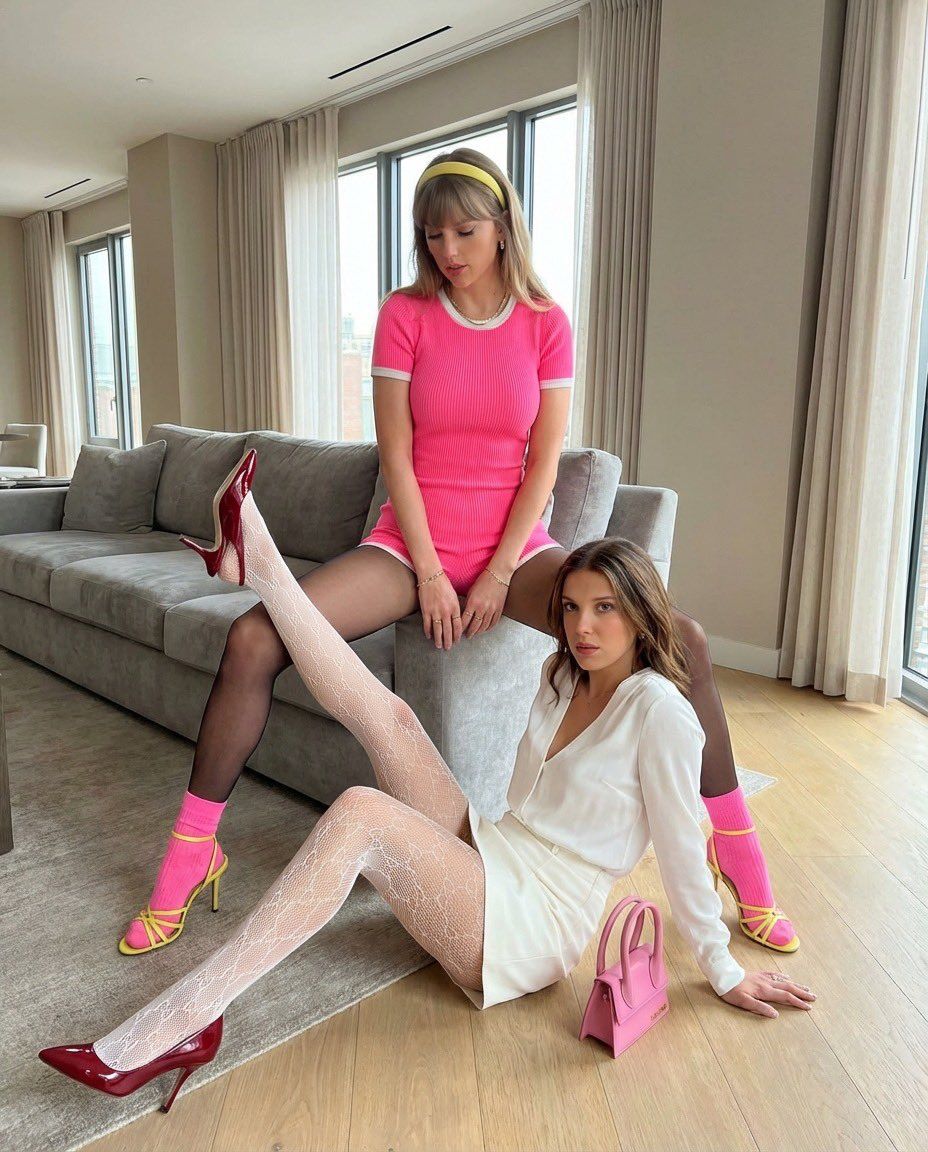
双人肖像,带详细姿势和服装规格
Prompt
{
  "scene_overview": {
    "subjects_count": 2,
    "environment": "Indoor modern living space with a sofa, wooden floor, large windows, neutral walls",
    "focus": "Precise body poses and outfit placement"
  },
  "subjects": [
    {
      "subject_id": "Subject_1"
      "pose_reference": "Photo 1 adapted to a sofa",
      "body_position": {
        "position": "Seated on a sofa",
        "seat_contact": "Pelvis centered on the sofa cushion"
      },
      "leg_position": {
        "stance": "Legs spread apart symmetrically",
        "thighs": "Angled outward from the hips",
        "knees": "Bent at approximately 90 degrees",
        "feet": "Feet planted firmly on the floor in front of the sofa",
        "legs_crossed": false
      },
      "torso": {
        "orientation": "Torso upright with a slight forward lean",
        "spine": "Straight with controlled tension"
      },
      "arms_and_hands": {
        "arms": "Both arms lowered between the legs",
        "hands": "Hands resting close together near the knees"
      },
      "head_and_neck": {
        "head_position": "Head upright with a subtle downward tilt",
        "neck": "Elongated and relaxed"
      },
      "clothing_and_accessories": {
        "outfit": "Fitted navy blue short-sleeve romper with a deep V neckline trimmed in white, closely hugging the torso and hips",
        "fabric": "Textured stretch knit fabric",
        "legwear": "black sheer pantyhose, white socks",
        "footwear": "Delicate strappy high-heeled sandals in a matching yellow tone",
        "accessories": {
          "headwear": "Matching yellow headband",
          "jewelry": "Minimal jewelry"
        },
        "fabric_behavior": "Fabric stretched smoothly across the waist, hips, and thighs due to seated posture"

      "subject_id": "Subject_2",
      "pose_reference": "Photo 2 adapted to floor position",
      "body_position": {
        "position": "Seated on the floor at the foot of Subject_1",
        "relative_location": "Centered between Subject_1’s feet, closer to the foreground"
      },
      "leg_position": {
        "primary_leg": {
          "position": "Raised upward at a strong diagonal angle",
          "knee": "Fully extended",
          "hip_angle": "Hip strongly flexed to lift the leg upward"
        },
        "secondary_leg": {
          "position": "Bent and folded on the floor",
          "knee_contact": "Knee resting on the floor for support"
        },
        "legs_crossed": false
      },
      "torso": {
        "orientation": "Torso leaning slightly backward",
        "spine": "Natural relaxed curve"
      },
      "arms_and_hands": {
        "supporting_arm": "One arm extended backward with the palm on the floor",
        "free_arm": "Other arm resting along the thigh or floor"
      },
      "head_and_neck": {
"head- Category
- 创意图片
- Model
- Nano Banana Pro
- Creator
- Rowund
- Source ID
- 968f9ee8-38ce-4bd7-9804-de941929960b
- Published
- Mar 8, 2026
Views0


















