20

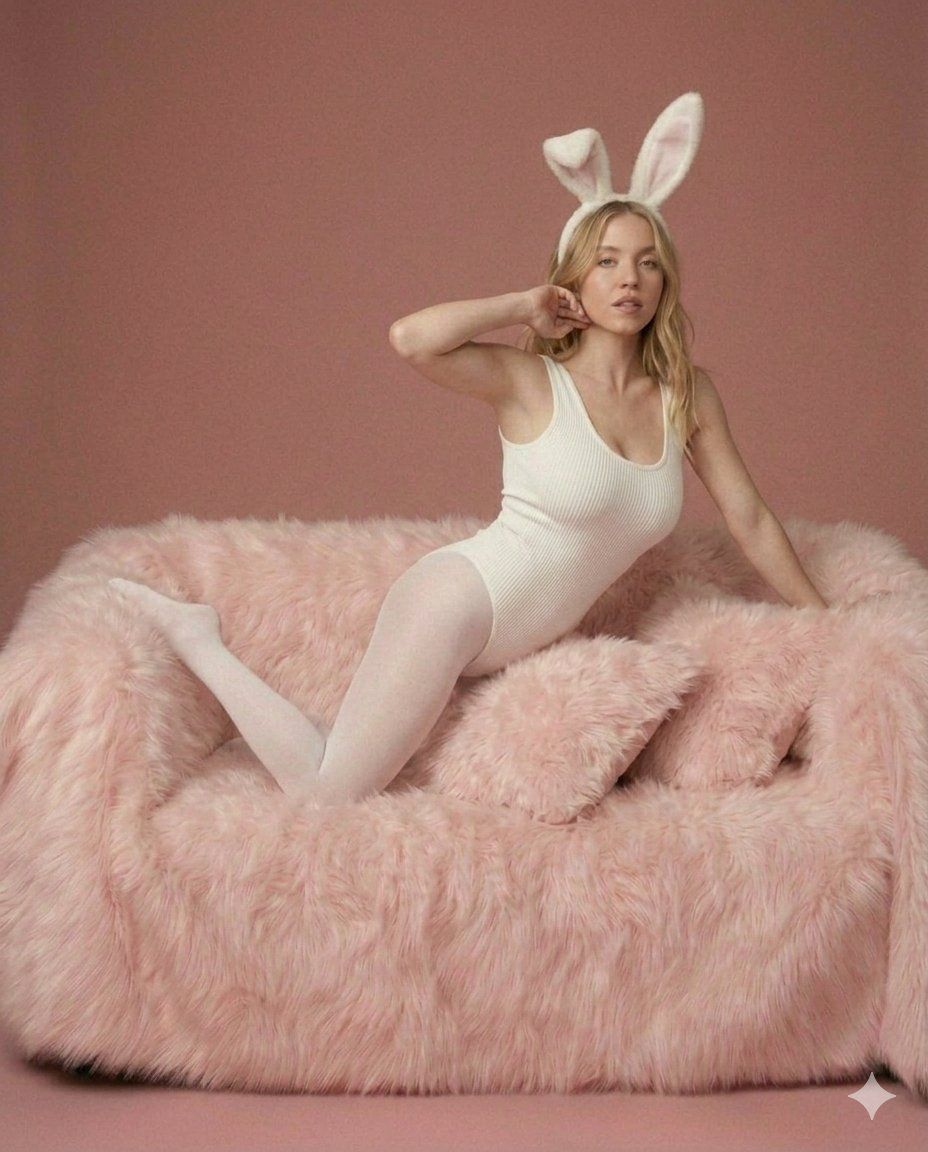
Sydney Sweeney 兔女郎写真提示词
Enlarge

Sydney Sweeney 兔女郎写真提示词

Prompt
{
  "model_id": "image_generator_v1",
  "prompt": "A high-definition, medium close-up studio photograph of Sydney Sweeney, with a charismatic and playful expression, looking directly into the lens. Her wavy blonde hair is styled loosely. She wears the identical white ribbed knit bodysuit and white fluffy bunny ears headband as seen in image_11.png. She is seated upright on the incredibly plush, shaggy pink faux-fur sofa from image_11.png, which seems to envelope her, with a few pink fur pillows around her. Her pose is new: sitting with her legs tucked slightly. Her right hand is subtly adjusting one of the bunny ears, and her left hand rests on her knee. The texture of the white bodysuit and the detailed shagginess of the pink fur sofa are highly defined. The background is a solid, clean dusty-rose wall. The lighting is soft and flattering. The composition is balanced and elegant. In the bottom-right corner, there is a small, subtle text overlay in white font: 'SYDNEY SWEENEY | THE BUNNY SESSIONS'.",
  "aspect_ratio": "4:5",
  "style": "professional portrait photograph"
}
Category
创意图片
Model
Nano Banana Pro
Creator
𝐌
Views128
Source ID
0aa565ce-15ce-432c-b4b4-156af968a0c0
Published
Mar 8, 2026

Guide

About "Sydney Sweeney 兔女郎写真提示词"

What is this prompt for?

"Sydney Sweeney 兔女郎写真提示词" AI image prompt for Nano Banana Pro (创意图片). 一个结构化的 JSON 提示词,用于生成一张西德尼·斯威尼(Sydney Sweeney)身穿白色针织紧身衣和兔耳,坐在粉色人造毛皮沙发上的高清摄影棚照片,需要提供服装和沙发的参…

The full copyable prompt and example visuals above are ready for AI image generation or one-click recreate in Picva.

How to use this prompt

  1. Step 1

    Open the prompt detail

    Review the example visuals, category, and full prompt text for "Sydney Sweeney 兔女郎写真提示词".

  2. Step 2

    Copy the prompt

    Copy the prompt body from this page, or load it directly in Studio.

  3. Step 3

    Pick a model (Nano Banana Pro)

    Prefer Nano Banana Pro. If you switch models, keep subject and composition and tweak style terms.

  4. Step 4

    Generate and export

    Recreate the look in Picva, or export into your workflow for editing and publishing.

FAQ

What is the "Sydney Sweeney 兔女郎写真提示词" prompt?
It is an AI image-generation prompt for Nano Banana Pro in the 创意图片 category. This page includes the full prompt text, example visuals, and a one-click recreate path in Picva.
How do I use this prompt to generate an image?
Copy the prompt from this page, or use Generate / Studio. Paste it into a compatible image model, or recreate the look in Picva with optional reference images.
Which model is this prompt for?
This page lists Nano Banana Pro. Most descriptive prompts also transfer to nearby image models such as GPT Image, Flux, or Midjourney with light style tweaks.
Can I use the result commercially?
You can usually copy the prompt for creation, but commercial use of the final image depends on the model terms, reference-image rights, and the generated content. Follow the source author and platform rules.








