高保真照片级自拍转换
Prompt
Create a high-fidelity photographic transformation. Maintain the exact facial identity from the provided source image with absolute precision and zero alteration.
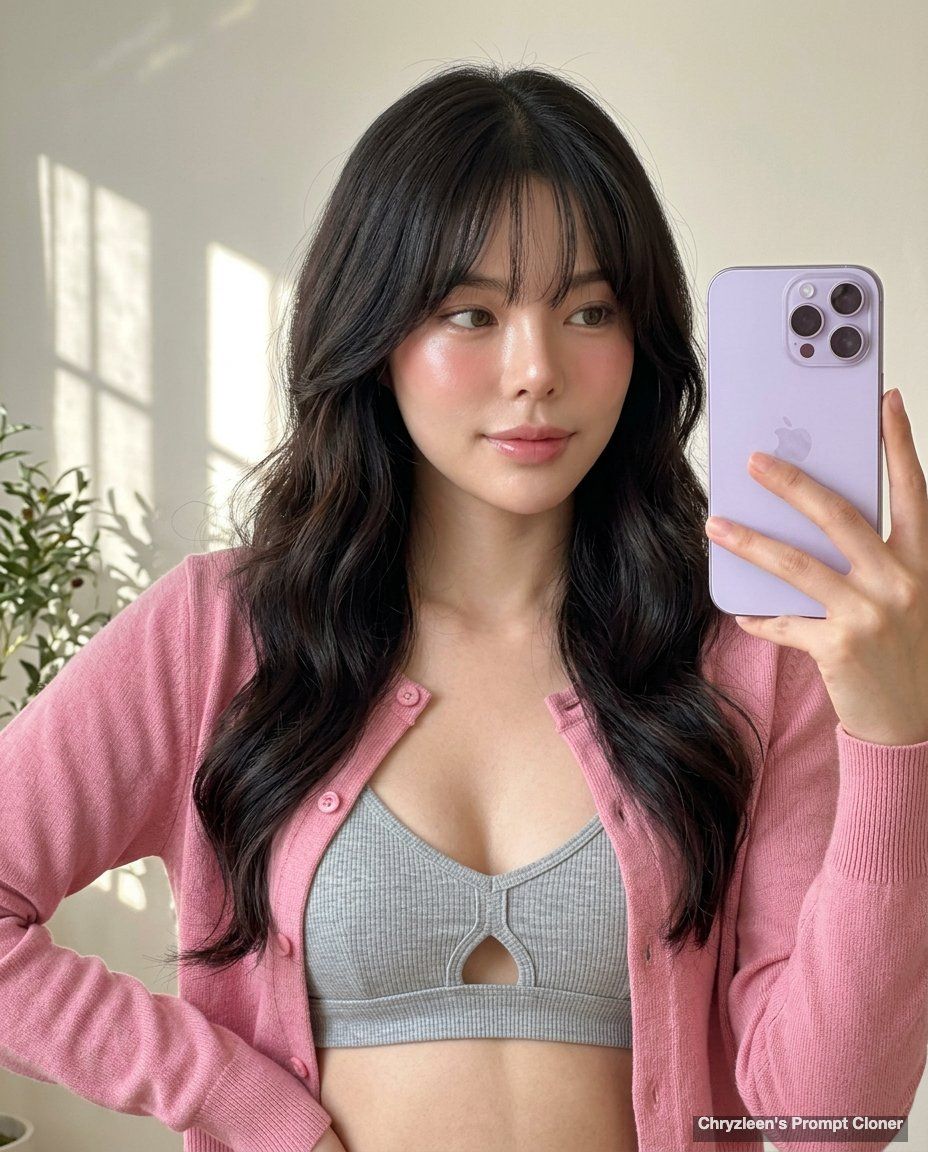
[SCENE]: A bright, warm-toned indoor setting, likely a home environment. The background is a soft, light-colored wall with abstract patterns of natural light and shadows, possibly from a window or nearby foliage, adding subtle depth. A glimpse of a blurred green plant or object is visible in the far right corner. The composition is an upper-body shot, captured in a portrait orientation, with the subject leaning slightly into the left side of the frame as she holds her phone. The entire scene is in sharp focus, without any background blur or bokeh.
[SUBJECT]: An adult woman with a fair complexion, captured mid-selfie. Her dark brown hair is long and voluminous, styled with soft mermaid waves, prominent butterfly-style layers that frame her face and shoulders, and soft curtain bangs gently sweeping across her forehead. She is wearing a light pink button-up cardigan over a light grey ribbed knit bralette or top featuring a subtle cut-out and delicate strappy detail at the chest. Her right arm is slightly raised, holding a light purple smartphone with a triple camera array towards the camera, while her left shoulder is subtly lower, demonstrating natural weight shift. Her head is slightly tilted to her right (viewer's left), and her gaze is soft and direct, with subtle, natural-looking hazel contact lenses that blend with the natural eye color, adding warmth and depth. Her expression is serene and inviting, with a gentle, soft smile causing a slight micro-tightening at the outer corners of her eyes. Her lips are glossy, plump, and a natural pinkish-mauve with a subtle shimmer, slightly parted. Her brows are relaxed. Her skin is flawless and luminous, featuring a 'glass skin' texture with intense, dewy highlights on the bridge and tip of the nose, complemented by a subtle blush applied with high placement on the cheekbones.
[LIGHTING]: Natural daylight with soft rosy undertones reflecting subtly on the skin, enhancing the natural blush tones. The clean white balance ensures true-to-life colors, with a soft highlight rolloff that prevents harshness.
[AESTHETIC]: A hyper-realistic, ultra-sharp photograph taken on a modern smartphone, specifically an iPhone 15 Pro, characterized by its digital clarity. The image showcases realistic, digital texture with sharp details, including visible pores on the skin. There is minimal contrast, no HDR flattening, and no heavy color grading, preserving the soft pink warmth of the skin. ar 4:5
- Category
- 创意图片
- Model
- Nano Banana Pro
- Creator
- Chryz leen
- Source ID
- 52a47c1f-e3d2-4c9f-a566-2f7ef27a77d0
- Published
- Mar 8, 2026
Views0