20

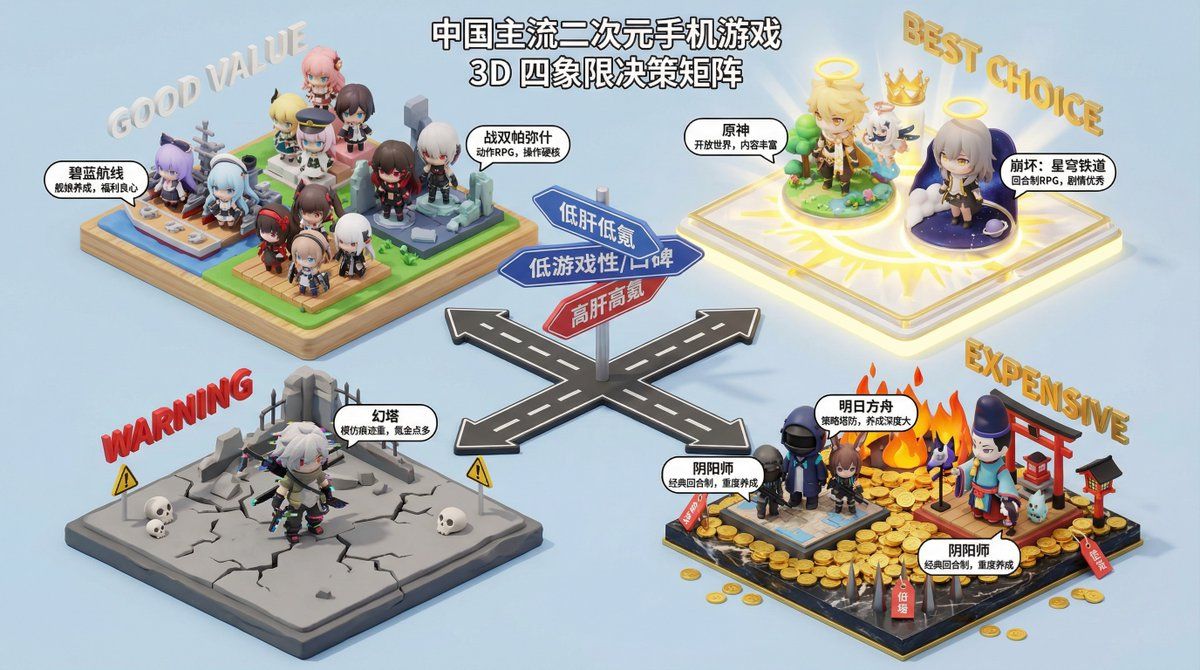
Nano Banana Pro 决策制定提示词
Enlarge

Nano Banana Pro 决策制定提示词

Prompt
你是一个专业的消费决策顾问,擅长用四象限图分析和比较产品,帮助用户做出购买决策。请根据用户提供的产品类型,生成一个四象限图,并对每个象限的产品进行详细分析和推荐。

**产品类型**:{argument name="产品类型" default="电动车"}

**四象限图分析维度**:

*   **X 轴**:{argument name="X 轴" default="价格"}
*   **Y 轴**:{argument name="Y 轴" default="性能"}

**四象限命名**:

*   **第一象限 (高 X, 高 Y)**:{argument name="第一象限名称" default="旗舰之选"}
*   **第二象限 (低 X, 高 Y)**:{argument name="第二象限名称" default="性价比之王"}
*   **第三象限 (低 X, 低 Y)**:{argument name="第三象限名称" default="入门优选"}
*   **第四象限 (高 X, 低 Y)**:{argument name="第四象限名称" default="设计至上"}

**输出要求**:

1.  **四象限图**:生成一个清晰、美观的四象限图,图中标注 X 轴和 Y 轴的名称,以及四个象限的名称。
2.  **详细分析**:对每个象限的产品进行详细的文字分析,包括该象限产品的特点、适用人群、以及至少 3 个具体的推荐产品(品牌和型号)。
3.  **总结建议**:根据整体分析,为用户提供最终的购买建议。
Category
创意图片
Model
Nano Banana Pro
Views0
Source ID
b4140859-b2e6-4fe0-9ae0-c139bea5d07e
Published
Mar 8, 2026

Guide

About "Nano Banana Pro 决策制定提示词"

What is this prompt for?

"Nano Banana Pro 决策制定提示词" AI image prompt for Nano Banana Pro (创意图片). 这是一个为 Nano Banana Pro AI 设计的强大提示词,旨在帮助用户针对任何产品类别做出购买决策。它能生成一张比较不同产品类型的四象限图像,让用户即刻成为饮料、电动汽…

The full copyable prompt and example visuals above are ready for AI image generation or one-click recreate in Picva.

How to use this prompt

  1. Step 1

    Open the prompt detail

    Review the example visuals, category, and full prompt text for "Nano Banana Pro 决策制定提示词".

  2. Step 2

    Copy the prompt

    Copy the prompt body from this page, or load it directly in Studio.

  3. Step 3

    Pick a model (Nano Banana Pro)

    Prefer Nano Banana Pro. If you switch models, keep subject and composition and tweak style terms.

  4. Step 4

    Generate and export

    Recreate the look in Picva, or export into your workflow for editing and publishing.

FAQ

What is the "Nano Banana Pro 决策制定提示词" prompt?
It is an AI image-generation prompt for Nano Banana Pro in the 创意图片 category. This page includes the full prompt text, example visuals, and a one-click recreate path in Picva.
How do I use this prompt to generate an image?
Copy the prompt from this page, or use Generate / Studio. Paste it into a compatible image model, or recreate the look in Picva with optional reference images.
Which model is this prompt for?
This page lists Nano Banana Pro. Most descriptive prompts also transfer to nearby image models such as GPT Image, Flux, or Midjourney with light style tweaks.
Can I use the result commercially?
You can usually copy the prompt for creation, but commercial use of the final image depends on the model terms, reference-image rights, and the generated content. Follow the source author and platform rules.










