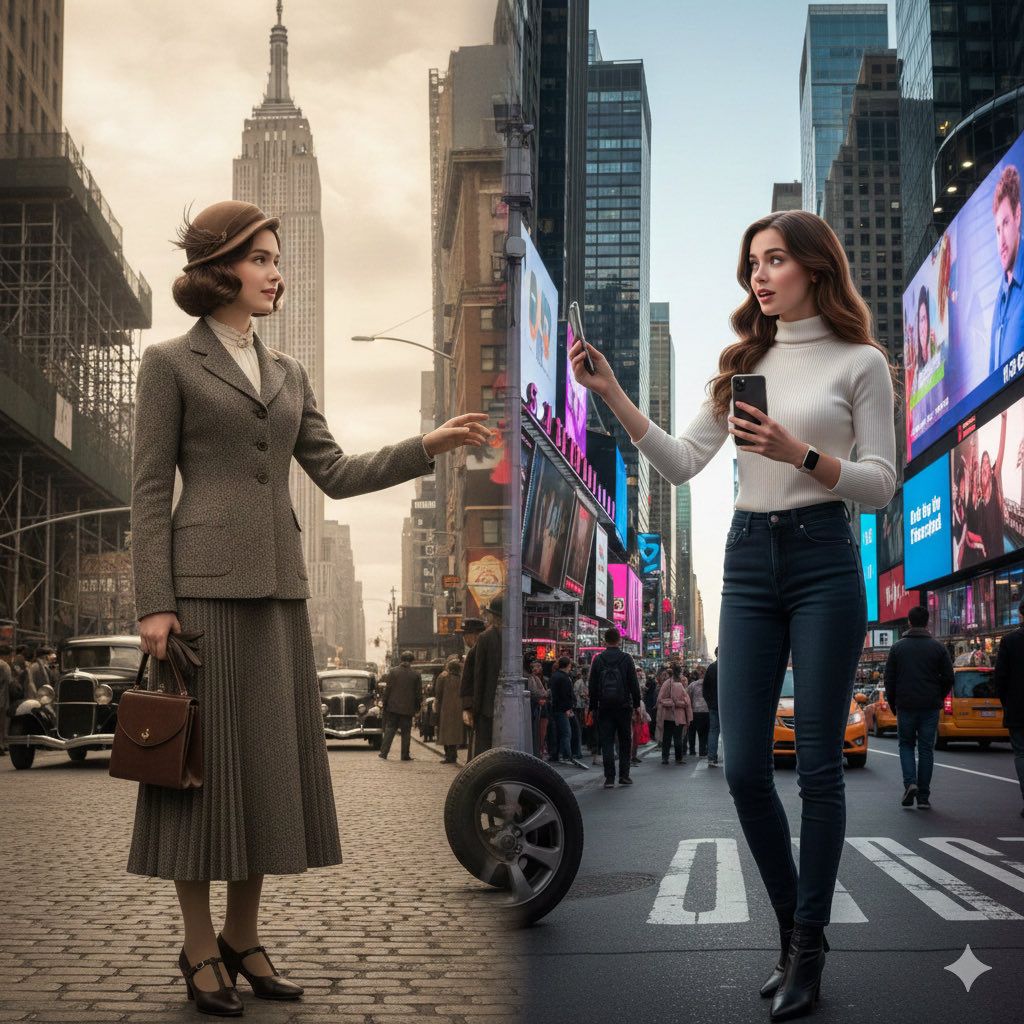
分屏电影式时间旅行提示
Prompt
A realistic split-screen cinematic shot of {argument name="Scene" default="Scene"}, showing the same {argument name="Gender" default="Gender"} appearing in two different eras: {argument name="Era A" default="Era_A"} on the left and {argument name="Era B" default="Era_B"} on the right.
If a reference image is uploaded, match her or his exact face, including facial features, hairstyle, hair accessories, skin tone, and body shape.

Left side ({argument name="Era A" default="Era_A"}):
The  {argument name="Gender" default="Gender"} appears fully visible (face + upper body). She or his wears clothing, hairstyle, and accessories authentic to {argument name="Era A" default="Era_A"}, fitting the historical setting.
Environment, architecture, materials, vehicles, props and lighting must all belong to {argument name="Era A" default="Era_A"}.
Atmosphere feels nostalgic and historically accurate.

Right side ({argument name="Era B" default="Era_B"}):
The same  {argument name="Gender" default="Gender"} (same age, same face, same body proportions) appears fully visible (face + upper body) in {argument name="Era B" default="Era_B"}.
She or he wears contemporary or era-appropriate fashion from {argument name="Era B" default="Era_B"}, with matching modern props, technology, surroundings, and lighting.

Center area:
The two eras merge organically, with no hard dividing line.
Architectural elements, clothing textures, and props subtly transition from old to new.
The {Gender} in each era may glance toward the other side, creating a sense of time-travel and self-encounter.

Photorealistic, cinematic lighting, ultra-detailed textures, high realism, 8k quality.
Aspect Ratio: {argument name="Aspect Ratio" default="Aspect_Ratio"}

---
Scene: {argument name="example scene" default="NewYork street"}
Gender:{argument name="example gender" default="Girl"}
Era_A: {argument name="example era A" default="1930s Empire State Building"}
Era_B: {argument name="example era B" default="Modern Times Square"}
Aspect_Ratio: {argument name="example aspect ratio" default="4:7"}- Category
- 创意图片
- Model
- Nano Banana Pro
- Creator
- 小卡
- Source ID
- 938a4da2-7d36-48fc-bce1-d683e06d1f6c
- Published
- Mar 8, 2026
Views0



















