详细的镜面自拍/室内肖像提示
Prompt
{
  "prompt_details": {
    "image_type": "Mirror Selfie/Indoor Portrait",
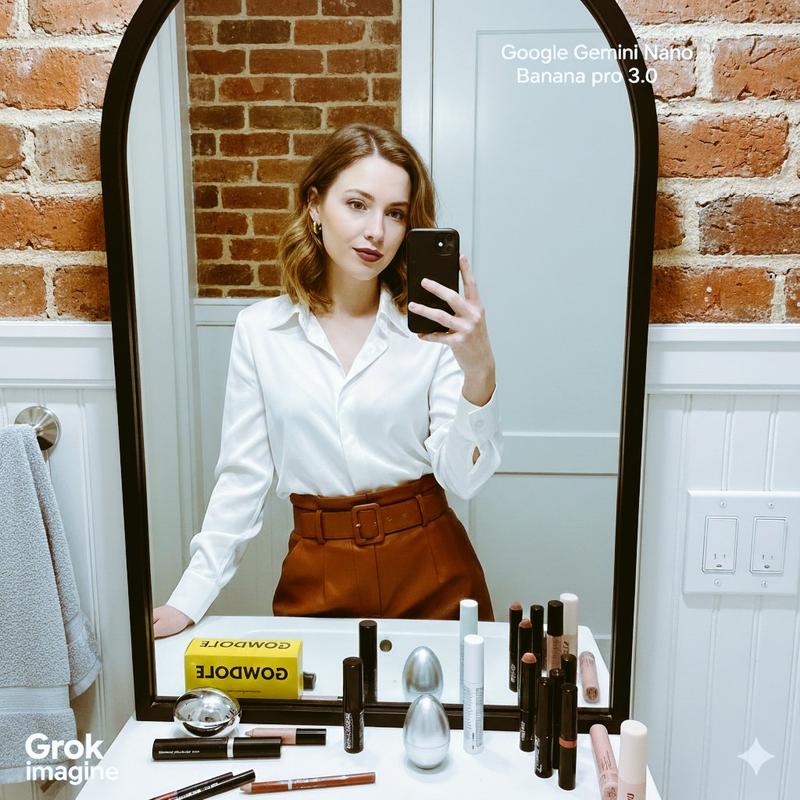
    "subject": {
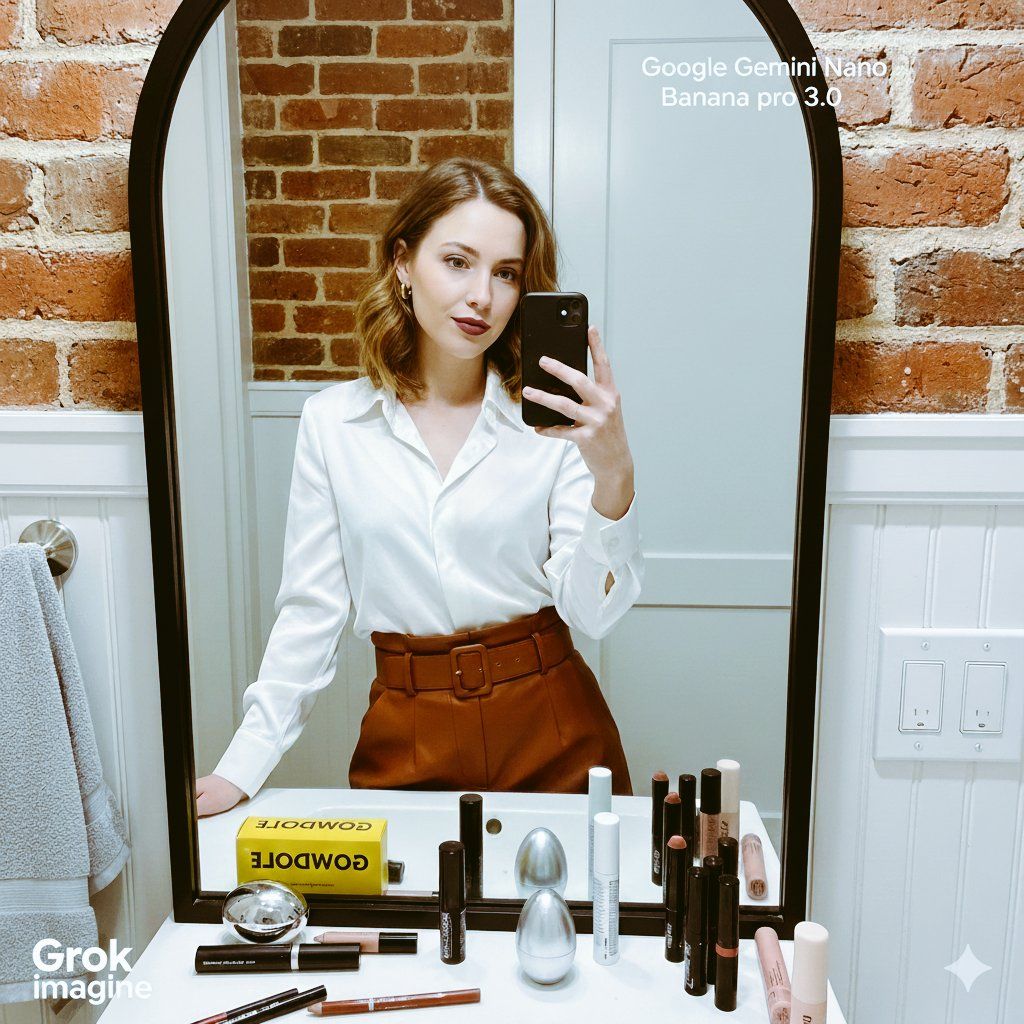
      "description": "A young woman, likely in her 20s or early 30s, with fair skin and shoulder-length blonde or light brown hair.",
      "pose": "Holding a black smartphone with both hands to take a mirror selfie, looking directly into the camera/mirror with a soft expression.",
      "attire": "Wearing a silky, long-sleeved, collared white or cream-colored blouse/shirt. The bottom is a high-waisted, reddish-brown or rust-colored leather or faux-leather skirt or trousers, cinched with a matching belt. She is wearing small hoop earrings and a ring.",
      "makeup": "A deep berry or mauve lip color, and natural eye makeup."
    },
    "setting": {
      "location_type": "Bathroom or dressing area",
      "background_elements": "A prominent, large, black-framed mirror with a curved top and slightly distressed surface. Below the mirror is a narrow white ledge/counter. Behind the counter, there's exposed reddish-orange brick and a white wainscoting/beadboard below the mirror. To the right, a white electrical outlet with visible switches. To the left, a light gray towel or garment hangs on a hook/bar.",
      "lighting": "Soft, warm, indoor lighting, likely natural light supplemented by overhead fixtures, casting a subtle shine on the white blouse."
    },
    "foreground_elements": {
      "objects_on_counter": "Various makeup and beauty products are neatly arranged on the white counter directly below the mirror. These include: a bright yellow box with black text (possibly 'GOODWOLF' or similar), black and silver mascara/applicator tubes, several lip pencils (red/brown tones), a silver egg-shaped object, a white cylinder tube, various makeup brushes, and a pinkish cream stick product.",
      "focus": "Sharp focus on the subject and the reflection in the mirror."
    },
    "style_and_aesthetics": {
      "mood": "Candid, sophisticated, getting ready, natural.",
      "color_palette": "Dominantly neutral tones (white, gray) contrasted with warm accents (red brick, rust pants, berry lips) and the black mirror frame.",
      "composition": "The subject is centered in the frame, captured via the mirror reflection. The composition includes a significant portion of the surroundings, following the rule of thirds with the subject's face slightly above center."
    },
    "camera_settings": {
      "shot_type": "Close-up/Medium Shot (as seen in the mirror)",
      "perspective": "First-person (from the phone's perspective, reflecting the taker)",
      "depth_of_field": "Shallow to medium, isolating the woman and the immediate foreground products from the deeper background elements like the brick."
    }
  }
}- Category
- 创意图片
- Model
- Nano Banana Pro
- Creator
- آیت شاہ
- Source ID
- 81ef853c-ea8a-4785-8605-9bca8d4a3a88
- Published
- Mar 8, 2026
Views0