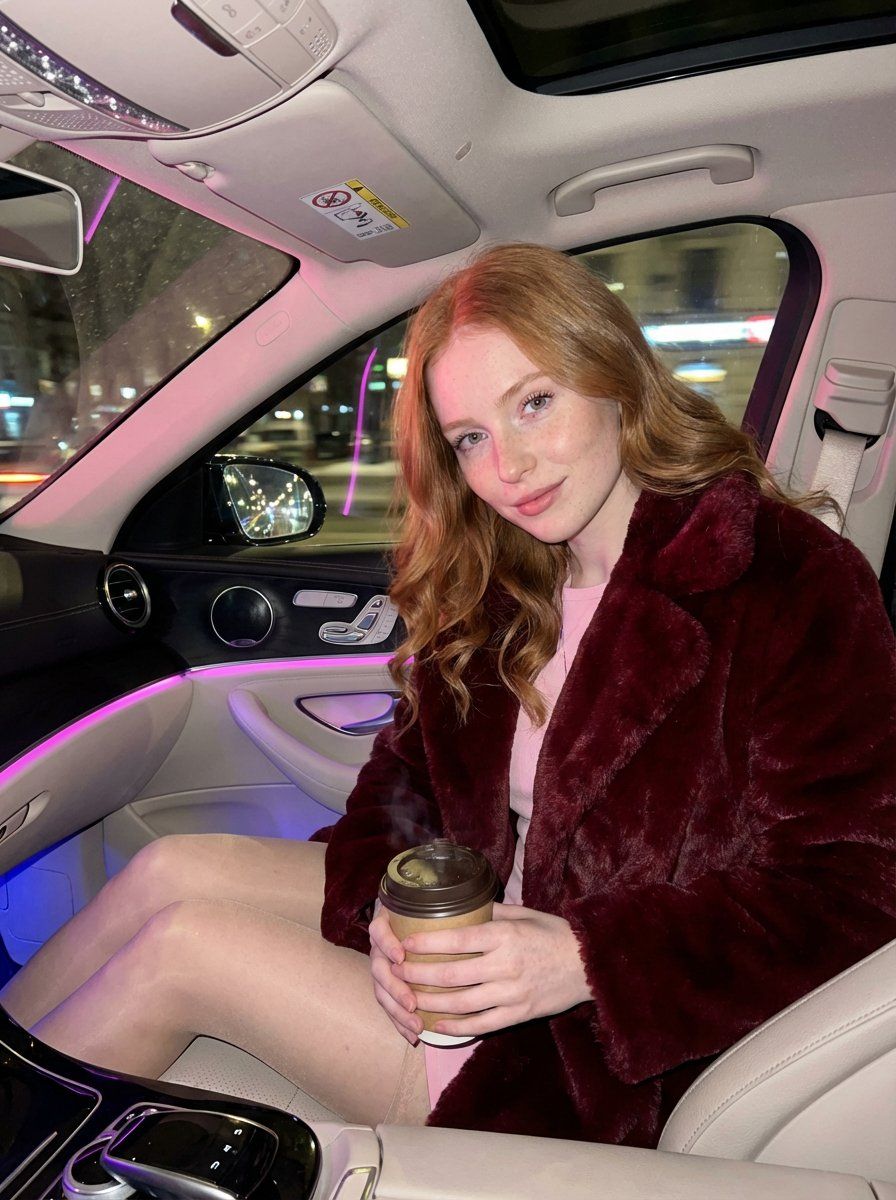
奢华汽车内饰特写
Prompt
{
  "meta": {
    "aspect_ratio": "9:16",
    "quality": "ultra_photorealistic",
    "resolution": "8k",
    "camera": "iPhone 17 Pro Max",
    "lens": "24mm",
    "style": "hyper-realistic luxury lifestyle, intimate but natural"
  },

  "scene": {
    "location": "luxury car interior (Mercedes class)",
    "environment": [
      "soft pink and blue ambient cabin lighting",
      "dashboard neon glow reflecting softly on skin",
      "city lights passing outside the windows",
      "warm, enclosed, late-night atmosphere"
    ],
    "lighting": {
      "type": "soft neon ambient",
      "key_light": "pink dashboard glow highlighting collarbones and neckline",
      "fill_light": "subtle blue ambient light shaping face and silhouette",
      "effect": "natural skin shine, realistic reflections"
    },
    "time": "late night"
  },

  "camera_perspective": {
    "pov": "casual handheld shot from passenger seat",
    "angle": "slightly low angle, flattering and intimate",
    "framing": "close lifestyle framing — face, upper body, hands, coffee cup visible",
    "energy": "caught-in-the-moment, candid luxury vibe"
  },

  "subject": {
    "gender": "female",
    "age": "early 20s (clearly adult)",
    "appearance_style": "natural European beauty",

    "body": {
      "type": "soft feminine hourglass",
      "waist": "slim but natural",
      "hips": "gently rounded",
      "chest": "full, natural proportions"
    },

    "skin": {
      "tone": "very fair porcelain",
      "details": [
        "light freckles across nose and upper cheeks",
        "realistic skin texture",
        "soft natural blush"
      ]
    },

    "hair": {
      "color": "natural copper red",
      "style": "long, softly waved",
      "behavior": "a few loose strands falling naturally around face and neckline"
    },

    "face": {
      "expression": "relaxed, confident half-smile",
      "eyes": "light blue-grey, calm and engaging gaze",
      "lips": "natural glossy finish, softly parted",
      "makeup": "clean glam — subtle eyeliner, natural lashes, soft highlight"
    },

    "pose": {
      "upper_body": "leaning slightly forward into the seat",
      "hands": {
        "right_hand": "holding a warm coffee cup near chest level",
        "left_hand": "resting naturally on upper thigh"
      },
      "legs": "relaxed seated posture",
      "vibe": "effortless confidence, understated sensuality"
    },

    "outfit": {
      "top": {
        "type": "luxury faux fur coat",
        "color": "dark crimson red with subtle dark accents",
        "style": "open at the front, revealing a fitted pastel top underneath",
        "fabric_behavior": "soft folds, natural drape"
      },
      "bottom": {
        "type": "short skirt",
        "color": "pastel pink or soft lavender",
        "fit": "tailored, elegant, comfortable"
      },
      "legs": {
        "details": "sheer stockings, smooth texture, natural sheen"
      }
}- Category
- 创意图片
- Model
- Nano Banana Pro
- Creator
- ANKIT PATEL 🇮🇳 | AI
- Source ID
- 8a334c45-bdda-4d3e-9470-0feef845b5b1
- Published
- Mar 8, 2026
Views0



















