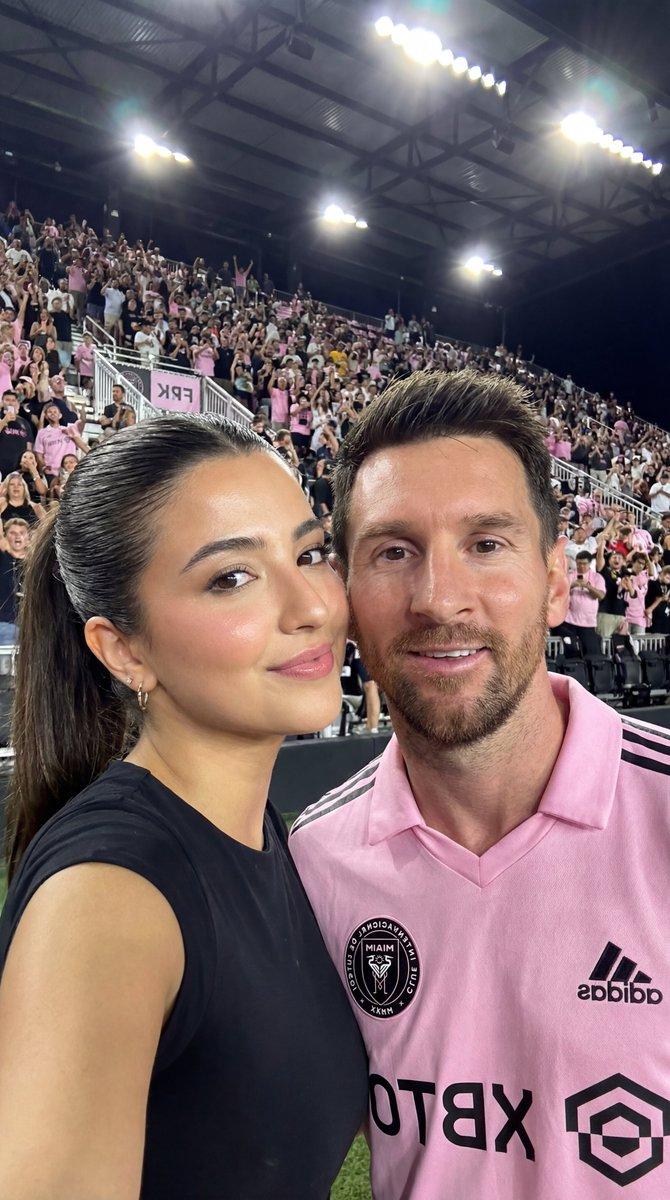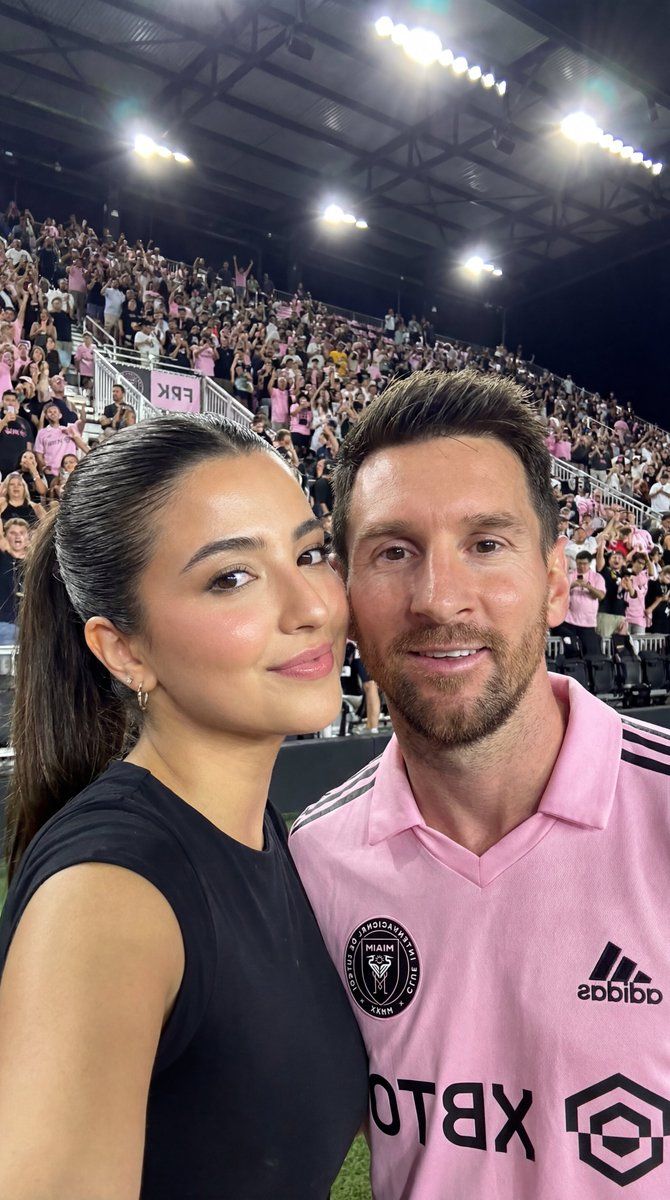
梅西与网红体育场自拍(身份已锁定)
Prompt
{
  "image_prompt": {
    "reference": {
      "face_identity": "uploaded reference image",
      "identity_lock": true,
      "face_preservation": "100% identical facial structure, proportions, skin texture, eye shape, lips, nose, brows, moles, and natural expression"
    },

    "subjects": [
      {
        "type": "young woman",
        "role": "foreground subject",
        "expression": "soft confident smile",
        "gaze": "looking directly at the camera",
        "pose": {
          "position": "standing very close to the male subject",
          "interaction": "leaning slightly toward him in a casual selfie pose"
        },
        "hair": {
          "color": "dark brown",
          "style": "sleek high ponytail"
        },
        "makeup": {
          "style": "natural glam",
          "details": [
            "even glowing skin",
            "subtle contour",
            "soft blush",
            "defined brows",
            "natural pink lips"
          ]
        },
        "outfit": {
          "clothing": "black fitted short-sleeve top",
          "style": "sporty casual"
        }
      },
      {
        "type": "Lionel Messi",
        "role": "secondary subject",
        "expression": "relaxed smile",
        "gaze": "looking at the camera",
        "features": {
          "beard": "short, well-groomed full beard"
        },
        "hair": {
          "color": "brown",
          "style": "short, modern styled, slightly messy on top"
        },
        "outfit": {
          "clothing": "Inter Miami pink home football jersey",
          "details": [
            "Inter Miami heron logo visible on chest",
            "adidas logo visible",
            "sponsor logo visible",
            "athletic fit"
          ]
        }
      }
    ],

    "environment": {
      "location": "football stadium",
      "background_elements": [
        "large cheering crowd",
        "stadium seating filled with fans",
        "players and staff visible in the distance",
        "night sky with stadium floodlights"
      ]
    },

    "lighting": {
      "type": "stadium lighting",
      "characteristics": [
        "bright overhead lights",
        "even illumination on faces",
        "slight highlights on skin",
        "realistic night-time contrast"
      ]
    },

    "photography_style": {
      "style": "real-life selfie photography",
      "camera_look": "smartphone camera",
      "depth_of_field": "moderate depth of field with slightly blurred crowd",
      "mood": "excited, celebratory, candid"
    },

    "render_quality": {
      "realism": "ultra-photorealistic",
      "detail_level": "high",
      "Aspect Ratio": "4:5",
      "skin_texture": "natural and realistic",
      "resolution": "high resolution",
      "color_grading": "true-to-life colors with stadium vibrancy"
    }
  }
}- Category
- 创意图片
- Model
- Nano Banana Pro
- Creator
- Mehdi Sharifi
- Source ID
- 403dc226-59e0-4639-b917-48fe1d0fffb4
- Published
- Mar 8, 2026
Views0