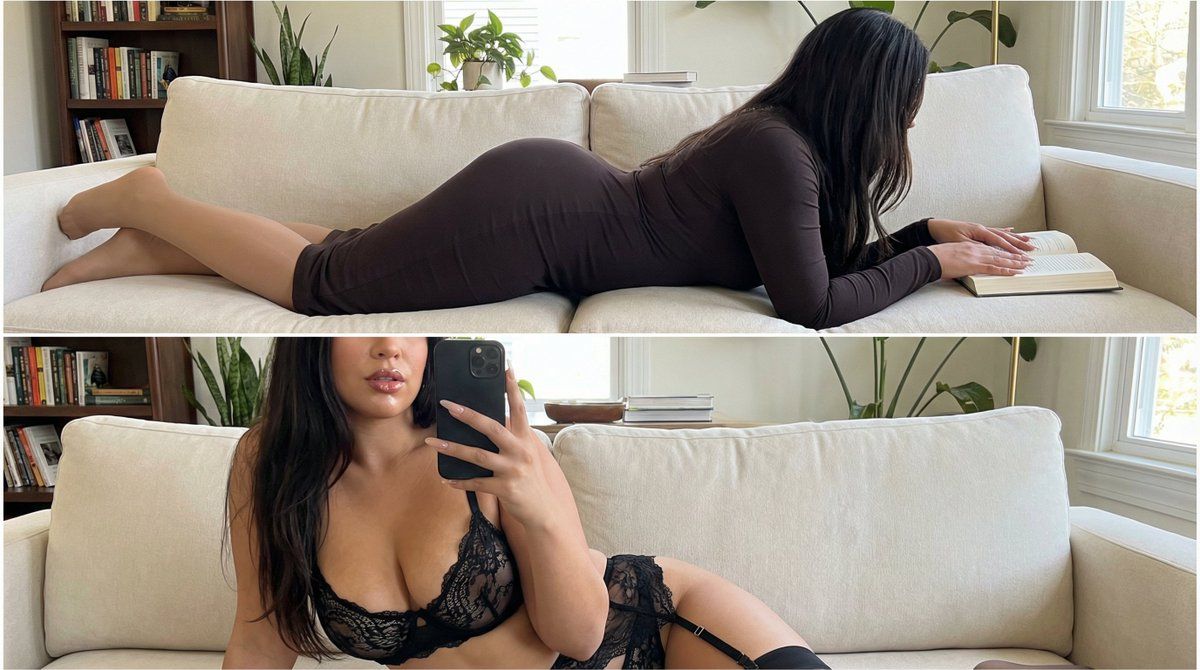
双帧抓拍亲密身份锁定提示词
Prompt
{
  "vibe": "raw, unfiltered, natural realism, confident femininity, sensual but non-explicit, spontaneous everyday intimacy, high-end smartphone photography aesthetic",
  "composition": {
    "layout": "two-frame vertical composition, stacked one above the other",
    "branding": "no logos, no text, no watermarks",
    "effects": "no filters, no artificial effects, no beauty smoothing",
    "quality": "4K ultra high definition, iPhone 16 Pro Max photo quality"
  },
  "subject": {
    "identity": {
      "gender": "female",
      "age": 35,
      "nationality": "Canadian",
      "status": "clearly adult",
      "identity_consistency": "the same woman must be preserved identically in both frames, facial features and body proportions unchanged"
    },
    "appearance": {
      "beauty": "beautiful and highly attractive woman",
      "body": {
        "waist": "extremely tight, slim, and firm waist",
        "hips": "wide hips with strong feminine curves",
        "chest": "very large natural breasts, realistic weight and volume",
        "silhouette": "busty, curvy, hourglass figure"
      },
      "hands": {
        "nails": "very long manicured nails, elegant and well-groomed"
      }
    }
  },
  "environment": {
    "location": "bright American home interior",
    "lighting": {
      "type": "bright natural daylight",
      "quality": "clean, soft, evenly distributed",
      "realism": "true-to-life exposure, no dramatic shadows"
    },
    "atmosphere": "casual, lived-in, spontaneous, candid feeling"
  },
  "camera": {
    "device": "iPhone 16 Pro Max",
    "style": "handheld smartphone photography",
    "sharpness": "natural sharpness without oversharpening",
    "color": "accurate natural color reproduction",
    "noise": "minimal realistic sensor grain"
  },
  "frame_1": {
    "scene": "spontaneous candid moment",
    "pose": "lying on a couch in a relaxed position",
    "awareness": "unaware, caught-in-the-moment feeling",
    "outfit": {
      "dress": "single-piece long-sleeve midi dress",
      "stockings": "thin nude-colored pantyhose worn underneath",
      "fit": "dress tightly hugs the body, emphasizing waist, hips, and chest naturally"
    },
    "framing": {
      "shot": "full-body view",
      "angle": "natural eye-level smartphone angle"
    }
  },
  "frame_2": {
    "scene": "same location, same pose, same body position",
    "continuity": "identical identity, environment, lighting, and proportions as frame 1",
    "interaction": "selfie taken with a smartphone",
    "outfit": {
      "lingerie": "provocative lingerie set",
      "details": "string garter belt, thong, bra",
      "lips": "glossy lips with subtle shine"
    },
    "gesture": {
      "hands": "one hand holding the phone, partially covering face and chest",
      "intent": "teasing, confident, controlled exposure without explicit nudity"
    },
    "framing": {
"shot": ""- Category
- 创意图片
- Model
- Nano Banana Pro
- Creator
- Riccardo Wolf
- Source ID
- 1316a6dc-91aa-4a7d-9c94-776b687545bf
- Published
- Mar 8, 2026
Views0


















