20

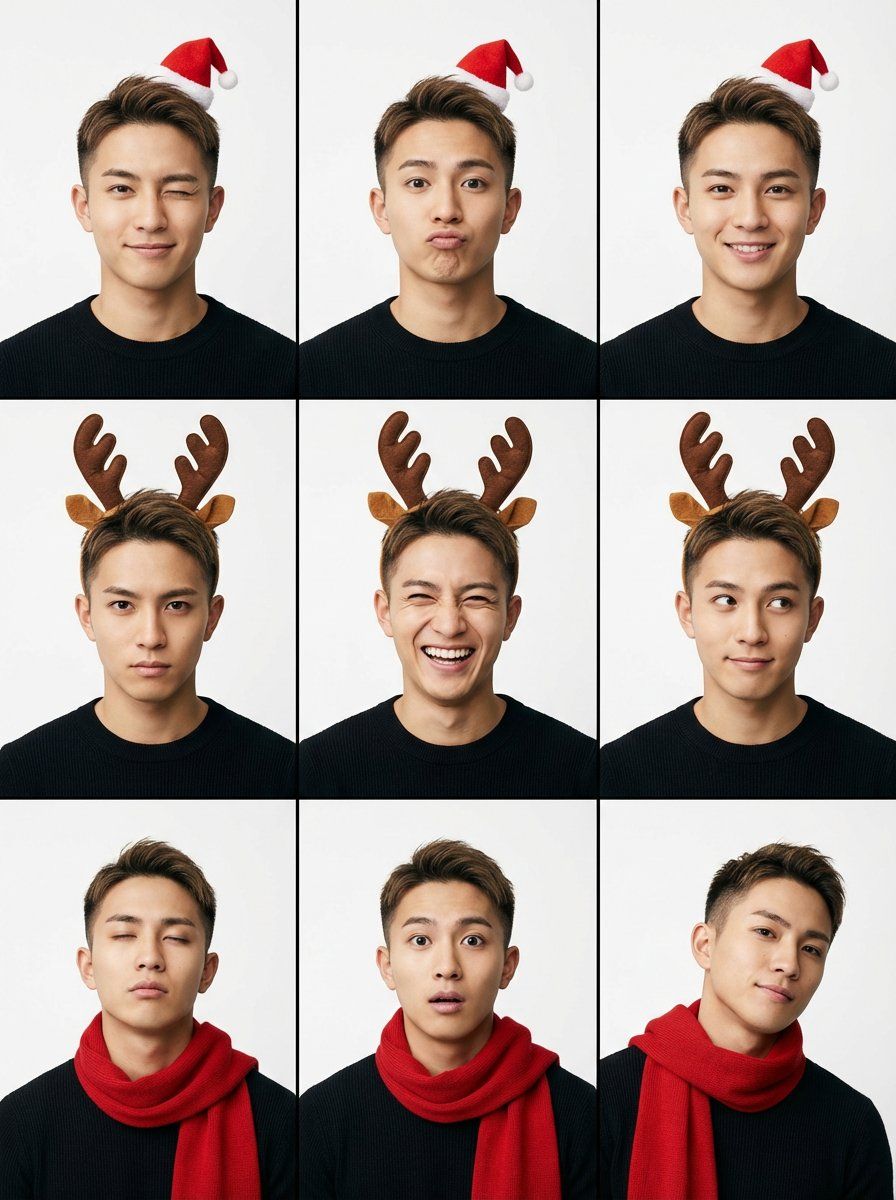
九宫格极简圣诞肖像提示词
Enlarge

九宫格极简圣诞肖像提示词

Prompt
{
"project_settings": {
"task_type": "9グリッドのミニマリストポートレート",
"aspect_ratio": "3:4",
"batch_size": 1
},
"theme_config": {
"style": "ミニマリストのクリスマスアクセント",
"intensity": "控えめ / アクセサリーのみ",
"logic": "オリジナルのクリーンな美学を維持し、パネルごとに1つのクリスマスアクセサリーのみを追加してください"
},
"prompt_payload": {
"structure": "3x3の写真グリッドマトリックスを含む1枚のコンタクトシート画像",
"subject_base": {
"identity": "若いアジア人女性(Face ID対応)",
"outfit": "シンプルなグレーのニットタンクトップまたは白いTシャツ(クリーンでモダンな印象)",
"makeup": "ナチュラルでクリーン、フレッシュ"
},
"festive_accents": {
"option_1": "小さくて可愛い赤いミニサンタ帽をかぶっています",
"option_2": "控えめな茶色のトナカイの角のヘッドバンドを着用",
"option_3": "シンプルな赤いニットマフラーをゆるく巻く"
},
"visual_style": {
"background": "単色のライトグレーまたは白のスタジオ背景(クリスマスツリーなどの派手な装飾は避けてください)",
"lighting": "柔らかなスタジオ撮影用ライト、クリーンな影",
"color_palette": "グレー、白、肌の色調、そして赤をアクセントに"
},
"expression_flow": "9種類の遊び心のある表情(ウインク、ふくれっ面、笑い、真剣な表情など)"
}
}
Category
创意图片
Model
Nano Banana Pro
Views0
Source ID
fb400ca8-eb4c-4085-8e3e-3fbb62a25c34
Published
Mar 8, 2026

Guide

About "九宫格极简圣诞肖像提示词"

What is this prompt for?

"九宫格极简圣诞肖像提示词" AI image prompt for Nano Banana Pro (创意图片). 一个高度结构化的 JSON 格式提示,用于 Nano Banana Pro 生成一张年轻亚洲女性的九宫格联系表,其中包含极简主义的圣诞元素。它指定了长宽比、风格、主体细节(服装、妆容)、背景、灯光、调…

The full copyable prompt and example visuals above are ready for AI image generation or one-click recreate in Picva.

How to use this prompt

  1. Step 1

    Open the prompt detail

    Review the example visuals, category, and full prompt text for "九宫格极简圣诞肖像提示词".

  2. Step 2

    Copy the prompt

    Copy the prompt body from this page, or load it directly in Studio.

  3. Step 3

    Pick a model (Nano Banana Pro)

    Prefer Nano Banana Pro. If you switch models, keep subject and composition and tweak style terms.

  4. Step 4

    Generate and export

    Recreate the look in Picva, or export into your workflow for editing and publishing.

FAQ

What is the "九宫格极简圣诞肖像提示词" prompt?
It is an AI image-generation prompt for Nano Banana Pro in the 创意图片 category. This page includes the full prompt text, example visuals, and a one-click recreate path in Picva.
How do I use this prompt to generate an image?
Copy the prompt from this page, or use Generate / Studio. Paste it into a compatible image model, or recreate the look in Picva with optional reference images.
Which model is this prompt for?
This page lists Nano Banana Pro. Most descriptive prompts also transfer to nearby image models such as GPT Image, Flux, or Midjourney with light style tweaks.
Can I use the result commercially?
You can usually copy the prompt for creation, but commercial use of the final image depends on the model terms, reference-image rights, and the generated content. Follow the source author and platform rules.







