20

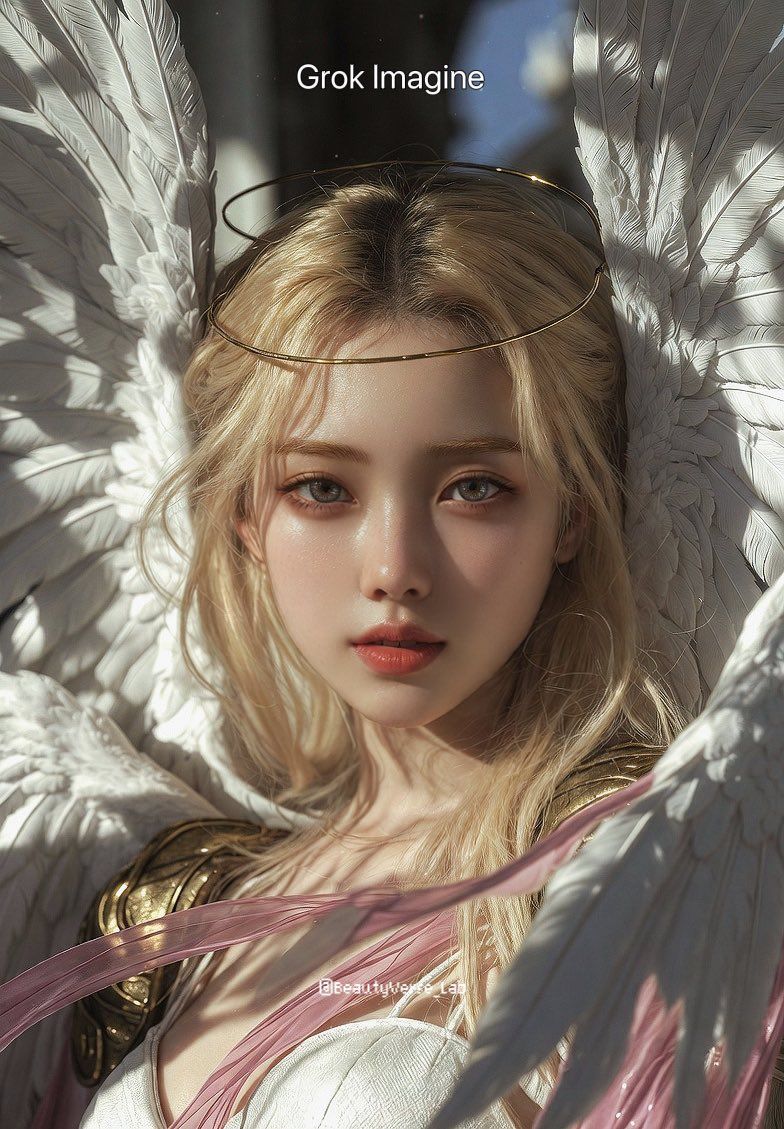
Grok Imagine 对比 Nano Banana Pro:天女兽 K-pop 偶像提示词
Enlarge

Grok Imagine 对比 Nano Banana Pro:天女兽 K-pop 偶像提示词

Prompt
A hyper-realistic editorial portrait of Angewomon as a young K-pop idol aesthetic, face fully revealed, delicate feminine features, soft dewy skin texture, mesmerizing eyes focused on the camera, a subtle elegant smile. She wears a thin golden circlet instead of a mask. Long, lustrous blonde hair with natural flyaways. Eight massive, anatomically detailed white feathered wings with soft subsurface scattering. White silk-textured bodysuit, brushed gold armor, flowing translucent pink ribbons. Soft Rembrandt lighting, natural sunlight filtering through, volumetric dust motes, shallow depth of field, shot on 85mm lens, f/1.8, 8k resolution, photorealistic.
Category
创意图片
Model
Nano Banana Pro
Views0
Source ID
2479fe69-2bcf-47df-ae74-1fc31cc6997f
Published
Mar 8, 2026

Guide

About "Grok Imagine 对比 Nano Banana Pro:天女兽 K-pop 偶像提示词"

What is this prompt for?

"Grok Imagine 对比 Nano Banana Pro:天女兽 K-pop 偶像提示词" AI image prompt for Nano Banana Pro (创意图片). 一个详细的、超现实的提示,用于比较 Grok Imagine 和 Nano Banana Pro 的输出,生成一张数码宝贝中的天女…

The full copyable prompt and example visuals above are ready for AI image generation or one-click recreate in Picva.

How to use this prompt

  1. Step 1

    Open the prompt detail

    Review the example visuals, category, and full prompt text for "Grok Imagine 对比 Nano Banana Pro:天女兽 K-pop 偶像提示词".

  2. Step 2

    Copy the prompt

    Copy the prompt body from this page, or load it directly in Studio.

  3. Step 3

    Pick a model (Nano Banana Pro)

    Prefer Nano Banana Pro. If you switch models, keep subject and composition and tweak style terms.

  4. Step 4

    Generate and export

    Recreate the look in Picva, or export into your workflow for editing and publishing.

FAQ

What is the "Grok Imagine 对比 Nano Banana Pro:天女兽 K-pop 偶像提示词" prompt?
It is an AI image-generation prompt for Nano Banana Pro in the 创意图片 category. This page includes the full prompt text, example visuals, and a one-click recreate path in Picva.
How do I use this prompt to generate an image?
Copy the prompt from this page, or use Generate / Studio. Paste it into a compatible image model, or recreate the look in Picva with optional reference images.
Which model is this prompt for?
This page lists Nano Banana Pro. Most descriptive prompts also transfer to nearby image models such as GPT Image, Flux, or Midjourney with light style tweaks.
Can I use the result commercially?
You can usually copy the prompt for creation, but commercial use of the final image depends on the model terms, reference-image rights, and the generated content. Follow the source author and platform rules.









