高山湖泊比基尼肖像提示
Prompt
{
  "prompt_type": "Ultra Photorealistic Image Generation",
  "subject": {
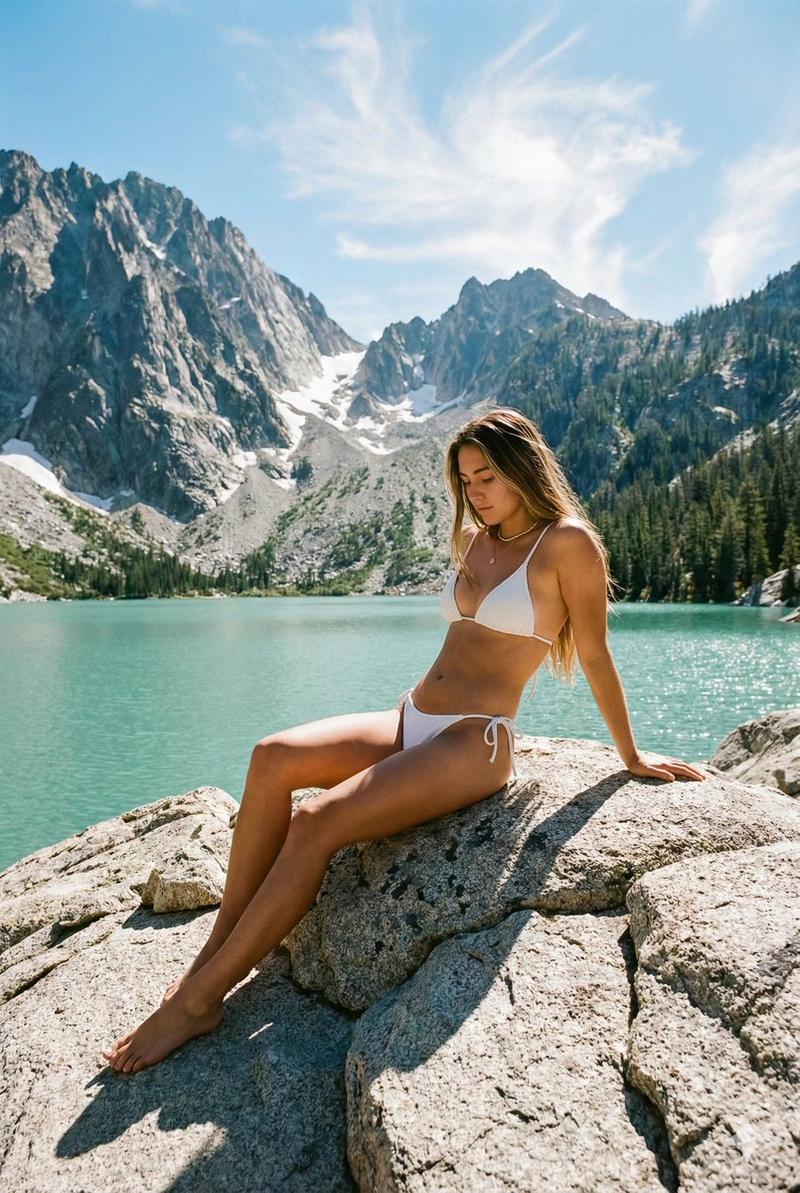
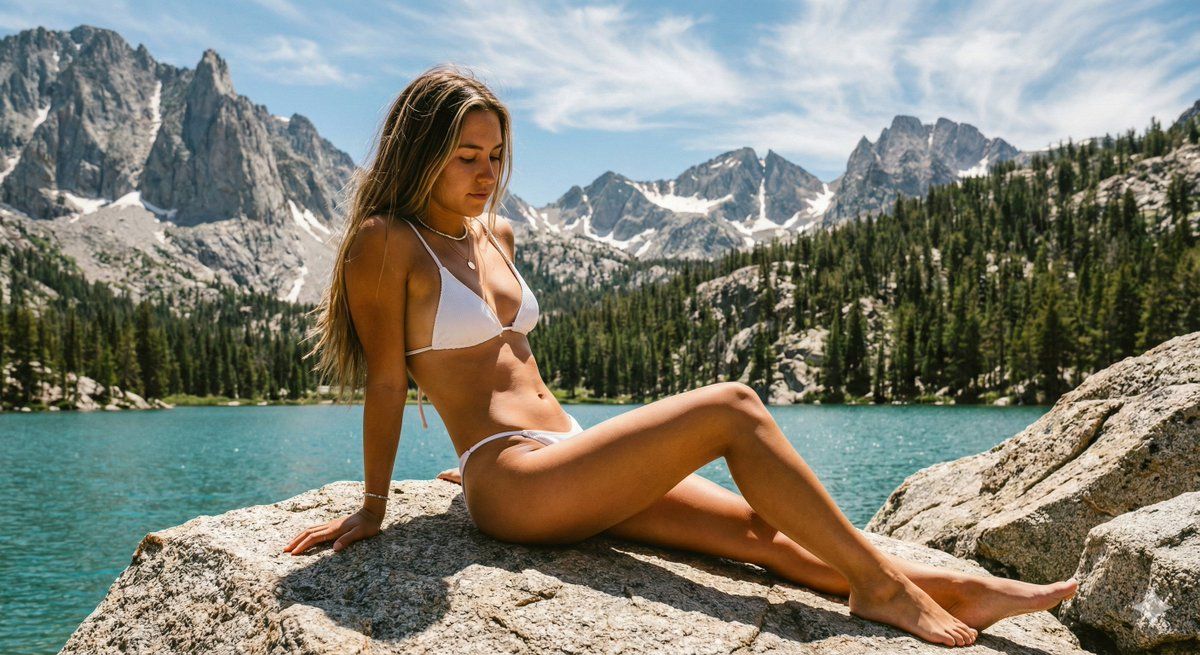
    "description": "Young woman with a fit, athletic physique and natural fair skin",
    "hair": "Long, straight dark blonde/light brown hair falling over shoulders, sun-bleached tones",
    "apparel": {
      "item": "{argument name="bikini color" default="White"} string bikini",
      "details": "Triangle top with thin straps, side-tie bottoms, ribbed texture fabric",
      "accessories": "Minimalist delicate necklace, bracelet on left wrist"
    },
    "pose": "Sitting relaxed on a large, textured granite boulder, body angled to the side, leaning back on one hand for support, legs extended with one knee slightly bent and crossed, looking down introspectively",
    "expression": "Calm, serene, contemplative, unposed natural look"
  },
  "environment": {
    "location": "High-altitude alpine lake landscape",
    "foreground": "Large, light-colored jagged rocks and boulders along the shoreline",
    "middle_ground": "Vibrant turquoise glacial water, calm surface with slight ripples",
    "background": "Towering, majestic granite mountain peaks with jagged summits, patches of lingering snow in crevices, dense green coniferous forest climbing the lower slopes",
    "sky": "Bright blue sky with wispy, scattered cirrus clouds, clear atmosphere"
  },
  "lighting": {
    "type": "Natural daylight, high noon sun",
    "quality": "Harsh, direct sunlight creating strong contrast",
    "shadows": "Hard, defined shadows cast by the subject onto the rock and by the rocks onto the ground",
    "highlights": "Bright highlights on the subject's skin and the white bikini, glistening reflection on the water"
  },
  "camera_settings": {
    "camera_model": "Sony A7R IV or Canon EOS R5",
    "lens": "35mm wide-angle prime lens",
    "aperture": "f/8",
    "shutter_speed": "1/500s",
    "iso": "100",
    "focus": "Sharp focus on the subject and immediate foreground rocks, slight deep depth of field keeping the mountains relatively sharp"
  },
  "technical_details": {
    "resolution": "8k, UHD",
    "texture_quality": "Ultra-detailed skin texture (pores, goosebumps, sun tan lines), realistic rock surface textures (granite grain, moss hints), water translucency",
    "color_grading": "{argument name="film emulation" default="Kodak Portra 400"} film emulation, warm skin tones, vibrant teal water, slightly desaturated greens, film grain aesthetic",
    "render_engine": "Octane Render / Unreal Engine 5 style photorealism"
  },
  "mood": {
    "atmosphere": "Adventurous, peaceful, summer wanderlust, refreshing, majestic, solitary",
    "style": "Travel lifestyle photography, influencer aesthetic, outdoor exploration, raw and authentic"
  }
}- Category
- 创意图片
- Model
- Nano Banana Pro
- Creator
- Xsan Shah
- Source ID
- 6e3c4fc8-4c06-49a7-b753-c475129ff31e
- Published
- Mar 8, 2026
Views0