20

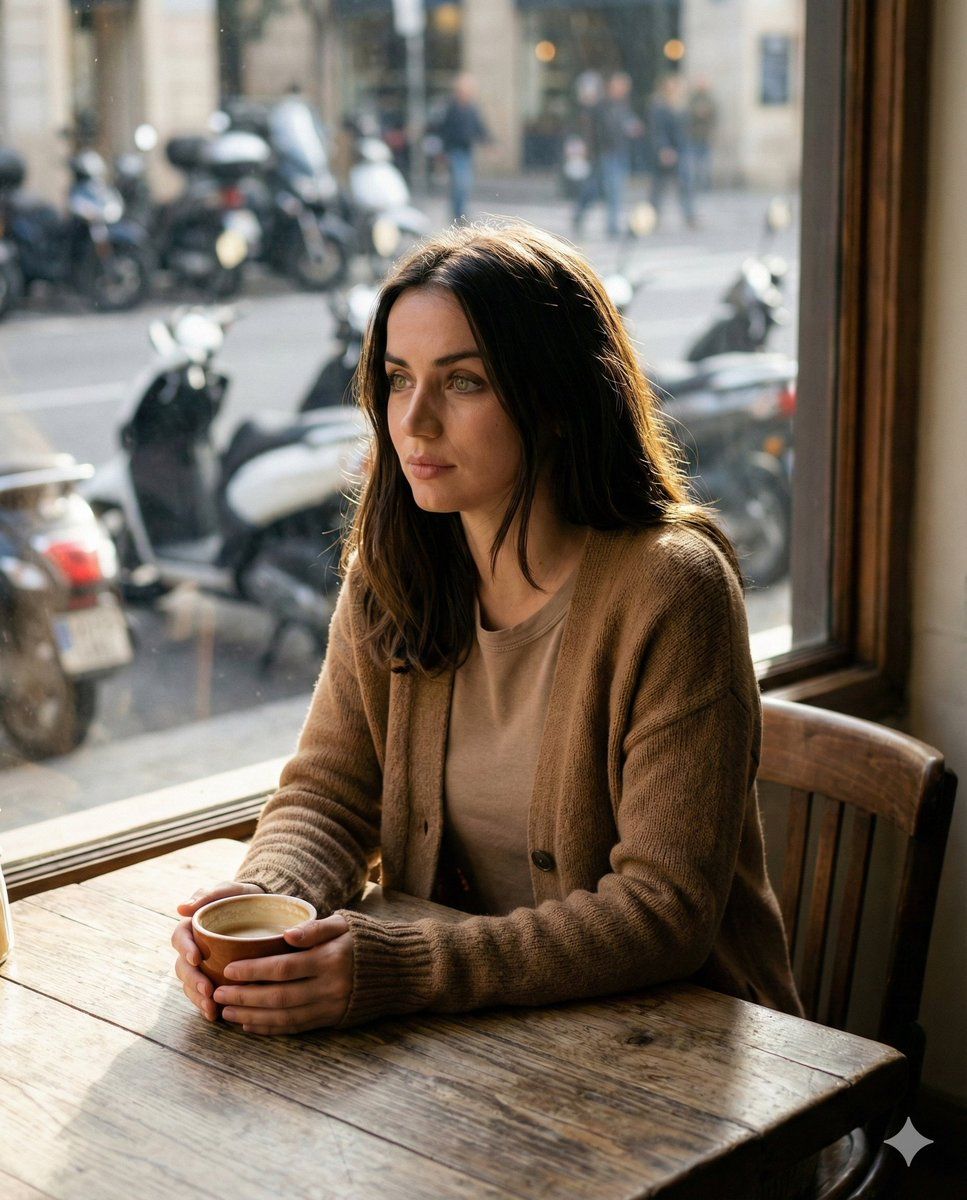
咖啡馆里的电影感人像
Enlarge

咖啡馆里的电影感人像

Prompt
{
 "cinematic portrait of the same girl from reference, sitting at a rustic wooden table by a large window in a cozy cafe, soft afternoon sunlight streaming in, thoughtful and calm expression, holding a warm cup with both hands, natural skin tones, gentle hair highlights, realistic textures, shallow depth of field, motorcycles and street scene softly blurred outside the window, slightly different outfit: warm earth-tone cardigan layered over a simple top, outfit casual and matching the cozy cafe atmosphere, high detail, 50mm lens look, natural light photography, editorial style, filmic color grading, ultra realistic",
  "negative_prompt": "overly stylized, cartoon, unrealistic skin, harsh lighting, distorted face, extra fingers, blurry, low resolution, exaggerated makeup, glamorous fashion, fantasy background",
  "settings": {
    "guidance_scale": 7.5,
    "steps": 30,
    "aspect_ratio": "4:5",
    "seed": 42
  }
}
Category
创意图片
Model
Nano Banana Pro
Creator
Johnn
Views0
Source ID
af2dccfb-4306-4710-83cd-fab813a0e872
Published
Mar 8, 2026

Guide

About "咖啡馆里的电影感人像"

What is this prompt for?

"咖啡馆里的电影感人像" AI image prompt for Nano Banana Pro (创意图片). ```json { "prompt": "在 Gemini App 上使用 Nano Banana Pro 模型,生成一张电影风格的女孩肖像,置身于舒适的咖啡馆环境中,强调柔和的光线、自然的纹理和浅景深效…

The full copyable prompt and example visuals above are ready for AI image generation or one-click recreate in Picva.

How to use this prompt

  1. Step 1

    Open the prompt detail

    Review the example visuals, category, and full prompt text for "咖啡馆里的电影感人像".

  2. Step 2

    Copy the prompt

    Copy the prompt body from this page, or load it directly in Studio.

  3. Step 3

    Pick a model (Nano Banana Pro)

    Prefer Nano Banana Pro. If you switch models, keep subject and composition and tweak style terms.

  4. Step 4

    Generate and export

    Recreate the look in Picva, or export into your workflow for editing and publishing.

FAQ

What is the "咖啡馆里的电影感人像" prompt?
It is an AI image-generation prompt for Nano Banana Pro in the 创意图片 category. This page includes the full prompt text, example visuals, and a one-click recreate path in Picva.
How do I use this prompt to generate an image?
Copy the prompt from this page, or use Generate / Studio. Paste it into a compatible image model, or recreate the look in Picva with optional reference images.
Which model is this prompt for?
This page lists Nano Banana Pro. Most descriptive prompts also transfer to nearby image models such as GPT Image, Flux, or Midjourney with light style tweaks.
Can I use the result commercially?
You can usually copy the prompt for creation, but commercial use of the final image depends on the model terms, reference-image rights, and the generated content. Follow the source author and platform rules.











