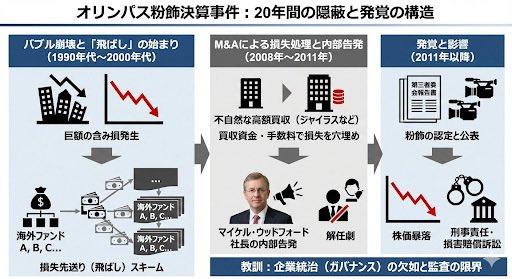
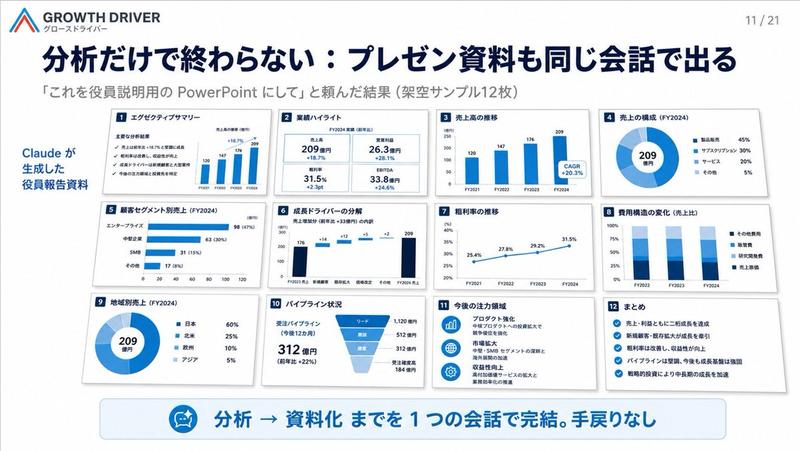
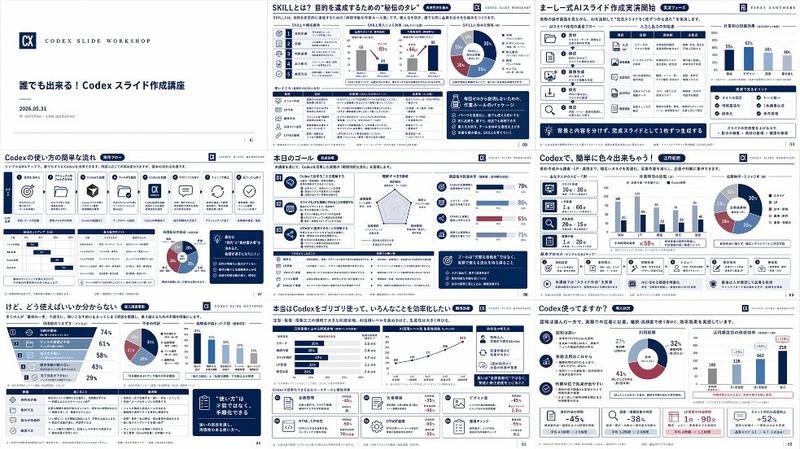
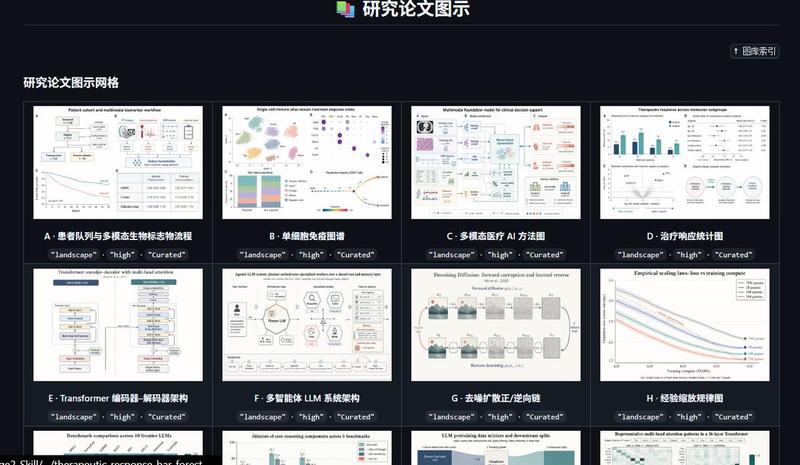
Think-cell 解决文档问题的可视化解释
Prompt
資料作成の問題とthink-cellが解決できることを解説した画像を作成して
- Category
- 创意图片
- Model
- Nano Banana Pro
- Creator
- まつつか@パワポのthink-cell|松塚展国
- Source ID
- 68eb3ac3-3ca9-4bb9-9233-d264544815cd
- Published
- Mar 8, 2026
Views0
18
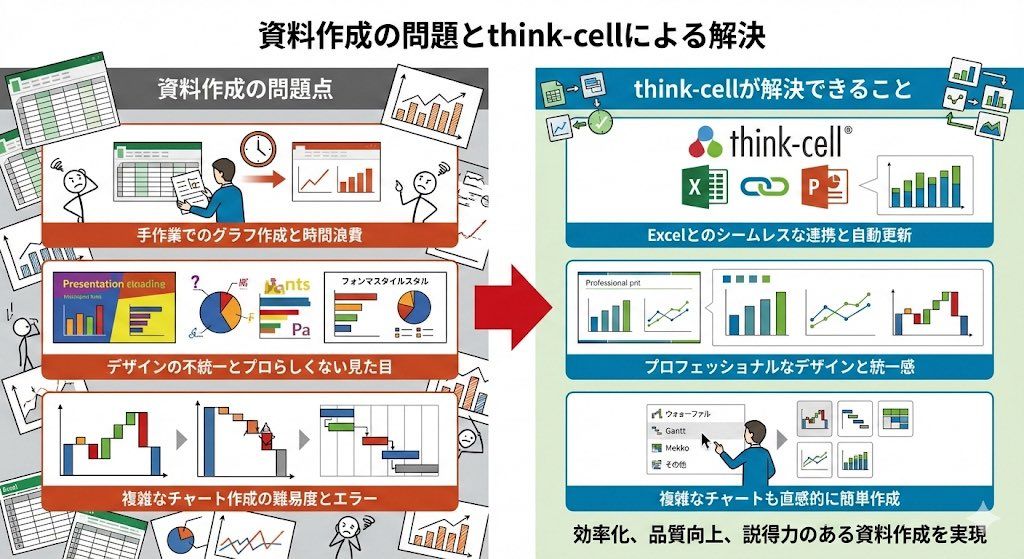
資料作成の問題とthink-cellが解決できることを解説した画像を作成して
Guide
"Think-cell 解决文档问题的可视化解释" AI image prompt for Nano Banana Pro (创意图片). 指示 Nano Banana Pro 创建一张解释文档创建问题以及 Think-cell 如何解决这些问题的图片,可用于产品或销售视觉材料。 --- 创建一张图片,解释文档创建中…
The full copyable prompt and example visuals above are ready for AI image generation or one-click recreate in Picva.
Step 1
Review the example visuals, category, and full prompt text for "Think-cell 解决文档问题的可视化解释".
Step 2
Copy the prompt body from this page, or load it directly in Studio.
Step 3
Prefer Nano Banana Pro. If you switch models, keep subject and composition and tweak style terms.
Step 4
Recreate the look in Picva, or export into your workflow for editing and publishing.