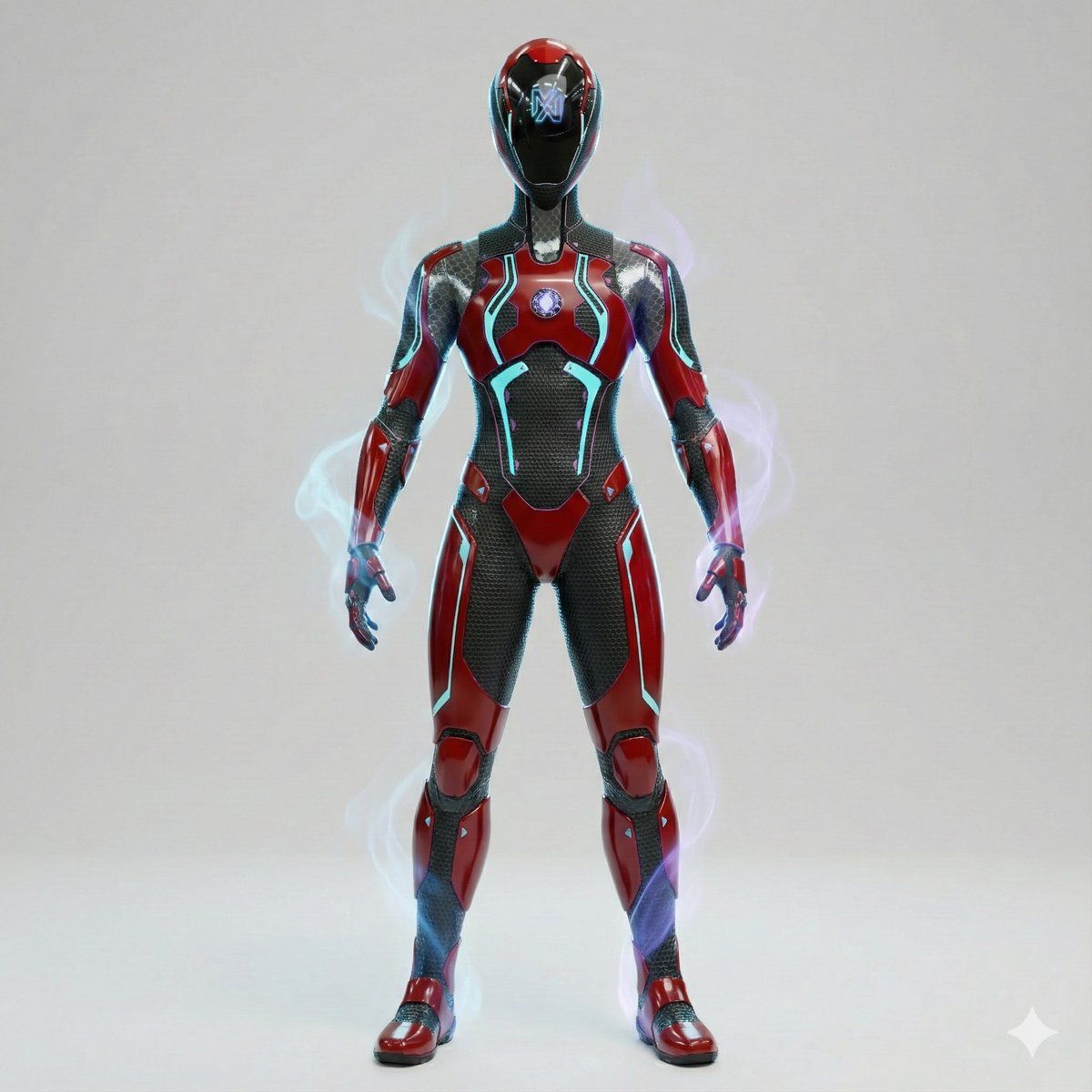
自适应魔法光环的 3D 电影级角色渲染图
Prompt
Create a full-body 3D cinematic render of the attached reference character, strictly preserving the original identity, design language, and color palette of the uploaded image, while adding subtle magical power effects as accent details only.
Color Direction (CRITICAL — FOLLOW REFERENCE EXACTLY)
The entire character color palette must be derived directly from the reference image
Maintain the same:
primary colors
contrast levels
saturation balance
material finishes
DO NOT introduce new dominant colors
DO NOT globally darken or color-grade the character
Character must remain clean, sharp, and high-contrast, never muddy or washed
Magical Aura (ADAPTIVE & RANDOMIZED — ACCENT ONLY)
Add a subtle magical aura that:
automatically adapts to the reference character’s aesthetic
uses a random accent color that complements (not overrides) the original palette
Aura appears as:
thin energy wisps
soft smoke-like trails
faint arcane particles
gentle glow around hands, shoulders, feet, or back
Aura is:
semi-transparent
low-to-medium intensity
elegant and contained, not explosive
Aura must never recolor armor, skin, or outfit
No heavy fog, no color wash, no neon flooding
Character Preservation
Full body visible, head to toe
Exact proportions, silhouette, and identity preserved
No redesigns, no stylization changes
Facial coverage, helmets, masks, or headgear remain unchanged
Hair / Head Details (If Visible in Reference)
Hair visibility, length, color, and style must match the reference
Hair color remains exactly as in the source image
No tinting from aura or lighting
High-detail realistic strands with natural highlights
Armor / Outfit / Surface Materials
Materials must match the reference:
metal stays metal
fabric stays fabric
organic surfaces stay organic
No color changes
No fantasy recoloring
Emblems, symbols, and markings retain original colors
Pose & Body Language
Natural, confident, controlled stance
Calm power presence
Balanced posture, not aggressive or exaggerated
Camera & Framing
Full-body shot
Slight low-angle for presence
Centered, clean composition
No cropping
Background
Clean {argument name="background color" default="white"}, light gray, or neutral studio background
No environmental colors
Aura clearly readable against background
Lighting
Professional studio lighting
Focus on:
material clarity
sharp silhouette
surface detail
Any colored rim light comes only from aura
No color bleeding
Render Style
High-quality 3D cinematic render
Unreal Engine / game-ready realism
Sharp geometry, clean topology
No stylized filters
No post color grading
Negative Prompt (STRICT)
Avoid:
new color palettes
color grading
muddy blacks
low contrast
neon effects
fantasy color wash
aura overpowering character
text, logos, watermarks
Quality Tags
Ultra-high resolution, reference-accurate, cinematic 3D, sharp contrast, adaptive magic aura, premium character render, clean studio look- Category
- 创意图片
- Model
- Nano Banana Pro
- Creator
- Pradeep
- Source ID
- 178e2f45-4e8d-43c8-bfae-422d46edbe82
- Published
- Mar 8, 2026
Views0
















