20

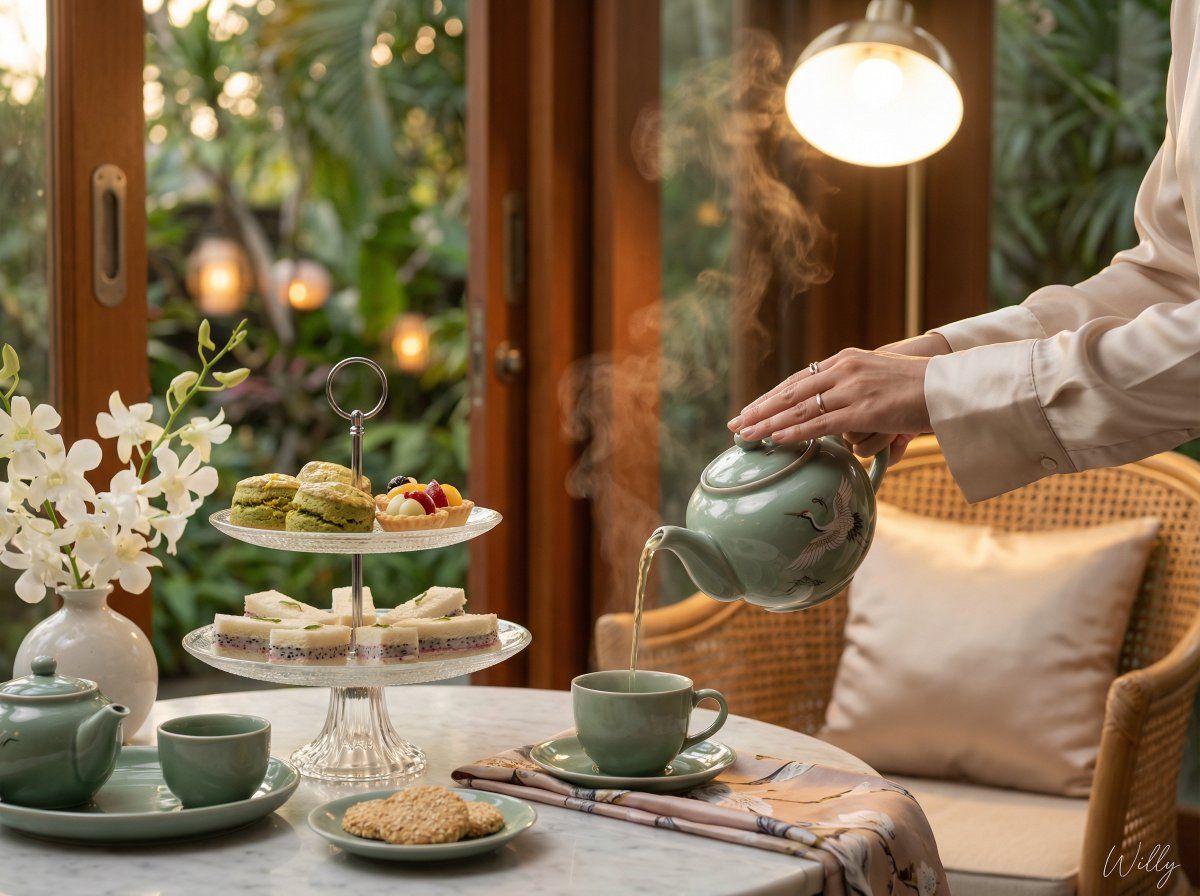
逼真的越南下午茶场景
Enlarge

逼真的越南下午茶场景

Prompt
Shot on Canon EOS R5, 50mm f/1.2 lens, elegant afternoon tea scene in a bright sunroom, Vietnamese woman's hands pouring green tea from a celadon teapot with a crane motif into a matching teacup, visible steam rising, three-tiered glass cake stand displaying matcha scones with yuzu zest and mochi fruit tarts on top tier and dragon fruit finger sandwiches on bottom tier, sesame cookies on saucer, white orchid arrangement in ceramic vase, matching green tea set, marble table with silk napkin, open sliding doors showing vivid tropical garden with lanterns bokeh, bright pendant lamp illuminating background, comfortable rattan chair with silk pillow, refined cozy atmosphere, diffused ambient lighting, photorealistic food photography, shallow depth of field, cinematic composition, serene aesthetic, golden hour indoor lighting.. A stylish handwritten signature Willy is elegantly and small letters placed at the Bottom Right corner
Category
创意图片
Model
Nano Banana Pro
Creator
Willy
Views0
Source ID
4ccc6e1f-ba7d-4346-aef9-c2724537c498
Published
Mar 8, 2026

Guide

About "逼真的越南下午茶场景"

What is this prompt for?

"逼真的越南下午茶场景" AI image prompt for Nano Banana Pro (创意图片). 一个详细的提示,用于生成一张在明亮阳光房中优雅下午茶场景的超逼真图像,重点描绘一位越南女性的手正在倒绿茶,特定的亚洲风味糕点(抹茶司康饼、麻糬挞),以及详细的相机设置(佳能 EOS R5,50mm f/1…

The full copyable prompt and example visuals above are ready for AI image generation or one-click recreate in Picva.

How to use this prompt

  1. Step 1

    Open the prompt detail

    Review the example visuals, category, and full prompt text for "逼真的越南下午茶场景".

  2. Step 2

    Copy the prompt

    Copy the prompt body from this page, or load it directly in Studio.

  3. Step 3

    Pick a model (Nano Banana Pro)

    Prefer Nano Banana Pro. If you switch models, keep subject and composition and tweak style terms.

  4. Step 4

    Generate and export

    Recreate the look in Picva, or export into your workflow for editing and publishing.

FAQ

What is the "逼真的越南下午茶场景" prompt?
It is an AI image-generation prompt for Nano Banana Pro in the 创意图片 category. This page includes the full prompt text, example visuals, and a one-click recreate path in Picva.
How do I use this prompt to generate an image?
Copy the prompt from this page, or use Generate / Studio. Paste it into a compatible image model, or recreate the look in Picva with optional reference images.
Which model is this prompt for?
This page lists Nano Banana Pro. Most descriptive prompts also transfer to nearby image models such as GPT Image, Flux, or Midjourney with light style tweaks.
Can I use the result commercially?
You can usually copy the prompt for creation, but commercial use of the final image depends on the model terms, reference-image rights, and the generated content. Follow the source author and platform rules.