16

印度男子电影感夜间街头肖像
Enlarge

印度男子电影感夜间街头肖像

Prompt
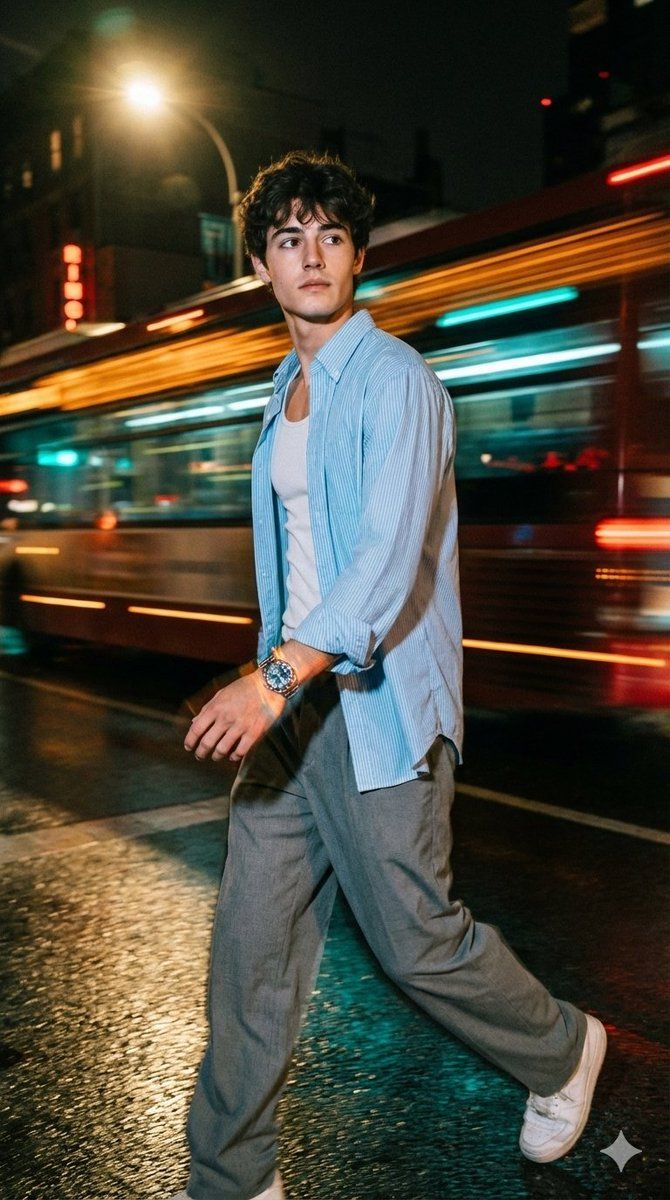
A hyper-realistic, cinematic photograph of a very handsome fair-skinned indian man walking with a slightly side-angled pose (3/4 profile) through an urban night street, captured mid-motion. He wears a light blue striped overshirt with sleeves rolled up, a white tank top underneath, loose grey trousers, and white sneakers. His left hand is outside the pocket, naturally swinging forward, and the watch on his wrist is clearly and prominently visible, reflecting neon highlights. The background shows dynamic motion blur trails in orange, amber, and teal, conveying speed and cinematic energy. Lighting is dramatic and directional, focused slightly from the top front-left, casting realistic shadows and subtle reflections on the wet pavement. The watch and his face should both be in sharp focus while the background sofity

blurs. --chaos 10--ar 9:16
Category
创意图片
Model
Nano Banana Pro
Creator
Harboriis
Views0
Source ID
6b5a3f74-5190-44c4-a333-204c2efe23c9
Published
Mar 8, 2026

Guide

About "印度男子电影感夜间街头肖像"

What is this prompt for?

"印度男子电影感夜间街头肖像" AI image prompt for Nano Banana Pro (创意图片). 生成一张超现实、电影感的照片提示:一位英俊、皮肤白皙的印度男士走在都市夜街上。背景强调动感的运动模糊(橙色、琥珀色、青色光迹),以及定向照明,确保主体面部和显眼的腕表保持清晰对焦。 --- 一张超写…

The full copyable prompt and example visuals above are ready for AI image generation or one-click recreate in Picva.

How to use this prompt

  1. Step 1

    Open the prompt detail

    Review the example visuals, category, and full prompt text for "印度男子电影感夜间街头肖像".

  2. Step 2

    Copy the prompt

    Copy the prompt body from this page, or load it directly in Studio.

  3. Step 3

    Pick a model (Nano Banana Pro)

    Prefer Nano Banana Pro. If you switch models, keep subject and composition and tweak style terms.

  4. Step 4

    Generate and export

    Recreate the look in Picva, or export into your workflow for editing and publishing.

FAQ

What is the "印度男子电影感夜间街头肖像" prompt?
It is an AI image-generation prompt for Nano Banana Pro in the 创意图片 category. This page includes the full prompt text, example visuals, and a one-click recreate path in Picva.
How do I use this prompt to generate an image?
Copy the prompt from this page, or use Generate / Studio. Paste it into a compatible image model, or recreate the look in Picva with optional reference images.
Which model is this prompt for?
This page lists Nano Banana Pro. Most descriptive prompts also transfer to nearby image models such as GPT Image, Flux, or Midjourney with light style tweaks.
Can I use the result commercially?
You can usually copy the prompt for creation, but commercial use of the final image depends on the model terms, reference-image rights, and the generated content. Follow the source author and platform rules.