20

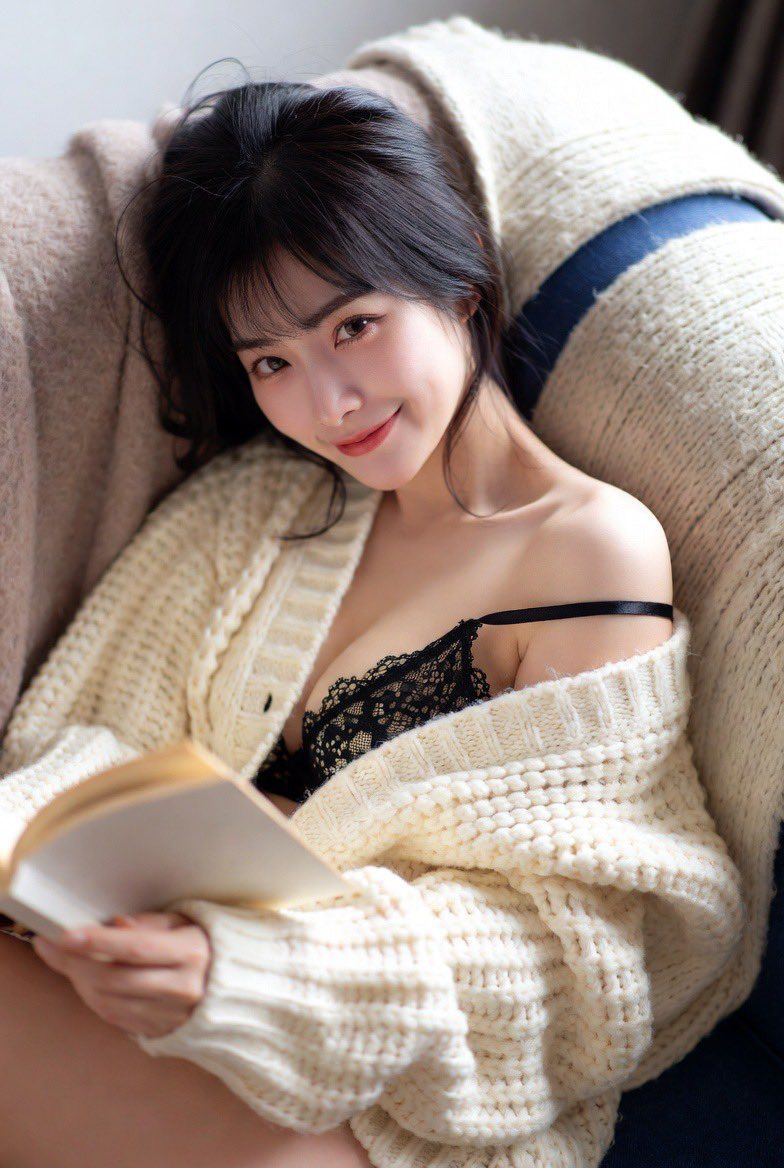
舒适针织衫与蕾丝撞色提示
Enlarge

舒适针织衫与蕾丝撞色提示

Prompt
{ "casting_log": { "subject_archetype": "Sweet, cozy, but undeniably sexy.", "apparel_strategy": "Layering lingerie under cozy knitwear creates a powerful 'at home' contrast that is highly suggestive." }, "execution_params": { "aspect_ratio": "4:3", "focus_point": "Eyes and exposed shoulder/lingerie strap" }, "google_prompt": "A candid photograph of a sweet-faced East Asian woman lounging on a plush sofa, curled up under a blanket. She is wearing a **delicate black lace bralette** under a chunky, open cream-colored knit cardigan. The cardigan sits off one shoulder, revealing the lingerie strap and her sharp collarbone. She is holding a book but looking up at the camera with a gentle, relaxed smile. The pose is cozy but revealing. Soft, natural indoor light. The focus is soft and intimate, emphasizing the textures of the knit and lace. It feels like a lazy Sunday morning snapshot." }
Category
创意图片
Model
Nano Banana Pro
Views0
Source ID
565bbe2c-416e-4cf2-9c21-8648dadc9662
Published
Mar 8, 2026

Guide

About "舒适针织衫与蕾丝撞色提示"

What is this prompt for?

"舒适针织衫与蕾丝撞色提示" AI image prompt for Nano Banana Pro (创意图片). 一个旨在生成一张东亚女性慵懒地躺在沙发上的亲密、坦率照片的提示,强调了粗针织品和精致黑色蕾丝内衣之间的视觉对比。该提示侧重于柔和的自然光线、纹理和一种暗示性的舒适氛围,明确使用了与 Nano Bana…

The full copyable prompt and example visuals above are ready for AI image generation or one-click recreate in Picva.

How to use this prompt

  1. Step 1

    Open the prompt detail

    Review the example visuals, category, and full prompt text for "舒适针织衫与蕾丝撞色提示".

  2. Step 2

    Copy the prompt

    Copy the prompt body from this page, or load it directly in Studio.

  3. Step 3

    Pick a model (Nano Banana Pro)

    Prefer Nano Banana Pro. If you switch models, keep subject and composition and tweak style terms.

  4. Step 4

    Generate and export

    Recreate the look in Picva, or export into your workflow for editing and publishing.

FAQ

What is the "舒适针织衫与蕾丝撞色提示" prompt?
It is an AI image-generation prompt for Nano Banana Pro in the 创意图片 category. This page includes the full prompt text, example visuals, and a one-click recreate path in Picva.
How do I use this prompt to generate an image?
Copy the prompt from this page, or use Generate / Studio. Paste it into a compatible image model, or recreate the look in Picva with optional reference images.
Which model is this prompt for?
This page lists Nano Banana Pro. Most descriptive prompts also transfer to nearby image models such as GPT Image, Flux, or Midjourney with light style tweaks.
Can I use the result commercially?
You can usually copy the prompt for creation, but commercial use of the final image depends on the model terms, reference-image rights, and the generated content. Follow the source author and platform rules.